Top Small Business Automation Tools to Boost Efficiency
Think of small business automation tools as digital assistants. They take over all those repetitive, time-consuming tasks, giving you back precious hours to actually grow your business. These tools can handle everything from sending emails and invoices to organizing customer data, acting like a perfect employee who works 24/7 without making a single mistake.
What Automation Really Means for Your Small Business

When many small business owners hear "automation," they immediately picture complex code or robots on an assembly line. But the reality is much simpler and far more practical. It’s less about robotics and more about hiring a team of incredibly efficient digital helpers to manage the boring parts of your job.
These helpers step in to handle all the predictable, rule-based tasks that eat up your day. And this isn't about replacing your team; it's about making them more powerful. When your staff isn't stuck doing manual data entry or sending the same reminder emails over and over, they can focus on what they do best: thinking strategically, building real customer relationships, and solving creative problems.
The Power of a Digital Assistant
Picture having an assistant who never forgets to follow up, sends a thank-you note the moment a new customer signs up, and gets your invoices out on the dot every single month. That's exactly what small business automation tools deliver. They bring a level of consistency and reliability to your operations that's tough to achieve manually.
This isn't just a fleeting trend; it’s quickly becoming essential. The business process automation market was valued at around $13 billion in 2024 and is expected to hit $23.9 billion by 2029. In fact, roughly 66% of companies around the world have already automated at least one part of their business, which shows just how vital this has become.
The real goal of automation is to give you back your most valuable resource: time. When you hand off the repetitive work to software, you create the breathing room you need for innovation and the meaningful work that truly moves your business forward.
Making Automation Easy
Not too long ago, setting up these kinds of systems required a big budget or serious technical skills. Today, that's no longer the case. Platforms like Yoonoo are built to bring all that power into one simple, user-friendly place. You can build entire workflows without writing a single line of code, which means any business owner can do it, tech-savvy or not. Instead of juggling a dozen different software subscriptions, a single platform can simplify everything.
To see just how much automation can do for you, it's worth checking out a complete guide to workflow automation for small businesses. By adopting these tools, you aren't just getting more efficient—you're building a business that's more resilient, scalable, and ready to compete. You’re setting yourself up to do more with less and turning tedious chores into a smooth, automatic part of your day.
Breaking Down the Core Automation Tool Categories
Getting started with automation can feel a bit overwhelming, like standing at a crossroads with signs pointing in every direction. The easiest way to think about it is to see small business automation tools as specialized experts you can hire for different parts of your business. You don't have to automate everything at once. Just start with the area that's causing you the most headaches.
Most tools fit neatly into a few main categories, each built to solve a specific set of problems. Once you understand these, you can zero in on where automation will give you the biggest, fastest win.
To give you a clear picture, let's compare the main types of automation tools side-by-side.
Key Automation Categories for Small Businesses
| Automation Category | Typical Tasks Automated | Primary Business Benefit |
|---|---|---|
| Marketing | Email sequences, social media posting, lead nurturing campaigns. | Attracts and engages customers consistently without manual effort. |
| Sales | Lead assignment, follow-up emails, CRM data entry, scheduling. | Frees up the sales team to focus on building relationships and closing deals. |
| Finance | Invoicing, expense tracking, payment reminders, basic bookkeeping. | Improves cash flow, reduces errors, and provides a clearer financial picture. |
| Operations | Project management tasks, internal workflows, customer support tickets. | Creates smoother internal processes and a more consistent customer experience. |
This table is just a starting point, of course. Let's dig a little deeper into what each of these categories actually looks like in practice.
Marketing Automation Tools
Imagine having a marketer who works 24/7, nurturing leads and keeping customers engaged, all without ever taking a coffee break. That's what marketing automation does for you. These tools are designed to handle all those repetitive marketing jobs, helping you build relationships with your audience on a scale you could never manage manually.
This is often the first place businesses start with automation, and for good reason—the payoff is obvious. Instead of remembering to send every welcome email or post on social media every single day, you can build systems that do it for you. It helps you stay in front of your audience and makes sure no potential customer ever falls through the cracks.
A few classic examples include:
- Email Campaigns: Setting up automatic welcome emails for new subscribers or sending a special discount on a customer's birthday.
- Social Media Scheduling: Planning out your Facebook, Instagram, and LinkedIn posts weeks or even months ahead of time.
- Lead Nurturing: Gently guiding potential customers toward a purchase with a planned series of helpful emails and content.
This isn't just a niche trend; it's becoming standard practice. The market for small business marketing automation is projected to hit $25.1 billion by 2025. With nearly 75% of companies already using some form of marketing automation, it's pretty clear this is no longer a "nice-to-have."
Sales Automation Software
If marketing automation is all about bringing people in the door, sales automation is about making sure they have a great experience and become customers. These tools focus on stripping away the tedious admin work that can bog down a sales team, letting them do what they do best: sell.
Just think about all the time salespeople spend logging calls, writing follow-up emails, and updating customer records. Sales automation takes over these manual jobs, which makes the whole sales process faster and smoother. Not only does this make your team more productive, but it also gives your customers a better experience through quick, consistent communication.
Sales automation is like the perfect assistant for your sales team. It handles the follow-ups, scheduling, and data entry so your reps can put all their energy into building relationships and closing deals.
For example, when a new lead fills out a form on your website, a sales automation tool can instantly assign it to a salesperson, send a personalized introductory email, and pop a reminder on their calendar to follow up. That kind of speed can make a huge difference in your conversion rates.
Financial and Operations Automation
Beyond getting and keeping customers, automation can work wonders on the core functions that keep your business running. This is where you can clean up all the behind-the-scenes work that, while necessary, doesn't directly bring in revenue.
Financial Automation tools are all about managing your money more efficiently. They help you get paid on time, keep your books tidy, and give you a clear view of your company's financial health without forcing you to live inside a spreadsheet.
- Automated Invoicing: Sending out recurring invoices to clients without having to think about it.
- Expense Tracking: Using apps to scan receipts and automatically categorize your business expenses.
- Payment Reminders: Gently nudging clients when a payment is overdue, which is a lifesaver for cash flow.
Operations Automation, on the other hand, covers all the day-to-day project management and internal communication. These tools connect your team and your processes, making sure projects keep moving forward and everyone knows what they need to do. This can even extend to how you help your customers; our guide to AI customer service tools shows how you can automate support tasks, too.
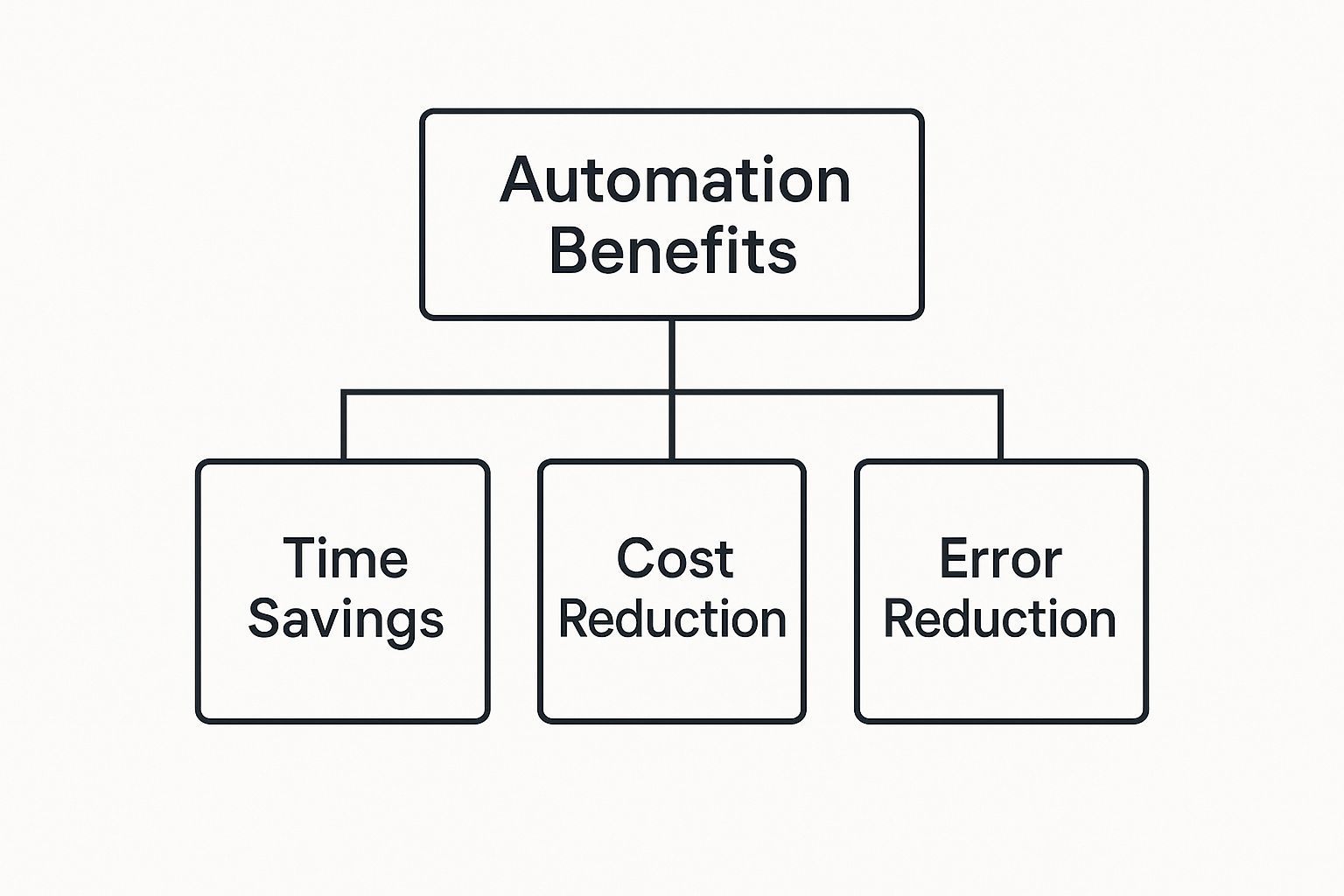
No matter where you apply it, the end goal is always the same. As you can see, automation delivers three huge benefits: it saves you time, cuts your costs, and reduces simple human error. Each of those goes straight to your bottom line.
How to Choose the Right Automation Tools for Your Business
Choosing the right software can feel like you’re trying to find a single key on a keychain with a hundred options. With so many small business automation tools on the market, it’s easy to get overwhelmed—or worse, pay for something you don’t actually need.
The secret isn’t to find the "best" tool, but the best tool for you.
This means you need a clear framework for making a decision. Instead of getting distracted by flashy features, the process should start with a simple, honest look at your own business. Where are the bottlenecks? What tasks make you sigh every time you have to do them? That's your starting point.
Think of it like hiring a new employee. You wouldn't just hire the first person who walked in; you'd first write a job description outlining exactly what you need them to do. The same logic applies here.
Start by Identifying Your Biggest Pains
Before you even look at a single piece of software, grab a pen and paper (or open a blank document) and map out your daily and weekly tasks. Be brutally honest about which ones are the most repetitive, time-consuming, or just plain draining.
These are your prime candidates for automation. Focusing on these pain points ensures you’re solving a real problem, not just buying a new digital toy.
Here are a few questions to ask yourself:
- What tasks do I have to do every single day without fail? (e.g., checking and responding to basic customer emails, posting on social media)
- Which activities take up the most manual hours? (e.g., creating and sending invoices, updating customer spreadsheets)
- Where do the most common mistakes happen? (e.g., typos in data entry, forgetting to follow up with a lead)
Once you have a list, circle the top three. These are the problems you need your automation tool to solve. Now, you have your "job description" ready.
Evaluate Tools Against Your Core Needs
With your specific problems in mind, you can now start evaluating different automation tools. This is where you move from identifying the "what" to choosing the "how." A good tool should fit your business like a glove, not force you to change your entire workflow to accommodate it.
Here are the key factors to consider during your evaluation:
1. Ease of Use
Is the platform built for someone who isn't a tech wizard? Many small business owners don't have an IT department to call for help. Look for tools with a clean interface, clear instructions, and "no-code" or "low-code" workflow builders. If you can’t figure out the basics during a free trial, it’s probably not the right fit.
2. Integration Capabilities
Your business likely already uses a set of tools you rely on, like an email service, an accounting platform, or a project management app. The right automation software needs to be a team player.
The best automation tools don't operate in a silo. They connect to the software you already use, creating a seamless flow of information that makes your entire business run smoother.
Check the tool's list of native integrations. Does it connect easily with your email marketing service, your CRM, or your e-commerce platform? If not, it might create more manual work than it saves.
3. Scalability and Growth Potential
The tool that works for you today should also work for you in a year or two. Think about your business goals. Will this software be able to handle a higher volume of customers, more complex workflows, or a larger team? Choosing a scalable solution now saves you from a painful migration process later.
4. Budget and True Cost
Finally, consider the price. But don't just look at the monthly subscription fee. Think about the total value. A slightly more expensive tool that saves you ten hours a week is a far better investment than a cheap one that only saves you one. Look for flexible pricing that grows with you, so you're not paying for enterprise-level features when you’re just starting out.
Making your website more responsive to visitors is another great investment, and you can explore different website personalization tools to further improve user experience alongside automation.
Your Step-by-Step Automation Implementation Plan
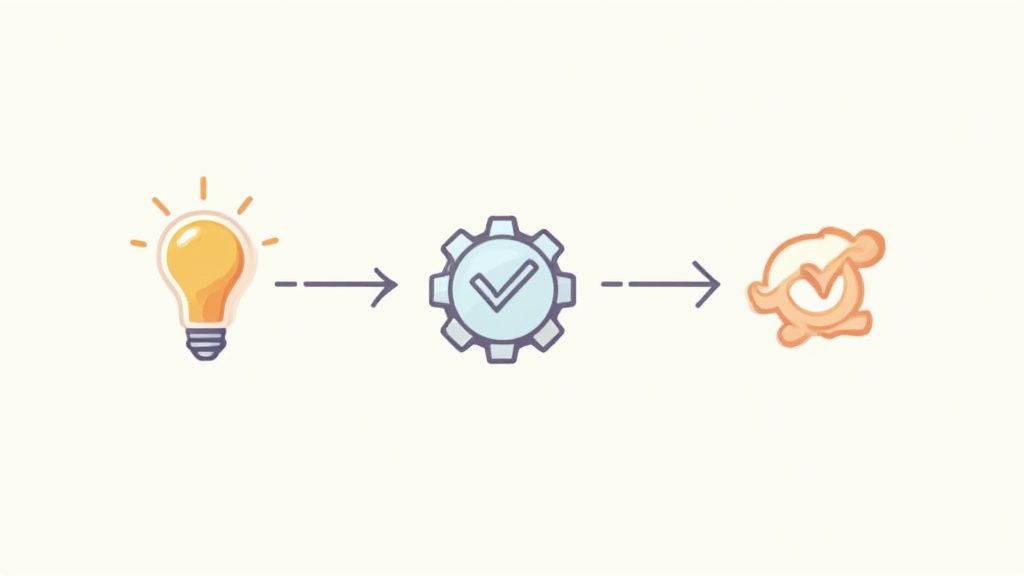
Alright, let's move from theory to action. This is where you'll start to see the real magic of automation happen. The good news is, getting your first workflow up and running doesn't have to be some massive, complex project. In fact, the most successful business owners do the exact opposite: they start small, prove it works, and build from there.
Think of it like learning to cook a new dish. You wouldn't try to tackle a five-course meal for twenty people on your first go. You’d pick one simple, impressive recipe, get it right, and then add more dishes to your skill set. The same idea applies perfectly to small business automation tools.
Find Your First Automation Target
The best place to start is with a single task that is both highly repetitive and important to your business. This strategy ensures your first effort delivers a real, tangible benefit right out of the gate. Look for those frequent, rule-based jobs that quietly eat up way more of your team's time than they should.
Here are a few classic starting points for a first workflow:
- Welcoming New Clients: Automatically send a welcome email series packed with helpful resources the moment a new client is signed.
- Managing New Leads: When someone fills out a form on your website, instantly send them a follow-up email and add their info to your CRM.
- Appointment Reminders: Automatically send a text or email reminder to clients 24 hours before their appointment to slash your no-show rate.
Once you’ve picked a process, map out every single step it currently takes. Doing this manually is so important—it forces you to get crystal clear on the logic before you even touch a piece of software, which makes the actual setup a breeze. If you're ready to jump in, a practical guide to automating content creation can offer some great ideas.
Build Your First Workflow
Now for the fun part: building. Most modern automation platforms, especially user-friendly ones like Yoonoo, use a visual, drag-and-drop system. You don’t need to be a coder to connect the dots. The whole process follows a simple "trigger-and-action" logic.
A trigger is just the event that kicks everything off. For example, "a new form is submitted."
An action is what the software does in response. For instance, "send an email" or "add a row to a spreadsheet."
Your job is to connect these blocks to recreate the process you mapped out earlier. Just start with the most basic version of the workflow. You can always add more bells and whistles later, but the immediate goal is to get a working automation running as quickly as possible. This approach is more common than you might think. As of 2024, about 61% of small businesses globally were already using AI to automate routine tasks, proving these tools are a mainstream strategy for getting more done.
The golden rule for your first build is 'progress over perfection.' Get a simple workflow running and generating results. You can always refine and expand it later once you see how it works in the real world.
Test and Measure Everything
Once your workflow is built, don't just switch it on and hope for the best. Testing is easily the most important—and most often skipped—step. Run a few tests with your own information to make sure every part of the automation works exactly as you expect. Did the email send correctly? Was the contact added to the right list?
After you go live, keep a close eye on the results. You need to measure the impact against your original goal.
- Time Saved: How many hours per week is this one automation saving you or your team?
- Error Reduction: Have you noticed fewer mistakes from manual data entry?
- Improved Response Time: Are you getting back to new leads faster than before?
This data does two things: it proves the tool is paying for itself and gives you the confidence to start hunting for your next automation target.
Finally, bring your team into the loop. Show them what you’ve built, explain how it makes their jobs easier, and ask for their honest feedback. Getting your team on board is the key to making sure the new process sticks, and it helps everyone see automation as a helpful assistant, not a threat. By starting with one small win, you create a powerful ripple effect that can benefit your entire business.
Seeing Automation in Action: Real-World Stories
It’s one thing to talk about automation in theory, but seeing it work for real small businesses is where the lightbulb really goes on. Those abstract ideas about saving time and cutting down on mistakes become a lot more tangible when you see how they apply to businesses you can relate to.
These stories show how a few smart changes can make a massive difference in the day-to-day grind. Let's look at a few common scenarios, breaking down the frustrating "before" and the game-changing "after." You'll see exactly how automation can tackle your own unique challenges and hopefully get inspired to take the first step.
The Overwhelmed Coffee Shop Owner
The Before Picture
Let’s talk about Sarah. She owns a fantastic local coffee shop, "The Daily Grind," and while she loves her customers, she's drowning in admin work. Her days are a frantic juggle of pulling espresso shots, managing her team, and trying to keep the business side of things from falling apart.
Her two biggest headaches? Inventory and customer loyalty. She’s still manually checking her stock of coffee beans, milk, and cups every few days. More often than not, she realizes she’s about to run out of something at the worst possible moment. This means panicked calls to suppliers and, sometimes, the dreaded "sorry, we're out of that" during the morning rush. To top it off, her paper punch-card loyalty program is a mess—customers lose them, and she has no idea who her regulars truly are.
The After Picture
Sarah found a simple automation platform that connects her point-of-sale (POS) system with her inventory.
Suddenly, her workflow looks completely different:
- Automatic Reordering: The moment her stock of espresso beans dips below a set level, the system automatically creates a purchase order and emails it straight to her supplier. No more last-minute panics.
- Digital Loyalty Program: The punch cards are gone. Now, customers sign up with their phone number. The system tracks their purchases and automatically sends them a voucher for a free coffee after their tenth one.
- Targeted Promotions: With all that new customer data, Sarah can now send an automated text to anyone who hasn't stopped by in a month, offering a little discount to entice them back.
The impact was immediate. Sarah spends zero time on manual stock-takes, which frees her up to actually train new baristas and connect with her customers. That new loyalty program has already boosted repeat business by 15%, and for the first time in a long time, she feels like she's running her business, not the other way around.
The Swamped Freelance Graphic Designer
The Before Picture
Next up is Alex, a freelance graphic designer whose talent is getting him noticed. His client list is growing, but so is the mountain of administrative work. He’s spending nearly as much time managing his business as he is designing, and the burnout is real.
His process for bringing on new clients is slow and full of friction. When a prospect fills out his contact form, Alex has to manually email them to schedule a discovery call. This usually turns into an annoying game of email tag just to find a time that works. Once a project is a go, he has to manually create a contract, send it, and then create a separate invoice. He also has to remember to chase them for signatures and payments, which inevitably slips through the cracks when he's deep in a project.
For so many freelancers, the real bottleneck isn't the creative work. It's the constant administrative juggling act of booking clients, managing projects, and getting paid.
The After Picture
Alex signed up for an all-in-one platform that connects his calendar, invoicing, and email. He then built a simple but incredibly effective workflow for every new client.
- Automated Scheduling: Now, when someone fills out his contact form, they instantly get an automated email with a link to his live calendar. They can book a call right then and there.
- Streamlined Onboarding: If the call goes well, Alex clicks a single button in his project management tool. This kicks off a sequence that automatically sends the new client a contract to sign electronically.
- Hands-Free Invoicing: As soon as the contract is signed, the system generates the initial invoice and sends it over. It even sends a polite reminder a few days before the due date if it hasn't been paid.
By his own estimate, Alex is saving 10-12 hours every single week. He's no longer chasing down clients or worrying about forgotten follow-ups. Best of all, his clients love how professional and seamless the whole process is, building trust right from the start.
The E-commerce Store Struggling with Support
The Before Picture
Finally, picture a small e-commerce store that sells beautiful handmade candles. The owners are passionate, but they're completely buried in customer service emails. They get asked the same things over and over again: "Where is my order?" "What's your return policy?" "Do you ship internationally?"
They spend a huge chunk of their day typing out the same replies, which pulls them away from making their products and marketing their business. This also means customers often wait hours for a simple answer, leading to frustration and even some abandoned carts.
The After Picture
The owners decided to add an AI-powered chatbot to their website using a simple tool like Yoonoo. They spent just a few minutes "training" the bot by giving it links to their shipping policy page, their FAQ, and their order tracking system.
The change was instant. The chatbot now provides immediate, 24/7 answers to over 80% of the questions that used to flood their inbox. Customers get the help they need right away, which makes them feel more confident about making a purchase. The owners are now free to handle the more complex customer issues that actually require a human touch—and to focus on what they do best: growing their business.
Got Questions About Automation? Let's Clear Things Up.
Jumping into something new always comes with a few questions, and that's a good thing. When we're talking about small business automation tools, a little healthy skepticism is smart. You're thinking about changing the way you run your business, so let's get a few common concerns out of the way first.
My goal here is to swap that uncertainty for confidence, so you can make the right call for your business.
Isn't This Stuff Too Expensive for a Small Business?
This is usually the first thing that comes to mind, and it's a perfectly valid question. For a long time, automation felt like a high-dollar luxury only big corporations could afford. A decade ago, you might have been right, but that's just not the case anymore.
Today, tons of great tools are built specifically with small business budgets in mind. Most operate on a simple subscription model, so you don't have to worry about a massive upfront cost. Better yet, many platforms are moving to usage-based pricing—you literally only pay for what you use. This completely changes the game and makes getting started much more manageable.
But here’s a better way to look at it: automation isn't a cost. It's an investment. If a tool costs you $50 a month but saves you 10 hours of tedious work, is it really an "expense"? What if you use those 10 reclaimed hours to land one new client? The tool has already paid for itself, probably several times over. The real question isn't "can I afford this?" It’s "can I afford to keep wasting my time on tasks a machine can do for me?"
I'm Worried Automation Will Make My Business Feel Impersonal.
This is a big one, especially for businesses built on a personal touch. You’ve worked your tail off to build real relationships with your customers, and the last thing you want is for a robot to come in and make things feel cold.
That fear usually comes from a misunderstanding of what automation is actually for.
Good automation doesn’t get in the way of human connection; it makes more room for it. It’s designed to handle the repetitive, impersonal tasks so you can focus on the meaningful, human ones.
Think of it this way. When you're not bogged down manually sending invoices or following up on late payments, you have the mental space to call a key client just to check in. When you’re not typing out the same answer to the same customer question for the tenth time, you can tackle the trickier problems that require real creativity and empathy.
Automation takes care of the predictable. You take care of the people. When you use it right, it actually makes your business feel more human, not less.
Do I Have to Be Some Kind of Tech Whiz to Use These Tools?
Not at all. The explosion of "no-code" and "low-code" platforms has completely changed the landscape for small businesses. These tools are built for people who have no idea how to write code. They use simple, visual, drag-and-drop editors that are more like fitting puzzle pieces together than programming.
Seriously, if you can write an email or create a social media post, you've got all the technical skills you need. You can create surprisingly powerful workflows by just connecting a "trigger" (like "when a new email arrives") to an "action" (like "add that person to my contact list"). The software handles all the complicated stuff behind the scenes.
A perfect example is a tool like Yoonoo. You can get a smart AI chatbot running on your website in about five minutes just by giving it a link to your existing content. The system learns everything on its own—no complex setup required. The tech barrier that used to keep people out is pretty much gone, putting powerful automation in reach for every business owner.
Ready to see just how simple (and effective) automation can be? With Yoonoo, you can build a smart AI chatbot for your website in minutes, no coding needed. Start answering your customers' questions instantly and free up your time for what really matters. Start for free at Yoonoo.