Create a Chatbot for Website to Boost Engagement
Before you jump into building a chatbot, it's worth taking a moment to understand why this is one of the smartest decisions you can make for your business. Don't think of a chatbot as just another piece of software. See it for what it truly is: your most dependable team member, one that works around the clock, 24/7, without ever needing a coffee break.
It's a genuine strategic asset, perfect for sparking conversations and guiding visitors toward a sale.
Why a Chatbot Is Your Website's Best New Hire
Let's be real: we live in a world of instant gratification. Your customers expect answers now, not hours or days later. Making them wait for an email response or sit on hold is a recipe for a lost sale. A chatbot tackles this problem head-on by giving people the on-the-spot support they crave, turning a potentially frustrating experience into a surprisingly helpful one.
What was once a cool gimmick has quickly become a business essential. By letting a bot handle all the routine stuff—questions about shipping, pricing, or basic services—you free up your actual human team. They can then dedicate their time and expertise to the complex, high-value issues where a personal touch really makes a difference.
The Business Impact of Automation
The numbers behind this shift are pretty staggering. The global chatbot market is absolutely booming and is expected to hit $46.64 billion by 2029. That growth is happening because businesses are saving a combined $11 billion and nearly 2.5 billion work hours every single year by automating their customer service.
This isn't just about saving time and money, though. It directly translates into stronger customer relationships. When people get immediate help, they're happier. It’s that simple. And that positive first impression is what turns a casual browser into a loyal fan of your brand.
A chatbot does more than just answer questions; it builds trust by being consistently available and helpful, making every visitor feel valued from their first click.
More Than Just a Support Tool
Thinking of chatbots as only for customer support is a huge mistake. They are absolute powerhouses for sales and marketing. A well-designed bot can:
- Qualify leads right on your website
- Book appointments directly into your calendar
- Act as a personal shopper, guiding users to the perfect product
To really get the gears turning on this, check out our guide on how to use a chatbot for marketing and watch it fill your sales pipeline.
Here’s a quick rundown of the tangible benefits you can expect.
Chatbot Benefits at a Glance
| Benefit Area | Key Outcome | Business Impact |
|---|---|---|
| Customer Support | 24/7 instant answers to common questions. | Increased customer satisfaction and loyalty. |
| Operational Costs | Automation of repetitive tasks. | Lower overhead and reduced workload on human staff. |
| Lead Generation | Proactive engagement with visitors. | More qualified leads captured directly from your site. |
| Sales Conversion | Personalized product recommendations. | Higher conversion rates and increased average order value. |
Ultimately, this technology is always improving. Beyond basic service, the evolving role of virtual assistants is making digital experiences more accessible and helpful for everyone. Adding a chatbot isn't just a tech upgrade anymore; it’s a core business strategy for growth.
Laying the Groundwork for a Successful Chatbot
Before you even think about logging into a tool like Yoonoo, let's talk strategy. I've seen too many projects stumble because they skipped this part. A great chatbot isn't about fancy code; it’s about having a clear plan from the very beginning.
It all starts with a simple question: What, specifically, do you want this chatbot to accomplish? "Improving customer service" is a nice thought, but it's not a goal. We need something concrete that will guide the entire build.
Define Your Primary Goal
Think about the biggest headache your website currently gives you or your visitors. Are potential customers bouncing from your pricing page? Is your support team drowning in the same five questions over and over? Your chatbot's main job should be to solve that specific problem.
From my experience, most chatbot goals boil down to one of these three things:
- Lead Generation: Have the bot proactively engage visitors to capture an email or book a demo. A classic example is a bot on a services page asking, "Want to see if we're a good fit? Let's find you a time to chat."
- Customer Support: Be the first line of defense, instantly answering common questions 24/7. This frees up your human team to focus on the tricky issues that actually need their expertise.
- Product Guidance: Turn your bot into a personal shopper. It can ask visitors what they're looking for and guide them directly to the right product, which does wonders for conversion rates.
This visual gives a great overview of how to approach the pre-build process in three straightforward stages.
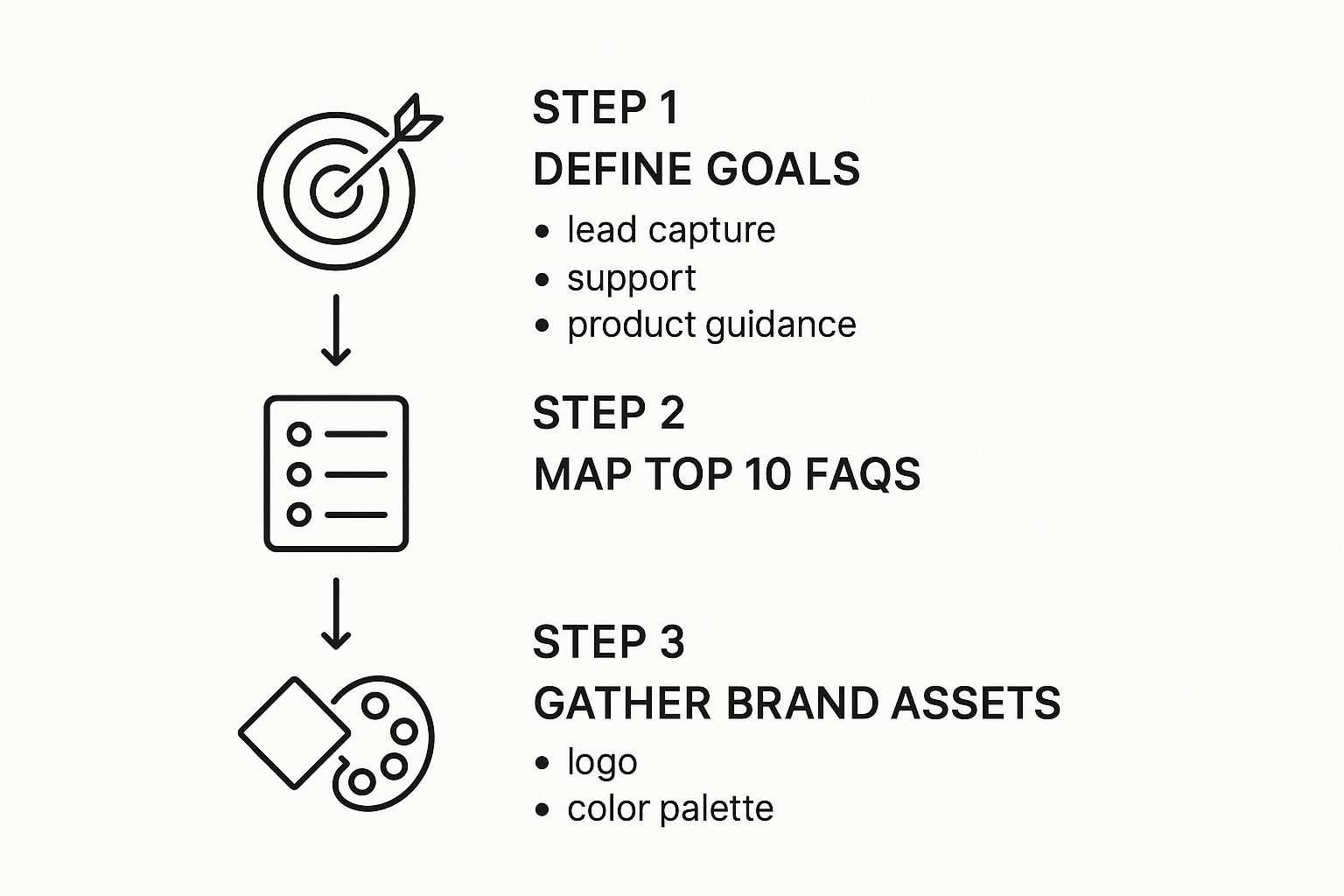
As you can see, figuring out your objective comes first. Only then do you move on to mapping out the conversations and pulling together your assets.
Once your goal is crystal clear, it’s time to give your chatbot its brain. The quickest way to do this? Sit down with your sales and support teams and make a list of the top 10 questions they answer every single day. This list is pure gold and will form the core of your bot's knowledge.
A quick pro-tip: Don't boil the ocean on day one. Your goal isn't to build a bot that can answer every question imaginable. Focus on solving the 80% of common inquiries with 20% of the effort. You can always add more knowledge later.
Finally, get your brand assets ready. This means having your logo file, your primary brand colors (with the hex codes), and a clear idea of the tone of voice you want the bot to use. A little prep work here ensures your chatbot feels like a seamless part of your brand, not some clunky, third-party plugin.
Let's Build and Customize Your First Chatbot
Alright, this is where the fun begins. With your goals defined and your key documents ready, it's time to actually build this thing. The good news? You don't need to write a single line of code. Tools like Yoonoo have made chatbot creation a visual, click-and-go process.
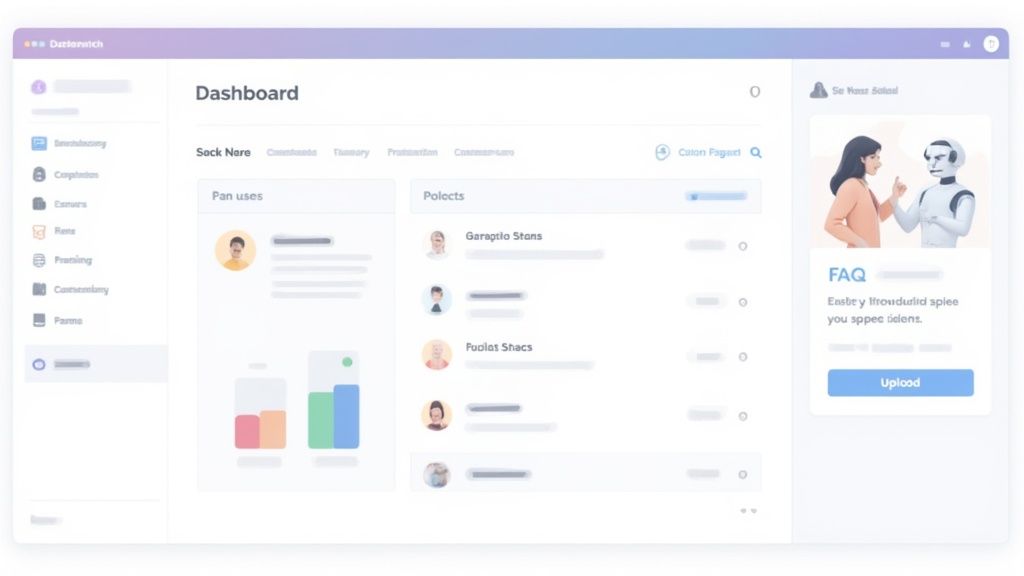
Once you create an account and log in, you'll land on a clean dashboard. This is your command center for everything—from teaching the bot what to say to changing how it looks. Take a quick look around; it's all laid out pretty logically, so you won't get lost in a sea of confusing options.
Matching Your Chatbot to Your Brand
First things first, let's make the chatbot look like it actually belongs on your website. A generic, out-of-the-box bot can feel jarring to visitors. A few simple tweaks can make it feel like a seamless part of your brand, which goes a long way in building trust.
Before we even get into its brains, focus on the visuals. You can usually knock these out in just a few minutes:
- Color Scheme: Pop in your brand's hex codes. Matching the chat widget to your site's primary and secondary colors makes it feel instantly integrated.
- Avatar: Don't skip this! Upload your company logo or a custom icon. It's a small detail, but it makes the whole experience feel more professional and less robotic.
- Welcome Message: Write a greeting that sounds like you. Instead of a generic "How can I help you?", try something that fits your brand's voice.
These initial customizations are quick wins that have a surprisingly big impact on how users perceive and interact with your chatbot.
Teaching Your Chatbot to Be Helpful
Now for the most important part: giving your chatbot its knowledge. The fastest way to get it up and running is to upload that FAQ document you prepped earlier.
This is where a cool piece of tech called Retrieval-Augmented Generation (RAG) comes into play. In simple terms, it means the AI learns directly from your documents. It won't just guess or pull from the wider internet; it will use your specific business info as its source of truth.
Just upload your PDF or Word doc, and Yoonoo will digest and index it almost instantly. Just like that, your bot can answer questions like, "What are your business hours?" or "Can you explain your return policy?" with complete accuracy.
The real power here is context. By feeding your chatbot a dedicated knowledge base, you ensure its responses are not just accurate but also relevant to your specific business, preventing the vague or incorrect answers common with general AI models.
Want to take it a step further? You can build a simple conversational flow to guide users toward a specific goal. For example, if you want to book more demos, you can set up a path that asks a few qualifying questions and then presents your scheduling link to the right people. This turns your bot from a passive Q&A tool into an active lead-gen assistant that works for you 24/7.
Getting Your Yoonoo Chatbot Live on Your Website
You've done the hard work of building and training your chatbot. Now for the exciting part: getting it live on your site so it can start helping visitors.
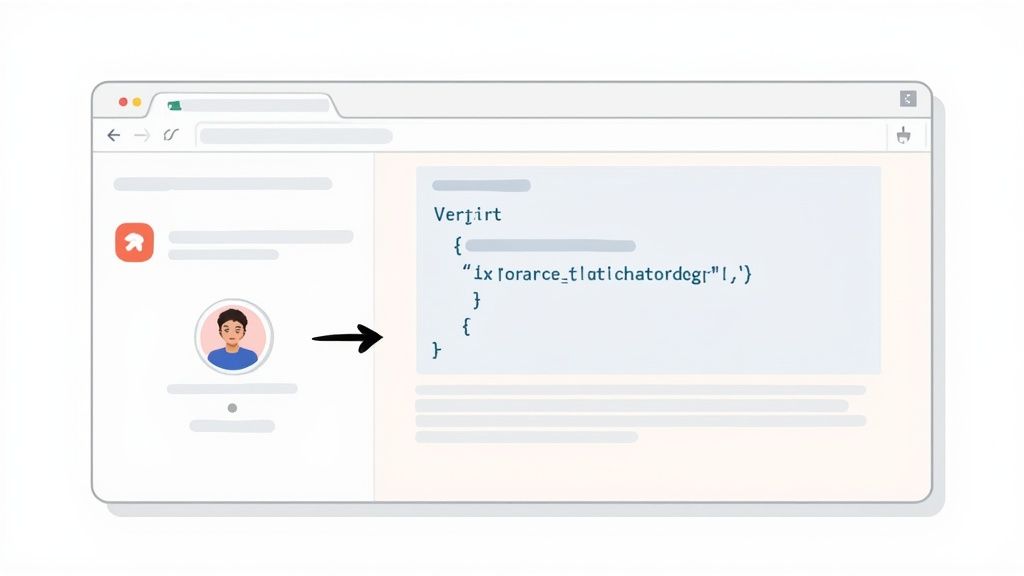
Putting your Yoonoo chatbot on your website is usually just a copy-and-paste job. Yoonoo gives you a small snippet of code that you can drop into almost any website builder, whether you’re on WordPress, Shopify, or something else.
If you're using WordPress, the easiest way is to add the code into your theme's header or footer scripts. Most modern themes have a dedicated spot for this. For Shopify users, you'll look for a similar section within your theme customization settings. The good news is you won't need a developer for this; the instructions are crystal clear.
Don't Skip the Final Test Drive
Before you flip the switch and show your new bot to the world, you absolutely have to run some final checks. Trust me on this one. A buggy or confusing chatbot can do more harm than good, frustrating visitors who were looking for a quick answer.
Think of it like a final dress rehearsal. I always recommend running through the most common questions and scenarios on a test page or, even better, a staging site if you have one. This is your last chance to iron out any kinks.
Here's my personal pre-launch checklist:
- Walk the Main Paths: Pretend you're a new visitor. Ask the top 3-5 questions you anticipate. Does the conversation flow naturally?
- Fact-Check the Answers: Double-check that the information it pulls from your knowledge base is 100% accurate and helpful.
- Submit a Test Lead: If you have a contact form or lead capture feature in your bot, fill it out. Make sure the information actually goes where it's supposed to.
I've seen it happen time and again: someone launches a bot without checking every single button and link in the conversation. A quick five-minute review can be the difference between capturing a new lead and losing them to a broken experience.
Once your tests are done and you feel confident, you're ready to go! Consider sending a quick newsletter or posting on social media to let your audience know about your new 24/7 assistant. Keep a close eye on your Yoonoo dashboard for the first few days to see how people are using it—it's the best way to find opportunities for improvement.
Making Your Chatbot Smarter Over Time
Getting your chatbot live is a great first step, but the real magic happens next. A powerful bot isn't something you just set and forget; it's a tool that needs to learn and grow with your audience. The best way to guide this growth is by regularly checking its conversation logs right inside your Yoonoo dashboard.
Think of these logs as a direct line to your customers. They show you every single question asked, especially the ones your bot couldn't answer. Don't see these as failures—they’re golden opportunities. Each unanswered query is a signpost telling you exactly what to add to its knowledge base to make it more helpful.
Let the Data Guide Your Improvements
Beyond just looking at unanswered questions, your Yoonoo dashboard is packed with metrics that tell the full story of your bot's performance. You’ll want to keep an eye on a few key numbers.
- Engagement Rates: How many people are actually starting a conversation with the bot?
- Resolution Times: Is the bot answering questions quickly and effectively?
- User Satisfaction: Are people finding the interactions helpful? Built-in ratings give you direct feedback.
This kind of data takes the guesswork out of improving your bot. You can see which conversation paths are working, figure out where responses could be clearer, and make small tweaks that add up to a much better customer experience. This ongoing process of refinement is what transforms a simple chatbot into a truly valuable asset for your website.
A chatbot’s performance is never set in stone. It’s the continuous analysis and fine-tuning that turns it into a powerful tool that truly understands and adapts to your customers.
More and more businesses are catching on. By 2025, it's expected that around 78% of organizations will be using AI in some capacity. In banking alone, 92% of North American banks already rely on chatbots to help their customers, which just goes to show how essential this technology has become.
As you fine-tune your chatbot, always remember its role in supporting your website's primary goals, like turning visitors into customers. To make sure your bot is aligned with your business objectives, it's worth reading up on these top conversion rate optimization tips. For a deeper look into this subject, check out our guide on building an AI customer support chatbot.
Common Questions About Building a Website Chatbot
Whenever I talk to people about adding a chatbot to their site, the same few questions always come up. It's totally normal to have these, so let's walk through them.
Do I Need to Be a Developer to Build This?
Not at all. I get this one a lot, and the answer is a firm no.
Tools like Yoonoo are designed to be completely no-code. If you're comfortable with drag-and-drop interfaces, you have all the technical skills you need. The real magic comes from your knowledge of your customers and your business, not your ability to write code.
Can the Chatbot Transfer to a Human?
Yes, and this is non-negotiable for a good customer experience. A chatbot should never be a dead end.
You can set up your Yoonoo bot to recognize when it's out of its depth. When a question gets too complex or a visitor asks to speak with a person, the bot can seamlessly hand the conversation over to a live agent. This handoff can be through email, your help desk, or whatever channel you use. It’s all about making sure your customers get the right answer, every time.
I always advise thinking of your chatbot as the first line of defense. It's like a smart receptionist that handles the common questions, freeing up your team to focus on the high-value, complex conversations that require a human touch.
How Do I Know if It Is Working?
You'll know by looking at the numbers. Measuring your chatbot's performance and its return on investment (ROI) is actually pretty simple. Inside your dashboard, you’ll want to keep an eye on a few key metrics:
- Lead Generation: Is the bot capturing new contacts or booking more demos for your sales team?
- Resolution Rate: What percentage of conversations are fully handled by the bot, with no human help needed?
- Support Ticket Reduction: This is a big one. Are you seeing fewer routine questions hitting your support inbox?
Ready to see how simple it is to add a 24/7 assistant to your site? You can create your first bot for free with Yoonoo and start turning more visitors into customers right away. Get started at yoonoo.ai.