Customer Service Knowledge Management: Elevate Support

Ever feel like your customer service team is constantly reinventing the wheel? One agent has the perfect answer to a tricky question, but that knowledge is stuck in their head. Another spends 20 minutes digging through old emails for a troubleshooting guide someone shared last month.
This is where customer service knowledge management comes in. It’s the process of capturing all that scattered team wisdom and turning it into a single, reliable source of truth.
What is Customer Service Knowledge Management, Really?

Think of it less like a dusty digital filing cabinet and more like your support team’s living, breathing "shared brain."
Just like a library's catalog system helps you find any book in seconds, a good knowledge management system organizes your company’s collective expertise. This means every single agent—from the new hire to the seasoned pro—can instantly find the right answer, every time.
This "shared brain" holds everything: step-by-step troubleshooting guides, product specs, approved email templates, and answers to frequently asked questions. The whole point is to empower your agents so they aren't starting from scratch with every single customer ticket.
The Three Pillars of Knowledge Management
Any solid knowledge management strategy is built on three essential pillars. If one is weak, the whole structure can wobble. But when they work together, they create an unbeatable foundation for top-notch customer support.
Let’s break them down.
Core Components of Knowledge Management at a Glance
| Component | What It Is | Why It Matters |
|---|---|---|
| Central Knowledge Base | This is your team's single source of truth. It’s the one place where all approved, up-to-date support content lives. | Without it, agents rely on memory, outdated documents, or asking colleagues, leading to inconsistent and slow answers. |
| Clear Processes | These are the ground rules for how knowledge is created, reviewed, updated, and eventually retired. | This ensures the information stays fresh, accurate, and trustworthy. A knowledge base with old info is worse than none at all. |
| The Right Technology | This is the software that brings it all together, like Yoonoo. It powers the search, content creation, and analytics. | The right tool makes finding and using information effortless, turning the knowledge base into an agent's best friend. |
Building a robust knowledge management system is one of the most impactful customer service best practices you can adopt. It’s a direct investment in consistency, speed, and quality.
A great knowledge system doesn't just store information; it connects the right person to the right answer at the right time, turning every support interaction into an opportunity for excellence.
Ignoring this can be incredibly costly. In fact, research shows that poor knowledge-sharing practices cost Fortune 500 companies a staggering $31.5 billion every year. That's a massive loss coming from agents wasting time searching for information or providing answers that are just plain wrong.
Ultimately, effective knowledge management shifts your support team from a purely reactive, problem-solving unit to a proactive, value-adding part of your business. It creates a system that learns and improves with every customer conversation, empowering your agents to deliver the kind of service that builds real loyalty.
Why a Strong Knowledge Strategy Matters
Let's move past the textbook definitions. A solid knowledge management strategy delivers real, measurable results that hit your team's efficiency and your company's bottom line. This isn't just about organizing files; it’s about fundamentally changing how your entire support operation works. The whole point is to give every single agent the right answer, right when they need it.
When your team has instant access to a trusted source of truth, the entire support dynamic changes. Instead of putting customers on hold while they scramble for an answer, agents can resolve issues with confidence and speed. This has a massive impact on First Contact Resolution (FCR), which is a huge driver of customer happiness. In fact, research shows a staggering 67% of customer churn could be avoided if the problem is just solved on that first try.
Supercharge Agent Performance and Confidence
A centralized knowledge hub is an agent’s best friend. It gets rid of that classic "swivel chair" problem—where agents are flipping between a dozen different screens and apps just to cobble together a single answer. A good system puts everything they need right in front of them.
This has a huge effect on everyone, from the rookie to the seasoned pro:
- Faster Onboarding: New hires don't need to spend weeks just shadowing someone to be useful. With a great knowledge base, they can jump in and start solving real customer problems almost immediately, which drastically cuts down on training time and costs.
- Reduced Escalations: When your frontline agents are armed with the right info to handle tricky questions, far fewer tickets need to be passed up the chain. This frees up your senior experts to focus on the really tough issues that actually need their attention.
A great knowledge system acts as a performance multiplier. It elevates the capabilities of your entire team, ensuring that your least experienced agent can provide support with the same accuracy as your most seasoned expert.
Drive Consistency and Customer Trust
Inconsistency is a silent killer of customer trust. Nothing erodes a customer's confidence faster than getting different answers from different agents. A strong knowledge management strategy is the perfect fix, making sure every customer gets the same correct, high-quality support, no matter who they talk to or what channel they use.
That consistency is vital for building a brand people can rely on. It tells your customers you’re organized, professional, and serious about getting them the right information. To build a truly robust strategy, it helps to lean on what works. You can get some excellent guidance by reviewing the top 8 knowledge management best practices from experts in the field.
In the end, all these operational improvements lead to powerful business outcomes. By empowering your agents and delivering consistent service, you create a support experience that doesn't just solve problems efficiently—it builds real, lasting customer loyalty. The result? Happier customers, better retention, and serious cost savings.
How to Build Your Knowledge Base from Scratch
Building a great knowledge base isn't about creating a massive library of articles overnight. Think of it more like building a house. You wouldn't just start nailing boards together; you'd start with a blueprint designed for the people who will actually live there. In this case, your "residents" are your customers and your own support agents.
So, where do you find that blueprint? You don't start with a blank page. You start by becoming an archaeologist of your own support inbox. You need to dig through past conversations to find the recurring themes, the common frustrations, and the questions that pop up again and again.
Every support ticket, chat log, and agent note is a breadcrumb. Following these trails will lead you straight to the content your customers and team desperately need.
Finding Your First Must-Have Articles
Before you write a single word, you have to figure out what to write about. This isn't a guessing game. It’s about methodically finding the knowledge gaps that are causing the most pain. Your goal is to pinpoint the topics that will give you the biggest bang for your buck right away.
Start by digging into your support tickets. Most help desk systems let you tag conversations by topic—things like "billing issue," "password reset," or "feature request." Run a quick report to see which tags have been used most over the last 90 days. These high-volume topics are your immediate priority.
Next, go talk to your team. Your agents are on the front lines every day. They have a gut feeling for what frustrates customers the most and which problems eat up the most time.
Here’s how to gather this goldmine of information:
- Analyze Ticket Tags: Find the most common reasons customers are reaching out.
- Interview Your Agents: Ask them one simple question: "What question are you absolutely sick of answering?" Their answers are pure gold.
- Check Your Saved Replies: If your team uses macros or canned responses, those are perfect candidates to be turned into full-fledged knowledge base articles.
This approach makes sure your first articles solve real, frequent problems, delivering instant relief to both your customers and your team.
Writing Content That People Will Actually Use
Once you have your priority topics, it’s time to start writing. The goal here is crystal clarity, not a long-winded essay. Remember, the person reading your article is probably already a little stressed out. Make it easy for them.
A great knowledge base article feels like a helpful conversation, not a user manual. It should use the customer's language, anticipate their next step, and calmly guide them to a solution.
Keep your style and format consistent across all articles. This makes your knowledge base feel reliable and easy to navigate. A simple template can work wonders.
A Simple Article Structure That Works
- The Problem: Kick things off with a single, clear sentence describing the issue the article solves. Try to use the same words a customer would.
- Step-by-Step Fix: Use a numbered list to walk the user through the solution. Use bold text for key actions like Click the 'Settings' button or Enter your new password.
- Show, Don't Just Tell: Add screenshots, short GIFs, or even quick videos whenever you can. A picture really is worth a thousand words here.
- What's Next?: At the end, link to 2-3 other articles that might be relevant. This helps them solve related issues without having to search again.
This simple structure makes your content scannable and easy to follow, which is exactly what someone needs when they're trying to help themselves.
Making Knowledge a Team Sport
As your knowledge base grows, you can start to embrace a more powerful approach called Knowledge-Centered Service (KCS). This isn't just about writing articles; it's a fundamental shift in how your team thinks about and shares information.
With KCS, your support agents aren't just using the knowledge base—they become its primary builders and caretakers. The core idea is simple: valuable knowledge is created in every single support conversation.
Here’s what that looks like in action:
- An agent gets a new question from a customer.
- First, they search the knowledge base to see if an answer already exists.
- If an article is there, they use it. If they spot something that could be clearer, they quickly improve it on the spot.
- If there’s no article, they create a new one as they solve the problem for the customer.
This "solve it and save it" cycle ensures your knowledge base grows organically and never gets stale. It turns every support ticket into a chance to capture and share what you know, making the entire team smarter with every customer interaction.
Choosing the Right Knowledge Management Software
The best knowledge management strategy in the world will fall flat without the right technology to power it. Think of your software as the engine of your entire system. The goal isn’t to find the flashiest tool with a million features; it’s about finding the one that slots perfectly into your team's day-to-day work.
A clunky, confusing system creates more problems than it solves. You need software that makes finding and sharing information feel effortless. After all, if the tool is a pain to use, your agents simply won’t use it.
Core Features You Cannot Ignore
When you start looking at different platforms, a few features are absolutely non-negotiable. These are the building blocks of a truly useful tool, separating it from what is essentially just a glorified shared folder.
Keep an eye out for these fundamentals:
- An Intuitive Editor: Creating new articles shouldn't require a user manual. If your team has to jump through hoops just to add a screenshot, they’ll avoid contributing. Look for a clean, simple editor where what you see is what you get.
- Powerful Search: This is the big one. Your agents need to find the right answer, fast—even if they make a typo. A great search function feels almost magical, while a bad one is a constant source of frustration.
- Version Control: Information is always changing. A good system tracks every edit, shows you who changed what, and lets you roll back to a previous version if something goes wrong. This is crucial for keeping your information accurate and reliable.
- Insightful Analytics: You can't improve what you can't measure. Your software should tell you what people are searching for, which articles get the most traffic, and, most importantly, where the gaps in your knowledge are.
This visual guide breaks down the core steps of building a knowledge base from scratch—a process your software should make as simple as possible.
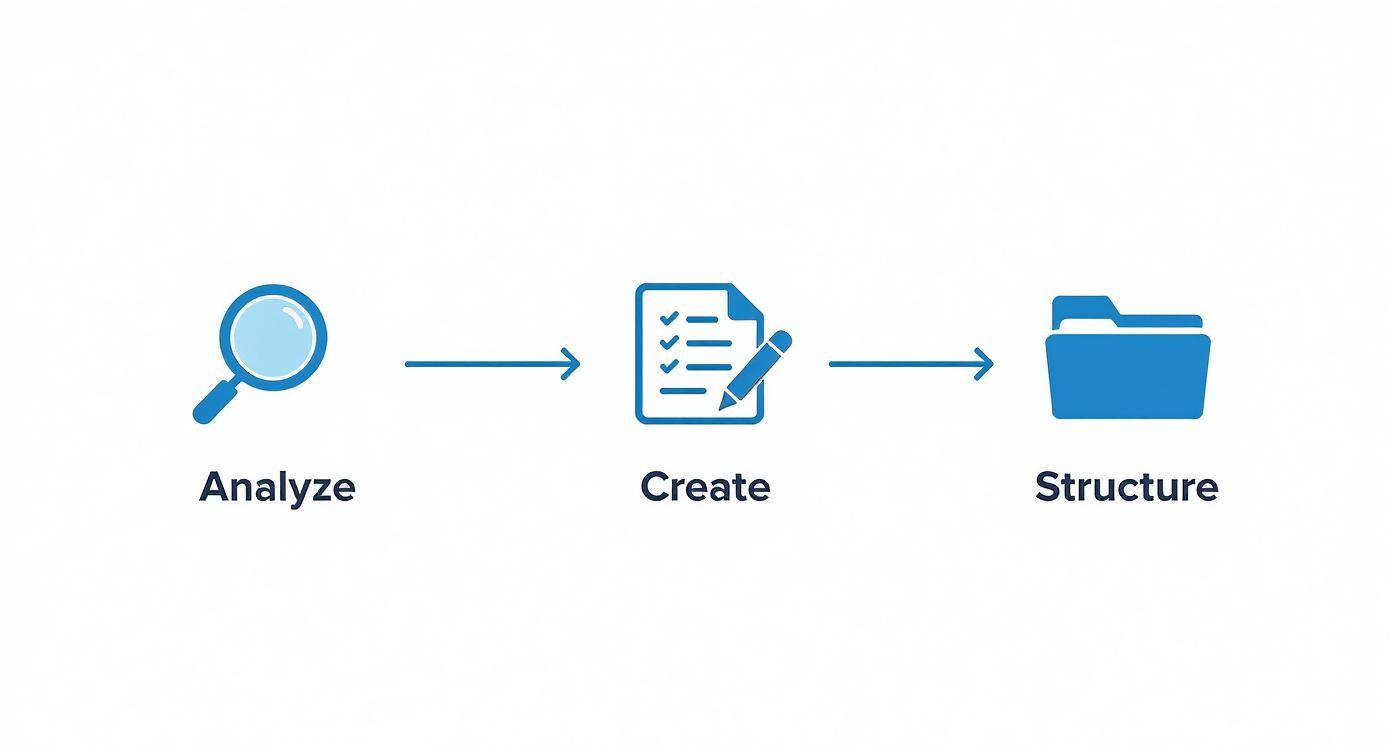
As the infographic shows, it all starts with understanding your needs and ends with a well-organized resource. Your tool needs to support every single one of those steps.
Feature Comparison of Knowledge Management Tools
With so many options out there, it can be tough to figure out which type of software is the right fit. This table breaks down the common features across three main categories to help you see how they stack up.
| Feature | Standalone Knowledge Base | Integrated Help Desk Suite | AI-Powered Platform (e.g., Yoonoo) |
|---|---|---|---|
| Primary Function | Content creation and storage. | Combines knowledge base with ticketing and chat. | Proactively suggests answers and automates content creation. |
| Search Capability | Standard keyword search. | Good search, often tied to ticket history. | Intelligent, context-aware search that understands intent. |
| Agent Workflow | Agents must manually search for information. | Information is available within the help desk. | AI surfaces relevant articles automatically during conversations. |
| Content Maintenance | Manual updates and gap analysis. | Analytics may highlight popular or missing articles. | AI identifies outdated content and suggests new topics. |
| Ideal For | Small teams or for a simple, public-facing FAQ. | Teams needing an all-in-one support solution. | Teams focused on speed, efficiency, and reducing agent effort. |
Ultimately, the best choice depends on your team's size, existing tools, and long-term goals. While a standalone tool is simple, an AI-powered platform like Yoonoo offers a significant leap in efficiency by actively helping your agents.
The Rise of AI in Knowledge Management
Today, artificial intelligence is completely changing the game. Modern platforms are no longer just passive libraries of information; they're becoming active assistants for your support team. This smart layer can have a massive impact on your team's speed and the quality of their service.
The data backs this up. A recent report from Livepro found that 38% of teams are already using AI to recommend articles to agents during customer chats. On top of that, 31% are using generative AI to help write new documentation, and 28% rely on AI for smarter search.
AI in knowledge management isn't some far-off idea. It’s a real, practical tool that turns your knowledge base into a proactive sidekick for your support team, serving up answers before an agent even thinks to ask.
Platforms like Yoonoo build this intelligence right into the workflow. For example, as an agent is typing a reply, the system can automatically pop up the most relevant article from your knowledge base. It’s like having an expert whispering the perfect answer in their ear at just the right moment. You can see more examples of this in our guide to AI customer service tools.
How to Drive Team Adoption and Engagement

So, you've built this amazing knowledge base. That's a great start, but the real work is just getting underway. I've seen it time and again: a company invests in a brilliant customer service knowledge management system, only to watch it collect dust because the team never really buys in.
Here’s the thing—technology is only half the battle. The human element is what makes or breaks it.
Getting your team on board isn't about sending a memo and crossing your fingers. You need a real strategy. The goal is to shift their perspective from seeing it as "just another tool" to embracing it as their go-to resource for everything. It's all about building trust, showing them the value, and making knowledge sharing a natural part of how your team works.
Start Small with a Pilot Program
Instead of a big, overwhelming launch for everyone at once, try a pilot program. Think of it as a test flight. Pull together a small, handpicked group of agents to be your first users. Make sure you get a good mix—include a few seasoned pros, some newer hires, and a couple of your more tech-savvy team members.
This small-scale rollout gives you a safe space to gather honest feedback. Your pilot team acts as your eyes and ears on the ground, pointing out confusing articles, awkward workflows, or anything else that feels off. You can use their insights to fix the kinks before you go live for the whole department, which guarantees a much smoother launch.
Train for "Why," Not Just "How"
Good training is about more than just a tour of the features. Of course, agents need to know how to use the system, but what really gets them to use it is understanding why. Your training should hammer home one simple message: this tool will make your job easier.
Show them exactly how the knowledge base solves their most common headaches.
- No more "swivel chairing." Demonstrate how it stops them from having to jump between five different apps just to find one answer.
- Fewer escalations. Explain how it gives them the information to handle tricky issues on the first call, which means less stress for them.
- A reliable safety net. Highlight how it gives them the confidence to tackle any customer question, knowing the right answer is always just a click away.
When your team sees the system as a helpful sidekick instead of a top-down mandate, they’ll actually want to use it every day.
Establish Clear Governance and Ownership
A knowledge base without someone in charge will quickly turn into a digital ghost town, full of old, inaccurate information nobody trusts. To stop that from happening, you need a clear governance plan from day one. That just means deciding who is responsible for keeping the content fresh and accurate.
A successful knowledge system is like a well-tended garden, not a storage shed. It requires constant care, pruning of old information, and planting of new insights to remain useful and vibrant.
Assign specific team members—let's call them "knowledge champions"—to own different sections of the content. Their job is clear: review articles regularly, update them when products change, and get rid of anything that's no longer relevant. This is how you make sure the knowledge base remains the single source of truth everyone can rely on.
Cultivate a Culture of Knowledge Sharing
Ultimately, you want knowledge management to be baked right into your team's DNA. That means you have to actively encourage and reward the behavior you want to see. Make sharing knowledge a visible and valued part of the job.
Weave it into your daily routines and even your performance check-ins. For example, you could give a shout-out to agents who write great new articles or take the time to improve existing ones. Celebrate your top contributors in team meetings or the company newsletter.
When people see that their efforts are noticed and appreciated, it creates a powerful cycle. They become more invested in the knowledge base, helping it grow from a static library into a living, breathing "team brain" that gets smarter every single day.
Measuring and Improving Your Knowledge System
Building a great knowledge management system isn't a one-and-done project. It’s more like tending a garden than building a storage shed. To keep it healthy, useful, and trusted by everyone, you have to give it consistent care. This final, critical step is all about measuring its impact and making continuous improvement part of your routine.
Following this process turns your knowledge base from a dusty, static library into a living, breathing engine that powers better support. It ensures your information is always fresh, relevant, and actually helpful.
Moving Beyond Vanity Metrics
First things first: you have to track the right things. It's easy to get distracted by simple metrics like total article views, but those can be misleading. Sure, an article about a common issue might get a lot of hits, but what if it's because the instructions are confusing and people have to read it over and over?
Instead, you need to focus on key performance indicators (KPIs) that tie directly back to real business goals. These are the numbers that tell you the true story of how well your knowledge system is performing.
- Ticket Deflection Rate: This is the big one for self-service. How many customers find their own answers instead of logging a support ticket? A high number here means your knowledge base is doing its job.
- First Contact Resolution (FCR): Are your agents solving problems on the first try more often? When they can find the right answers fast, FCR rates naturally go up.
- Average Handle Time (AHT): Is the time it takes to close a ticket going down? A sharp, searchable knowledge base should cut down on the time agents spend hunting for information.
- Customer Satisfaction (CSAT): Are customers happier? It’s a simple equation: quick, accurate answers lead to better CSAT scores nearly every time.
For a more exhaustive look at what to track, you can explore a complete list of customer service performance indicators that will help you prove the value of your efforts.
Using Data to Find and Fill Knowledge Gaps
Your knowledge management software is sitting on a goldmine of data. The analytics dashboard—especially the search report—is your secret weapon for finding weak spots in your content. This is where you can see exactly what your team and customers are looking for but can't find.
Your "no results found" search log is your most important to-do list. Each failed search is a customer or an agent telling you exactly what piece of knowledge they need you to create next.
Keep an eye out for recurring search terms that turn up nothing. These are your most urgent content gaps, handed to you on a silver platter. For example, if you see dozens of searches for "how to integrate with XYZ software" and no matching article, you know exactly what to write next. This data-first approach takes the guesswork out of content creation.
Finally, get into a rhythm of regular content audits—maybe once a quarter. Take a look at your most popular articles to make sure they're still up-to-date, and review your least-viewed ones to see if they can be improved or should just be retired. This kind of ongoing maintenance is what keeps your knowledge system sharp and effective for the long haul.
Got Questions About Knowledge Management? We've Got Answers.
Even with the best plan in place, a few practical questions always pop up when you're about to roll out a new knowledge management system for your customer service team. Let's tackle some of the big ones so your team can feel confident from the get-go.
How Much Content Do We Really Need to Get Started?
This is probably the number one question we hear. People worry they need a massive library of articles before they can even launch. The good news? You don't. It's all about quality, not quantity.
Start small and smart. Aim for 15-20 really solid articles that cover the most common, repetitive questions your customers ask. This gives your agents immediate relief on the issues they face every single day. You can always build out from that strong foundation.
How Do We Stop Our Content from Getting Stale?
Outdated information is worse than no information at all—it kills trust. The key to keeping your content fresh is to build a process around it from day one.
Think of your knowledge base less like a dusty library archive and more like a well-tended garden. It needs regular care to flourish.
Assigning ownership is crucial. Have specific people or "knowledge champions" responsible for different topics. Then, put a simple quarterly review on the calendar to prune old content and plant new, relevant information. This keeps your knowledge base the single source of truth everyone can rely on.
What if Our Agents Just... Don't Use It?
Adoption is the make-or-break factor. If your agents are ignoring the shiny new system, it's usually because they don't see how it actually helps them. You have to make it an essential part of their daily routine.
Here’s how to get them on board:
- Make it part of their workflow: Show them exactly how the knowledge base solves their biggest headaches during training. Don't just tell them—demonstrate it.
- Lead the way: Managers should constantly be using it themselves, linking to articles in team chats and emails to reinforce it as the go-to resource.
- Encourage ownership: Create a culture where knowledge is shared. Publicly recognize and reward agents who write great new articles or update existing ones.
When your team sees the knowledge base as a tool that genuinely makes their job easier, not just another task, they'll wonder how they ever lived without it.
Ready to build a smarter, faster support experience? With Yoonoo, you can create an AI-powered knowledge hub that gives your team the right answers, instantly. Get started for free at yoonoo.ai.