How to Make a Chatbot in Minutes Without Any Code
When most people hear "build a chatbot," they immediately picture lines of complicated code and a budget the size of a small moon. That used to be the case, but not anymore. With no-code platforms like Yoonoo, creating a genuinely helpful AI assistant for your website is something anyone can do, no developers required.
Why Building a Chatbot Is Way Easier Than You Think
Let's be honest, the idea of building a chatbot from scratch sounds intimidating. A few years ago, it absolutely was—a project reserved for those with deep technical knowledge and even deeper pockets. Thankfully, that barrier to entry has crumbled. The rise of incredibly user-friendly tools has put powerful AI into the hands of everyone, from solo entrepreneurs running e-commerce shops to established local businesses.
This isn't just a tech evolution; it's a democratization of AI. You don't need to know Python or understand machine learning frameworks. Instead, you can focus entirely on what your chatbot needs to know to help your customers. Before we jump into the "how," it helps to have a solid grasp of what Chat AI truly entails and what it can realistically do for you.
This explosion in accessibility is mirrored by the market's staggering growth. The global chatbot market shot up from $2.47 billion in 2021 to an estimated $15.57 billion in 2024. That's a more than sixfold jump in just three years. And it's not slowing down, with projections hitting nearly $19.4 billion by 2025. You can dig into more stats on this meteoric rise over at Exploding Topics.
The Immediate Impact on Your Business
Adding a chatbot isn't just about adding a cool feature to your site; it's a practical tool that delivers real, immediate benefits. Think of it as your hardest-working employee.
Here's what you'll notice right away:
- Around-the-Clock Customer Support: Your chatbot never sleeps. It's there at 3 AM to answer common questions and solve basic problems, ensuring your customers get instant help whenever they need it.
- Better On-Site Engagement: Instead of letting visitors wander aimlessly, a chatbot can greet them, point them toward the right products, and keep them interacting with your site for longer.
- A More Efficient Team: By letting the bot handle all the repetitive questions, you free up your human team to focus on the complex, high-value conversations that really matter.
Platforms like Yoonoo are designed to get you these benefits without the headache.
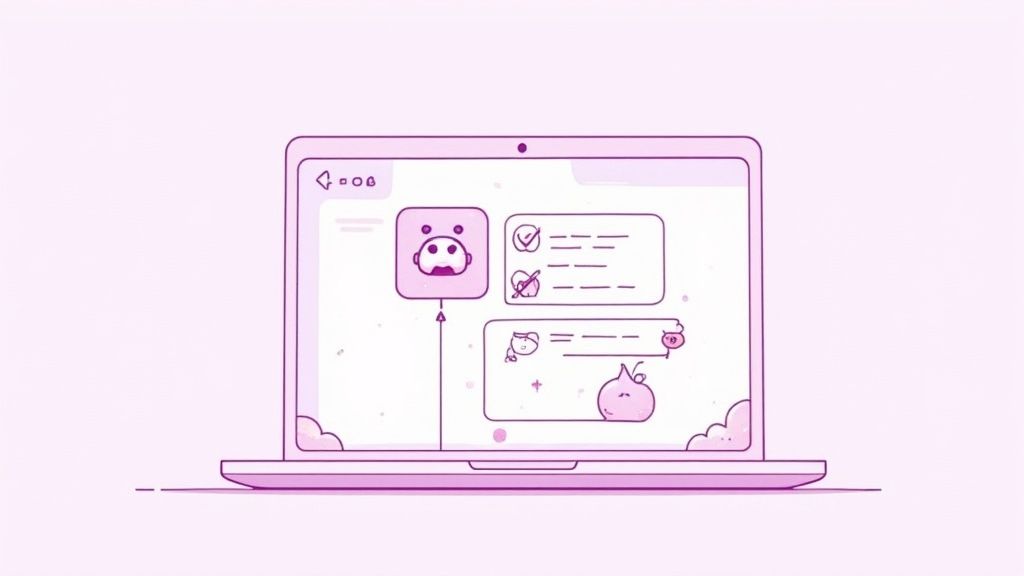
As you can see, a modern chatbot builder is clean, intuitive, and built for speed—not for developers.
A Real-World Scenario
Picture a small online boutique. The owner is constantly swamped with the same handful of questions all day, every day: "Do you ship internationally?" "What's your return policy?" "Is this dress in stock in a medium?" Every hour spent answering these is an hour not spent on growing the business.
This is where a simple no-code chatbot changes everything. By "feeding" it the store's FAQ page and shipping info, the boutique owner built a bot that instantly handles 80% of all incoming questions. Customers get their answers immediately, leading to fewer abandoned carts and happier shoppers. The owner gets her time back. That's the real power of this technology.
If you're curious about other ways to use this tool for growth, check out our guide on using a chatbot for marketing.
Preparing Your Knowledge Base for a Smarter AI Chatbot
Let's get one thing straight: an AI chatbot is only as smart as the information you feed it. Think of it like a new hire. You wouldn't expect them to answer customer questions without proper training materials, right? The same principle applies here.
Before you touch any chatbot builders or design a single conversation, you need to build a rock-solid knowledge base. This is, without a doubt, the most critical step. It’s the difference between a chatbot that wows your customers and one that just frustrates them. Get this part right, and everything else becomes ten times easier.
Gathering Your Raw Materials
Your first job is to play detective and gather every shred of information that defines your business. Don't be too picky at this stage. Just cast a wide net and pull in anything that could be useful. The goal is to create a comprehensive library for your future AI assistant to study.
I’ve found that the best sources are often hiding in plain sight:
- FAQ Pages: This is the easiest place to start. You’ve already done the work of answering your customers' most common questions.
- Product/Service Descriptions: Pull all the detailed info from your website. Specs, features, pricing—it's all essential.
- Support Ticket Histories: This is pure gold. These logs show you the real problems customers face and the exact language they use.
- Internal Training Manuals: What do you use to train your own team? That in-depth knowledge is perfect for your chatbot.
For instance, if you're a software company, your knowledge base should absolutely include technical guides, user manuals, billing policies, and even your most popular "how-to" blog posts. Each document adds another layer of expertise.
This simple infographic breaks down the core idea. It’s all about getting your scattered info into a trainable format.
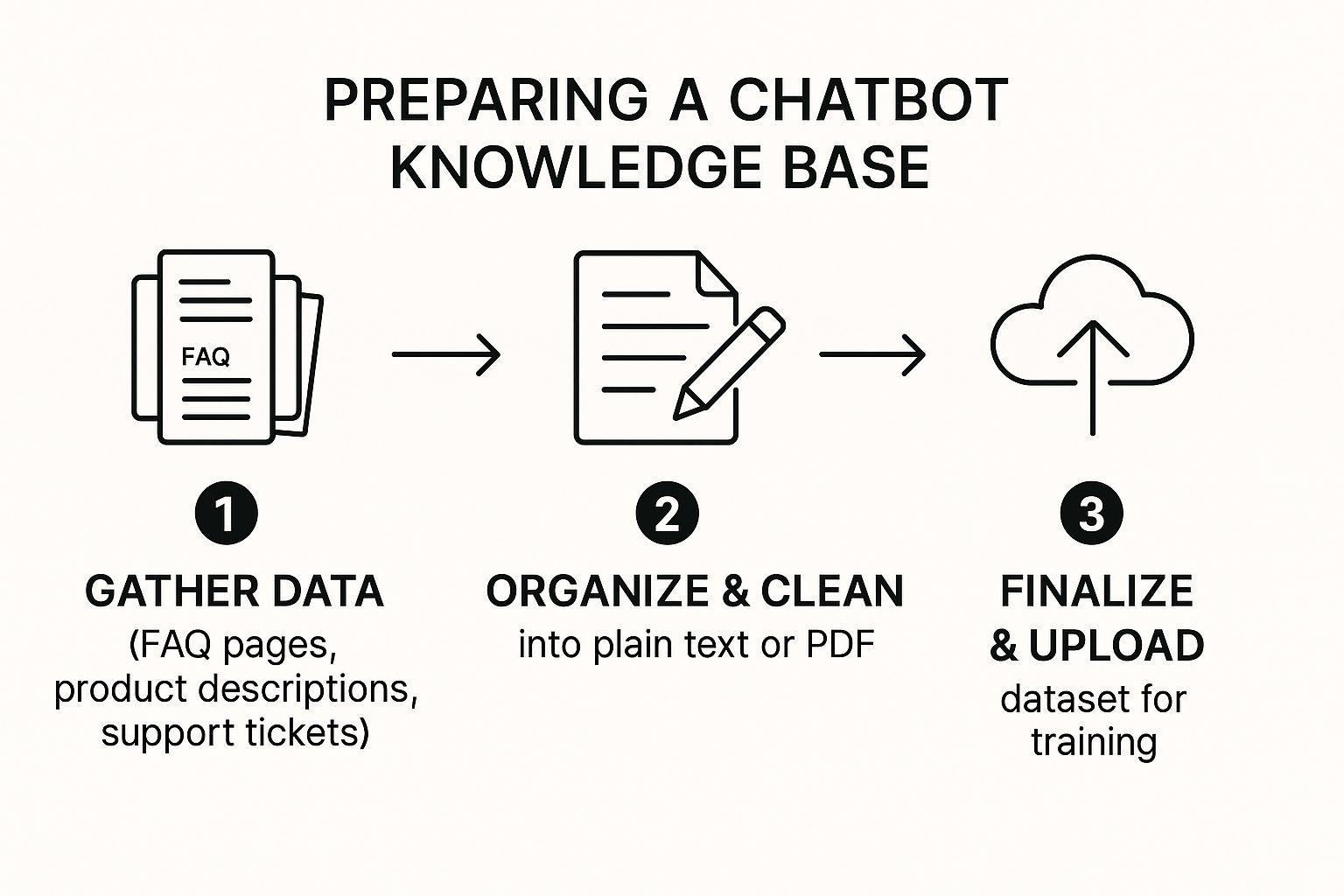
As you can see, it's a straightforward process: gather, organize, and then upload. Don't overcomplicate it.
Structuring Data for Maximum Impact
Once you have all your files, it's time to clean them up. AI models get confused by fancy formatting, so your job is to make the information as simple and digestible as possible.
Stick to plain text files (.txt) or PDFs. These formats are clean and easy for the AI to read. Go through your documents and strip out anything that isn't pure information—things like complex page layouts, sidebars, or interactive menus. Just the facts.
The cleaner and more focused your source documents are, the more accurately your chatbot will be able to retrieve information and formulate helpful answers. Remember the golden rule of AI training: garbage in, garbage out.
By the way, learning how to write effective AI prompts can be a huge help here. It gives you insight into how the AI "thinks," which helps you structure your data in a way it will understand best.
Finalizing Your Dataset for Upload
Okay, you've gathered and cleaned your information. Now, pull all those pristine text files and PDFs into one folder. This collection is your official knowledge base dataset—the complete curriculum your chatbot will use to become an expert.
Before you upload this to a platform like Yoonoo, do one last sanity check.
- Check for Accuracy: Is everything up-to-date? An old price list or an outdated policy will cause chaos.
- Ensure Clarity: Is the language direct? Ditch the corporate jargon unless it’s absolutely essential for your industry.
- Confirm Relevance: Does every document actually help a customer? If not, leave it out.
This prep work might feel a little tedious, but I promise you, it pays off big time. It’s what prevents those classic chatbot fails and sets you up to build a tool that people will actually find helpful from its very first day on the job.
Your First Build: A Step-by-Step Guide to Creating a Yoonoo Chatbot
Alright, this is where the fun begins. We're done with the prep work and ready to dive into the Yoonoo platform to actually build your chatbot. I'll walk you through the entire process, showing you just how quickly you can bring your new AI assistant to life.
Forget about code or complicated configurations. This is all about straightforward, clear actions. We'll sign up, create your first project, and upload that knowledge base you've put together. Think of this as me looking over your shoulder, guiding you through each click.
It's amazing how much chatbot creation has changed. Not long ago, this was a massive undertaking. The average cost to build and deploy a chatbot today can be anywhere from $5,000 for basic tools to over $500,000 for massive enterprise systems. It's no wonder that cloud-based platforms now dominate, with 78.4% of chatbots being deployed this way for better scalability and security. You can get a deeper look at the global chatbot market trends on Mordor Intelligence.
Kicking Off Your Yoonoo Project
Getting started with Yoonoo is about as painless as it gets. You simply create an account, verify your email, and you're in. Once you land on the dashboard, the very first thing you'll do is create a new chatbot project.
Just think of a "project" as a dedicated workspace for one chatbot. Give it a clear name like "Website Support Bot" or "E-commerce Helper." This keeps everything neat and tidy, which is a lifesaver if you end up building several bots for different parts of your business later on.
Uploading Your Knowledge Base
With your project ready, it’s time to give your chatbot its brain. This is the moment you feed it all those documents—the PDFs, text files, and FAQs that form its knowledge base. Yoonoo makes this super simple with a drag-and-drop interface.
You can select all your prepared files and upload them in one batch. There's no need to do it one by one. As soon as you hit upload, the "training" process kicks off automatically.
Here's a peek at what's happening behind the curtain:
- Indexing Content: The AI reads through every document, breaking down the information into manageable chunks.
- Identifying Concepts: It then figures out the key topics, how they relate to each other, and the core concepts in your material.
- Building a Searchable Model: Finally, it organizes all this data into a smart, searchable model that lets it find the perfect answer to a question in a split second.
The training time really depends on how much information you're giving it, but for most small businesses, we’re talking minutes, not hours.
Expert Tip: The training is fully automated, so your most important job is providing clean, accurate, and well-organized source documents. The better the quality of your input, the smarter and more reliable your chatbot will be.
To help you stay on track, here's a quick checklist to follow as you build.
Your Yoonoo Chatbot Creation Checklist
Follow this simple checklist to ensure you cover every essential stage while building your chatbot in Yoonoo.
| Phase | Action Item | Key Tip |
|---|---|---|
| Setup | Create a Yoonoo account and a new chatbot project. | Give your project a descriptive name like "Customer FAQ Bot" for easy identification. |
| Training | Upload your prepared knowledge base files (PDFs, TXT). | Upload all files at once. Ensure they are clean, accurate, and well-structured. |
| Testing | Use the preview window to ask common customer questions. | Test variations of questions and try to stump the bot to find knowledge gaps. |
| Refining | Review the chatbot's answers for accuracy and clarity. | If an answer is weak, update the source document with clearer information and retrain. |
| Deployment | Customize the chatbot's appearance and embed it on your website. | Match the colors and branding to your website for a seamless user experience. |
This checklist is your roadmap from an empty project to a fully functional AI assistant on your site.
The Art of the First Test Conversation
Once training is finished, your chatbot is live—at least in a testing environment. Before you let your customers interact with it, you absolutely have to put it through its paces. Yoonoo has a built-in preview tool that acts as your private sandbox. This is where you find out how well the AI has absorbed its training.
Start with the basics. Ask it the most common questions you hear from your customers every day. Pull directly from your FAQ page or recent support tickets.
- "What is your return policy?"
- "Do you ship to Canada?"
- "How do I reset my password?"
Carefully check the answers. Are they right? Are they pulling information from the correct document? This initial Q&A is critical for finding any blind spots in its knowledge. For more great ideas on crafting helpful responses, take a look at our guide to building the perfect AI customer support chatbot.
Don't be afraid to push its limits. Ask the same question in a few different ways, use a little slang, or even make a typo. A solid chatbot should handle these curveballs. If it gets stuck, that's a signal that your knowledge base might need a bit more detail on that topic. This back-and-forth process of testing and refining is exactly how you turn a good chatbot into a great one.
Customizing Your Chatbot's Personality and Appearance
A powerful chatbot does more than just spit out answers; it’s a direct reflection of your brand. Let's be honest, a generic, robotic assistant feels cold and impersonal. But a chatbot that echoes your company’s personality? That’s how you build trust and create a far better experience for your visitors. This is the step where we turn a functional tool into a genuine part of your team.
The whole point is to make your chatbot an extension of your brand’s voice. Whether your style is friendly and casual or more buttoned-up and professional, Yoonoo gives you the controls to create an authentic interaction. This attention to detail is what separates a chatbot people tolerate from one they actually enjoy using.
Defining Your Chatbot’s Voice and Tone
Before you even think about colors, you need to nail down your chatbot's character. Yoonoo puts you in direct control of the core elements that shape its personality, giving you the chance to make a fantastic first impression.
You can start with these key settings:
- Chatbot Name: Give it a name that fits. "Support Bot" is okay, but "Luxe Helper" for a fashion brand or "Tech Guru" for a software company feels so much more intentional.
- Welcome Greeting: This is the first thing people will see. A simple "Hi, how can I help?" is fine, but something like "Welcome! What can our team help you find today?" feels much more proactive and warm.
- Suggested Questions: These prompts are your chance to guide users and show off what your bot can do. Tailor them to your brand's voice. For instance, a playful brand might use, "What's the scoop on shipping?" instead of the more formal, "Inquire about shipping policies."
Think about who you're talking to. A casual, emoji-filled tone might be perfect for an e-commerce store selling skateboards but would feel jarring for a financial consulting firm. The right voice makes your bot feel like a natural part of the conversation.
Tailoring the Visual Appearance
Once you've figured out its personality, it's time to make your chatbot look the part. Nothing screams "tacked-on" like a chat widget that clashes with your website’s design. Yoonoo provides simple but effective tools to make sure your chatbot blends in perfectly with your site’s aesthetic.
This is about more than just making things look pretty—it’s about creating a cohesive brand experience. When the chatbot feels like it belongs on your site, users are more likely to trust it and actually engage.
You can easily adjust several visual elements:
- Color Scheme: Match the chat widget's colors to your brand palette. You can set the header background, message bubbles, and accent colors to align perfectly with your website's CSS.
- Avatar: Please, don't stick with a generic icon. Uploading your company logo as the avatar instantly reinforces your brand identity and adds a real layer of professionalism.
- Widget Style: Choose a layout and position that complements your site design without getting in the way.
This screenshot from Yoonoo shows just how straightforward these options are.

The interface lays out all the customization features clearly, so you can quickly brand your chatbot without needing any technical know-how.
Key Takeaway: The difference between a default, unbranded chatbot and a fully customized one is huge. A branded bot builds immediate credibility and makes the user feel like they are interacting directly with your company, not some third-party tool.
Imagine two online stores. One has a generic blue-and-white chat widget with a robot icon. The other uses a widget styled with the store's colors, featuring the company logo as the avatar. Which one feels more trustworthy? The second one, every time. This is the final polish that takes a chatbot from good to great.
Alright, you've built a fantastic chatbot loaded with all your company's knowledge. Now for the fun part: getting it live on your website so it can start helping your visitors.
This is where you'll see all your effort pay off. The good news is that putting your chatbot on your site is even easier than building it. With a tool like Yoonoo, you don't need to write a single line of code. It’s a simple copy-and-paste job that you only have to do once.
Finding Your Unique Code Snippet
First things first, you need to grab the special code that connects your chatbot to your website.
Inside your Yoonoo dashboard, look for a section called "Embed" or "Deploy." This is where the platform generates a unique snippet of JavaScript code just for your chatbot. Think of it as the instruction manual that tells your website, "Hey, put the chatbot right here and make it look like this."
This one little piece of code is all you need. It doesn't matter if your site is built on WordPress, Shopify, Squarespace, or something totally custom—the code is designed to work everywhere.
And it's a small step with a massive impact. Today, over 80% of major companies use chatbots. In e-commerce alone, they're projected to drive a staggering $142 billion in sales by 2025. That’s partly because 71% of Gen Z shoppers say they've bought something through a chatbot. If you want to dig deeper into these trends, Springsapps has a great breakdown of the chatbot market.
Where to Paste the Code on Your Site
The only real question is where this code snippet needs to go. While every website builder is a bit different, the goal is always the same: place the code somewhere it will load on every single page. This ensures your chat widget is consistently available as visitors click around your site.
Here are the most common spots to look for:
- Global Header or Footer: This is the easiest and most reliable option. Most platforms like WordPress, Shopify, or Wix have a settings area where you can add scripts to your site's header or footer.
- Theme Files: If you're comfortable with a little more technical work, you can add the snippet directly into files like
header.phporfooter.php. You'll want to paste it just before the closing</head>or</body>tag. - A Simple Plugin: For WordPress users, a plugin like "Insert Headers and Footers" gives you a clean, simple box to paste the code into, so you never have to touch your theme files. Shopify has similar apps in its app store.
For instance, if you're on Shopify, you’d go to your theme editor, open the theme.liquid file, and paste the Yoonoo code right before the </body> tag near the bottom. The whole thing takes about 30 seconds.
Pro Tip: If you have the choice, always paste the code just before the closing
</body>tag. This lets your main website content load first, which is better for page speed, and then the chatbot script loads right after.
What to Do If It Doesn't Work Right Away
Once in a while, you might paste the code and... nothing happens. Don't worry, this is usually a quick fix.
Here’s a look at the most common issues and how to solve them in a flash.
| Common Problem | How to Fix It |
|---|---|
| Chatbot Isn't Showing Up | First, double-check that you copied the entire code snippet. Even a single missing character can break it. If that's not it, try clearing your website and browser cache to get rid of any old, stored versions of your site. |
| Widget Is Only on Some Pages | This almost always means the code was accidentally placed on a page-specific template. Just move it to your site's global header or footer area, and it should appear everywhere. |
| The Chatbot Looks Weird | You might have a conflict between your website's CSS and the chatbot's styling. Head back into your chatbot's appearance settings in Yoonoo and see if changing a setting helps. If not, the Yoonoo support team can sort it out. |
Once you've got it working, that's it! You now have a 24/7 assistant on your website, ready to help every visitor the moment they arrive.
Common Questions After Your Chatbot Goes Live
Once your chatbot is up and running, interacting with real visitors, a whole new set of questions will bubble up. Building the bot is a huge first step, but the real magic happens when you start managing and improving it over time. Think of it as shifting from construction to stewardship.
Let's dive into some of the most common questions people ask after they launch. Getting these sorted out now will help you not only manage your new AI assistant but also make it smarter and more effective as your business evolves.
Can My Chatbot Handle Other Languages?
The short answer is a resounding yes. The AI models that power a Yoonoo chatbot have been trained on an incredible amount of data from all over the world, which includes countless languages. This means they can often understand and respond in multiple languages right out of the box, without you having to do a thing.
So, if a customer from Germany drops a question in German, your chatbot can usually figure out what they need, find the answer in your English-based documents, and then reply in fluent German. It’s pretty amazing and makes serving an international audience a whole lot easier.
That said, for the absolute best and most accurate experience, I always recommend providing key documents in their native language.
- Translated FAQs: If you have a large customer base in Spain, for instance, uploading a Spanish version of your FAQ page will make a huge difference in the quality of the answers.
- Localized Policies: Translating crucial documents like your return policy ensures nothing gets lost in translation, which is key for building trust.
When you provide source material in the target language, you're giving the AI a perfect reference point, which eliminates any chance of a wonky translation.
How Often Should I Update My Knowledge Base?
There isn't a one-size-fits-all answer here. The right schedule really depends on how quickly your business changes. The best way to think about it is this: your chatbot's knowledge base should be a living document that perfectly mirrors what’s happening in your company right now.
Frankly, an out-of-date chatbot can be more frustrating than having no chatbot at all.
I tell people to look for these triggers to know when it's time for an update:
- Whenever Your Business Changes: Did you just launch a new product line? Change your pricing? Update your shipping policy? The second that information is public, it should also be in your chatbot's brain.
- Based on What Users Are Asking: Make it a habit to peek at your chatbot's conversation logs. If you notice people are repeatedly asking a question the bot can't answer, that's a blinking red light telling you to add that info.
- Scheduled Health Checks: It’s a good practice to block off time for a quarterly or semi-annual review of all your source documents. This helps you catch outdated information before a customer points it out.
A well-maintained knowledge base is the bedrock of a trustworthy chatbot. Consistent, proactive updates ensure your bot is a reliable source of truth for your customers, preventing confusion and building confidence in your brand.
It's simple, really: if you'd update your website's FAQ page, you need to update your chatbot's knowledge base, too.
What Happens If the Chatbot Doesn't Know an Answer?
This is probably one of the most critical things to get right, as it directly impacts customer satisfaction. No AI is omniscient. There will absolutely be times when a question is too nuanced, too specific, or just not covered in your knowledge base. The trick is to have a smart and graceful fallback plan.
Instead of a blunt "I don't know," a well-designed chatbot should do two things seamlessly:
- Give a helpful fallback response: This is a pre-written message that politely explains it couldn't find the answer and tells the user what's next. Something like, "That's a great question, but I don't have that information right now. I can connect you with someone on our support team who can help you out."
- Escalate to a human: The chatbot needs to offer a clear, easy path to a person. This could mean providing a support email, linking to a contact form, or, if you have the feature, initiating a live chat transfer.
This process ensures no customer ever hits a dead end. They get an honest answer and a clear next step, which keeps the experience positive even when the bot itself couldn't solve the problem. You turn a moment of potential frustration into a smooth, helpful handoff.
Ready to build a chatbot that just works? With Yoonoo, you can go from an idea to a fully functioning AI assistant on your website in about five minutes. Get started for free today!