How to Build an AI Chatbot in 5 Steps

An AI chatbot can do more than just answer questions; it can completely change how you talk to your customers. With the right setup, you get instant, 24/7 support that automates routine tasks, turning what was once a cost center into a real engine for growth.
This guide will walk you through exactly how to build an AI chatbot with a tool like Yoonoo, so you can get one up and running for your own business.
Why Bother With an AI Chatbot?
Before we jump into the "how-to," let's talk about the "why." Putting an AI assistant on your website isn't just a tech upgrade; it's a strategic shift in how you connect with people. The real aim here is to build something that doesn't just automate replies but actively helps your business grow and keeps customers happy.
The image above shows a pretty basic chatbot conversation. We've come a long way since then. Today’s AI bots are smart enough to handle complicated questions that go way beyond simple, pre-written answers.
What This Looks Like in the Real World
Think about it in practical terms. An e-commerce site could use a chatbot to catch someone just before they abandon their cart. The bot could pop up with a discount or answer a quick question about shipping, sealing the deal.
Or imagine a SaaS company. A chatbot could walk new users through the initial setup, answering common questions and freeing up the support team to handle the really tough problems. It’s all about efficiency.
The numbers don't lie. AI is becoming standard practice, with 78% of organizations worldwide already using it in some part of their business. Customers are on board, too. A solid 62% of people would rather ask a chatbot a simple question than wait for a human agent. For more stats like these, the folks at Fullview.io have a great roundup.
A well-built chatbot isn't just an FAQ machine. It's a key part of your sales funnel, a support lifeline, and a core piece of your customer experience. Think of it as an investment in making your business run smoother and scale faster.
The Key Benefits You'll Actually See
So, what’s the payoff for setting all this up? Here are the main advantages you can expect:
- You're Always Open: A chatbot works around the clock. It provides instant answers anytime, day or night, which means happier customers and more leads captured after hours.
- Lower Operational Costs: Let the bot handle the repetitive stuff. This frees up your human agents to tackle the complex, high-stakes issues where their expertise really matters.
- Better Lead Generation: The bot can act as a first-line qualifier, asking the right questions, collecting contact info, and even booking demos right on the spot.
- A Consistent Brand Voice: You control the script. You can program your bot to reflect your brand's unique personality, ensuring every customer interaction feels just right.
Chatbot Platform Comparison Key Features at a Glance
Deciding how to build your chatbot is a big first step. You can use a no-code platform like Yoonoo for speed and simplicity, or go for a full custom development for maximum control. This table breaks down the key differences to help you decide which path makes the most sense for your team and goals.
| Feature | No-Code Platforms (e.g., Yoonoo) | Custom Development |
|---|---|---|
| Speed to Launch | Extremely fast—often days or even hours. | Slow—can take weeks or months depending on complexity. |
| Technical Skill | Minimal. Designed for non-technical users. | Requires a dedicated team of developers and AI specialists. |
| Cost | Low upfront cost, typically a monthly subscription. | High initial investment for development and ongoing maintenance. |
| Customization | Good, but operates within the platform's framework. | Nearly unlimited. Can be built to exact specifications. |
| Maintenance | Handled by the platform provider (updates, security). | Requires an in-house team or contractor for ongoing support. |
| Integration | Pre-built integrations with common tools (CRM, helpdesks). | Integrations must be custom-coded, offering more flexibility. |
| Scalability | Scales easily with subscription tiers. | Scalability depends entirely on the initial architecture. |
For most businesses, especially those just starting with AI, a no-code platform offers the perfect balance of power, speed, and cost-effectiveness. It lets you get a powerful tool in front of your customers quickly without needing a team of engineers.
So, What Will Your Chatbot Actually Do?
Before you jump into the fun stuff, we need to have a serious talk about your chatbot's job description. Without a clear purpose, a bot is just a neat-but-useless gimmick. If you want to build something that provides real value, you have to get laser-focused on its core mission first.
What's the one big problem this bot is going to solve? Who is it for? Nailing these down from the start saves you from building a cool piece of tech that doesn't actually help anyone. Think of this step as the foundation for everything else—from the content you feed it to the personality you give it.
This initial planning is what separates a chatbot that’s a hardworking part of your team from one that’s just a digital novelty.
Nail Down Your Bot's Main Job
Start by looking at the friction points in your customer's journey. Where do they get stuck? What questions are your support or sales teams answering over and over again? These are goldmines for a chatbot.
Is your inbox flooded with questions about your return policy? A bot can handle 90% of those. Do leads have trouble figuring out which pricing plan is right for them? A bot can guide them.
The trick is to find a specific, high-volume task that, once automated, frees up your team to focus on work that requires a human touch. This isn't about replacing your people; it's about making them more effective.
To get the wheels turning, here are a few classic jobs you can give your bot:
- Qualify Leads: The bot can act as a friendly screener, asking a few key questions to see if a website visitor is a good fit before handing them off to sales.
- Book Appointments: Perfect for service businesses. A chatbot can sync with a calendar and get meetings on the books 24/7, so you never miss an opportunity.
- Track Orders: For any e-commerce store, a bot that can instantly answer "Where's my stuff?" is a lifesaver. It dramatically cuts down on support tickets.
- Handle Basic Tech Support: Your bot can walk users through common troubleshooting steps—like "have you tried turning it off and on again?"—before an issue needs to be escalated.
A Few Real-World Examples
Let's make this less abstract. Seeing how this works in a real business makes the concept click.
Picture a local real estate agency. Their main goal is to get agents in front of serious buyers and sellers. A chatbot on their site could have one primary mission: schedule property viewings. Every conversation would be geared toward that single outcome, collecting contact details and preferred times to seamlessly book a tour.
Or think about a SaaS company. Their website chatbot could be focused entirely on guiding users to the right pricing tier. It would ask about their team size, feature needs, and budget, then recommend the perfect plan—maybe even pointing them to a free trial sign-up.
By giving your chatbot a narrow and impactful mission, you build an assistant that does more than just talk. It delivers measurable results from day one. That focus is the secret sauce.
Building Your Chatbot’s Brain
Alright, you've figured out what you want your chatbot to do. Now, let's give it the brainpower to actually do it. A chatbot is only as good as the information it has access to, so this next part is all about building its knowledge base.
Think of it like training a new team member. You wouldn't just point them to a desk and hope for the best. You'd hand them the company playbook, product guides, and FAQs. That’s exactly what we’re doing here—feeding our AI all the essential business content it needs to answer questions like a pro.
Sourcing Your Chatbot's Knowledge
First things first, let's take stock of your company's existing information. Where does all your expertise live online? A truly effective chatbot pulls from a mix of sources to make sure no customer question goes unanswered.
Here are the prime spots to start digging for content:
- Your Website: Don't overlook the basics. Your "About Us," "Services," and "Pricing" pages are full of core information.
- FAQs: This is the lowest-hanging fruit you'll find. These are the exact questions people are already asking.
- Help Center Docs: If you have a knowledge base or support documentation, this is gold. It’s packed with detailed, problem-solving content.
- Internal Guides: Think about the manuals and guides your own team uses. Internal-facing documents often contain a wealth of knowledge that can be incredibly valuable for customers.
When you're gathering all this info, it's also a good idea to think about how it's structured. Adopting principles from Answer Engine Optimization can help you organize your content in a way that allows the chatbot to pull out clean, authoritative answers.
Indexing Content for Instant Answers
Once you have your content sources rounded up, you need to get them into the system. With a platform like Yoonoo, this is pretty straightforward. You feed it your content, and the AI gets to work breaking it down, analyzing it, and organizing it so it can be found in a split second.
This isn't just a simple file upload. The AI needs to understand the information.
For instance, instead of just dumping a 20-page PDF manual into the system, you'll get much better results by breaking it into smaller sections with clear headings. This helps the AI zero in on the exact paragraph that answers a user's question, rather than getting lost in a sea of text.
Pro Tip: Your document structure matters. A lot. Use clear headings (H2s, H3s) and keep your paragraphs short and to the point. An AI can make sense of a well-organized document far more easily than a messy one, which directly translates to more accurate responses.
Once your chatbot has its brain, it can start tackling the goals you've set for it, as this infographic shows.
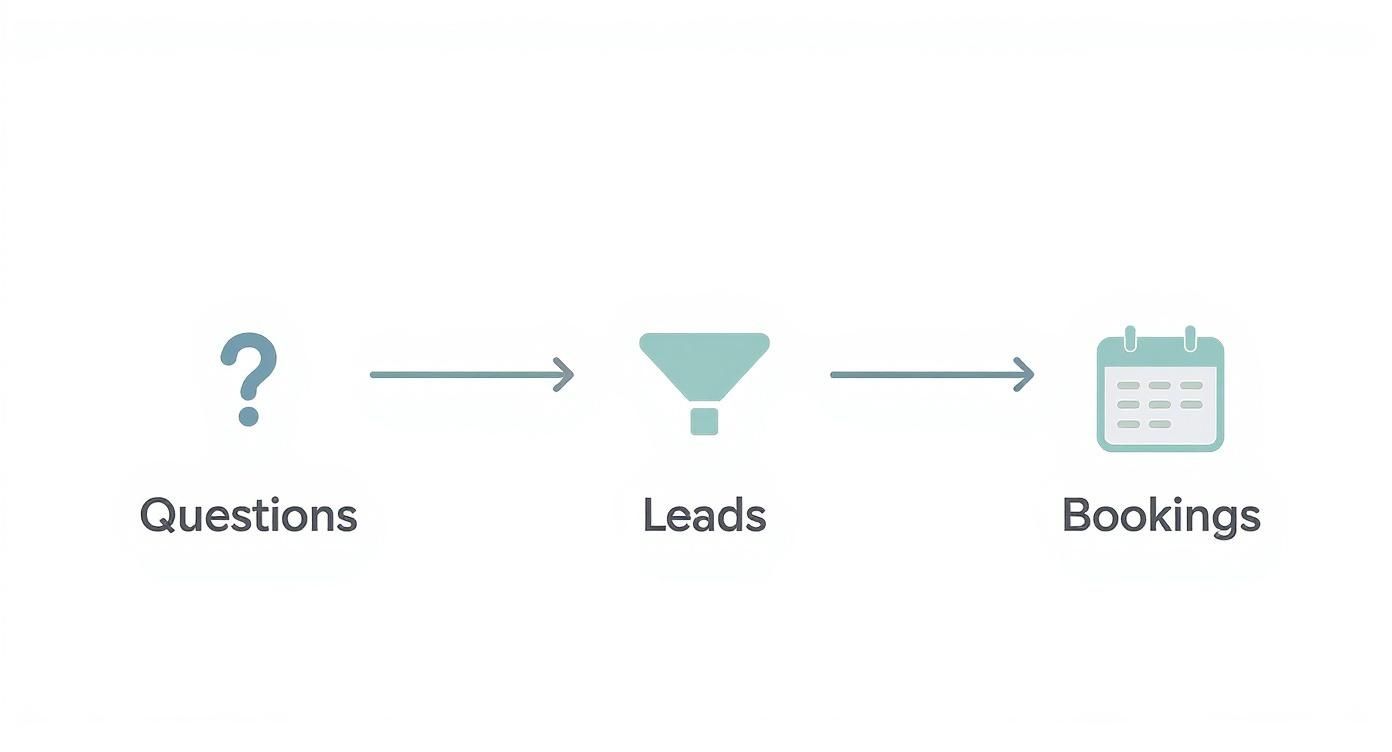
As you can see, most of the heavy lifting comes down to answering questions, qualifying leads, or booking meetings—all things powered by that knowledge base you just built. It's a big reason the global AI chatbot market has exploded, hitting $15.6 billion in 2024 and projected to reach $46.6 billion by 2029.
Building this knowledge base is arguably the most important thing you'll do. To see how this plays out specifically for customer service, take a look at our guide on using an AI customer support chatbot. At the end of the day, a well-fed AI is a smart AI.
Giving Your Chatbot a Personality That Fits Your Brand
Once you've fed your chatbot the right information, it's time to give it a soul. This is the fun part, where you move beyond pure function and craft a personality that actually reflects your brand. It’s the difference between a robotic, generic auto-reply and a genuinely helpful conversation that feels on-brand.

Don't underestimate this step. The personality you choose directly shapes how people feel about your company. A friendly, casual tone might be perfect for an e-commerce brand, while a financial services firm needs a more buttoned-up, professional persona. The key is consistency—the chatbot has to sound like it’s part of your team.
Crafting the Perfect Persona
First things first, you need to decide who your chatbot is. Is it a helpful expert? A witty sidekick? Or a straight-to-the-point assistant? This decision should flow directly from your established brand voice.
Let's look at a couple of real-world scenarios:
- A University Website: Imagine the bot as a helpful, knowledgeable librarian. It would be professional, maybe a little formal, and laser-focused on providing accurate information pulled straight from its sources.
- A Travel Agency: Here, you could create an energetic and enthusiastic "tour guide." This persona could use emojis, offer exciting travel ideas, and keep the tone friendly and approachable.
When you nail the persona, the interactions just feel more natural and less like you're talking to a machine. It’s a small detail that can completely change how a user feels about the conversation.
Setting the Conversational Ground Rules
With a persona locked in, you can start tweaking the settings that bring it to life. A platform like Yoonoo gives you a ton of control over these conversational nuances.
Welcome Message: This is your digital handshake. A good welcome message sets the tone and immediately shows the user what the bot is for. Ditch the generic "How can I help you?" and try something more specific.
Something like, "Hi there! I can help you track your order, browse new arrivals, or answer questions about our return policy. What's on your mind?" is much more effective.
Suggested Prompts: Don't make people guess. Give them a few clear, clickable prompts that guide them to common answers. This not only gets them what they need faster but also shows off what your bot can do right from the get-go.
Teaching your chatbot how to say "I don't know" is just as important as teaching it the right answers. A well-designed bot admits when it's stumped and smoothly offers to connect the user with a human, preventing frustration and keeping the experience positive.
Handling Escalations and Unknowns
Let's be real: no chatbot knows everything. You absolutely need a plan for when it gets stuck. This is where defining an escalation path is critical. If the bot can't answer a question after a couple of tries, it needs a clear next step, like creating a support ticket or offering a live chat option with a real person.
This is a core part of building an AI chatbot that people actually like using. The goal isn't just to deflect support tickets; it's to solve problems efficiently, even if that means handing off the conversation to a human teammate.
The technology behind these conversations has come a long way. Take ChatGPT, for example. It has become a massive force in AI, capturing 81–83% of the global generative AI market share. Its popularity shows that people are now used to high-quality conversational AI, which raises the bar for everyone. To see how things are shifting, check out these trends in top generative AI chatbots. This expectation for quality makes crafting a thoughtful, consistent personality for your bot more important than ever.
Putting Your New Chatbot to the Test
So, you’ve built your chatbot's brain and given it a personality. Great! But don't even think about launching it yet. A chatbot is never perfect on the first try, and this next step is where the real magic happens. It's time to put your creation through its paces.
Think of this as the final quality check before your customers get their hands on it. Launching without testing is like opening a new restaurant without tasting the food first. You need to find the awkward phrasing, the dead-end conversations, and the knowledge gaps that will absolutely frustrate a real user. The goal here is to catch those problems before they do.
Kick the Tires with a Simple Testing Plan
You don't need a formal QA team for this. The best way to start is to put on your "customer" hat—a curious, sometimes impatient, and maybe even slightly confused customer. Your job is to try and break the bot or, at the very least, discover its limits.
Start with the obvious stuff. Ask the top 5-10 questions you know your customers will ask. Does it give you clear, helpful answers based on the content you fed it? Good. Now, start throwing some curveballs. Ask complex, multi-part questions to see how it handles a little nuance.
I’ve found that the most valuable insights come from asking questions in weird ways. Use slang, make typos, or be super vague. This is how real people talk, and it’s the ultimate test of how well your bot can actually understand and respond.
Once you’ve covered the basics, it's time to really push the boundaries. Here’s a quick checklist I use:
- Dig for Edge Cases: Ask about obscure details that are technically in your knowledge base but might be buried deep. See if the bot can find them.
- Talk Gibberish: Type in a string of random characters. A well-trained bot shouldn't freeze; it should say something graceful like, "I'm sorry, I don't understand. Could you ask that a different way?"
- Go Off-Topic: Ask about the weather or the Super Bowl winner. Does it try to invent an answer, or does it politely guide the conversation back to what it knows?
Turn That Feedback into Action
Testing isn't just about finding what's broken; it's about making it better. Every time you get a wonky response, jot it down. Most platforms, including Yoonoo, have built-in analytics that show you exactly where conversations are failing.
Pay close attention to the "unanswered questions" log. If three different people ask about your return policy for international orders and the bot comes up empty every time, you’ve just found a major gap in your knowledge base.
Here’s how to act on what you find:
- Beef Up the Knowledge Base: Add new documents or just tweak the existing ones to cover the topics the bot struggled with.
- Adjust the Persona: Do the answers feel too robotic? Too wordy? Jump back into the personality settings and refine its tone.
- Check Your Handoffs: Make sure the bot knows when to quit. It should have a smooth and clear path for handing a tricky conversation over to a live human agent.
This cycle of testing, learning, and refining is the secret to a great chatbot. Each small adjustment you make helps you build an AI chatbot that's smarter, more reliable, and ready to deliver a fantastic experience from the moment you go live.
Getting Your Chatbot Live and Noticed
Alright, this is the moment you've been working toward. After all the planning, building, and testing, your AI chatbot is finally ready to go live. Launching isn't just about flipping a switch; it's the beginning of a new, more effective way to connect with your audience. A great launch is one that’s simple for you and highly visible to your users.
Putting the chatbot on your website is surprisingly easy. With a no-code platform like Yoonoo, this usually just means copying a small piece of code. You don't need to be a developer to get this done. Just paste that snippet into your website's header or footer, and the chat widget will pop up, ready to help.
Making a Splash with Your Launch
Just because the bot is live doesn't mean people will flock to it. You need to announce its arrival and show visitors exactly how it can make their lives easier. I always tell people to think of it like introducing a new team member—a little promotion goes a long way in driving adoption and getting that crucial early feedback.
Here are a few simple but effective ways to spread the word:
- Homepage Banner: A clean banner at the top of your homepage works wonders. Something like, "Got a question? Our new AI assistant is here to help 24/7!" is friendly and effective.
- Newsletter Announcement: Your email subscribers are your most engaged audience. Use your next newsletter to introduce the chatbot, highlight what it can do, and encourage them to give it a try.
- Team Email Signatures: This is a subtle but surprisingly powerful trick. Add a small line to your company email signatures like, "P.S. Get instant answers from our new AI chatbot on our website!"
The key is to gently guide people toward the chatbot, not force them. You want them to see it as a helpful resource, not an annoying pop-up. Success is when users start instinctively turning to the bot for quick answers.
Making It Easy to Find and Use
Visibility is everything. If your chat widget is buried or looks out of place, no one's going to use it. Your chatbot should feel like an obvious and inviting part of your website from day one. This final piece of the puzzle is critical for anyone learning how to build an AI chatbot that actually delivers results.
I've found the best spot is almost always the bottom-right corner—it's where people naturally look for chat support. Take a few minutes to customize the widget’s colors and icon to match your brand. When it looks like it belongs, people are far more likely to click and start a conversation.
If you want to dig deeper into this, our guide on how to create a chatbot for a website has more tips on placement and design.
By being thoughtful about both the technical rollout and your launch promotion, you set your new AI assistant up for success. It ensures all your hard work pays off by delivering real value to your customers and your business right from the start.
Common Questions About Building an AI Chatbot
Jumping into the world of AI chatbots for the first time usually sparks a few questions. Let's clear up some of the most common ones around cost, time, and what these bots can actually do. Getting these basics down will help you set the right expectations and start your project on the right foot.
How Much Does It Cost to Build an AI Chatbot?
The price tag on a chatbot can swing wildly depending on how you build it. For most small and medium-sized businesses, a no-code platform is the way to go. These services usually have a free plan to get you started, with paid tiers scaling up to a few hundred dollars a month as you need more power and features.
Then there's the other end of the spectrum: a fully custom-built chatbot. This is a major undertaking. Costs here often start around $10,000 and can easily climb past $100,000. That price reflects the need for skilled developers, tricky integrations with your existing systems, and the ongoing work to keep it running smoothly.
The biggest cost driver is always complexity. A bot that just answers common questions is worlds apart from one that's tied into your company's internal databases. The great thing about modern no-code tools is that they put incredibly powerful AI in your hands without the massive enterprise budget.
How Long Does It Take to Create a Working Chatbot?
This also comes down to your chosen path. If you're using a no-code builder like Yoonoo, you can genuinely have a working chatbot on your website in an afternoon. I'm not kidding. The real work isn't the tech setup; it's the time you spend gathering your documents and deciding what knowledge you want the bot to have.
A custom-coded project is a marathon, not a sprint. You're looking at a timeline that spans several months, covering everything from initial discovery and design to the long phases of development, testing, and finally, launching.
Can I Integrate My Chatbot with Other Tools?
Absolutely. In fact, you should expect to. Good chatbot platforms are built to play nice with the other software you rely on every day.
- Native Integrations: Many platforms have ready-made connections for popular tools like CRMs, helpdesk software, and marketing platforms. These are usually just a few clicks to set up.
- API Access: For anything more specialized, look for a platform with an API (Application Programming Interface). This is the key that lets your developers build a bridge from the chatbot to virtually any other piece of software your business uses.
Ready to build an AI chatbot that actually helps your customers and frees up your team? Yoonoo lets you get it done in about five minutes, with zero coding. Start your free trial today and see for yourself.