Digital Transformation for Small Businesses Guide
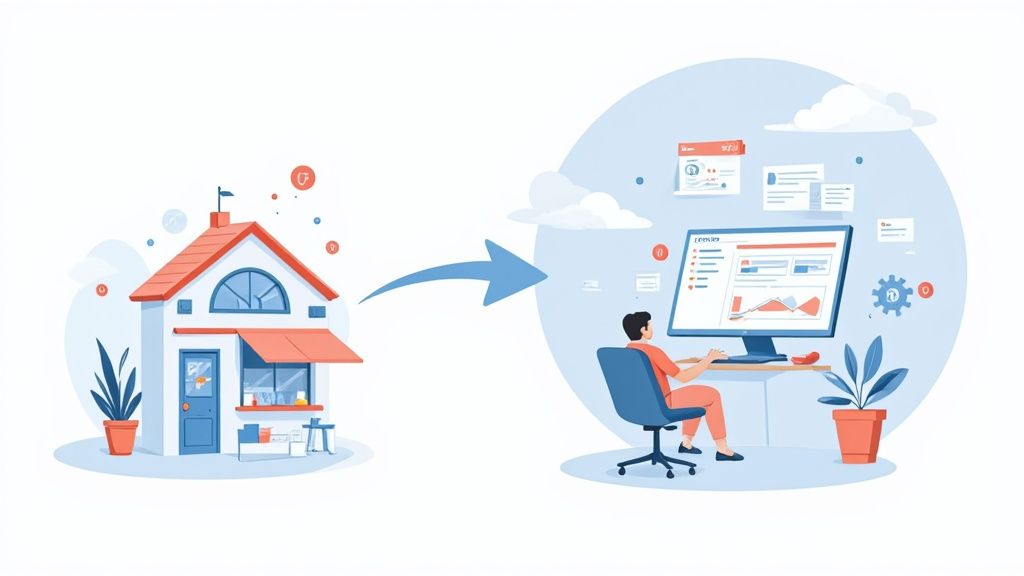
Let’s be honest, "digital transformation" sounds like a term reserved for massive corporations with equally massive budgets. But for a small business like yours, it's something much simpler and far more practical.
It’s about ditching the old, clunky ways of doing things—like that messy pile of invoices or the spreadsheet you use to track customer orders—and swapping them for smarter, often automated, tools. This guide will walk you through how to make that shift in a way that’s both manageable and profitable.
What Digital Transformation Really Means for You

Forget the corporate jargon for a moment. Digital transformation isn't about gutting your business and starting over with a bunch of expensive tech. It's more like upgrading your business’s engine, not buying a whole new car.
Think about it: what if you could automate your invoicing and get back ten hours a week? Or use a simple tool to remember every customer's birthday or last purchase, making them feel like a VIP? That’s the real-world impact we're talking about.
From Overwhelmed to Empowered
This journey is all about finding smart solutions to your everyday headaches. It’s a shift from feeling buried in admin work to feeling empowered by tools that actually do the heavy lifting for you.
For years, many small businesses felt left behind by technology. But that's changing fast. Between 2020 and 2022, tech investment by the smallest firms doubled from 10% to 20%. Today, nearly 75% of small businesses are using digital tools to run their operations. The shift is already happening.
Digital transformation reframes 'going digital' from a daunting project into a practical path toward efficiency, better customer relationships, and genuine, sustainable growth.
The goal is simple: make your operations run so smoothly that you can get back to focusing on what you love—serving your customers and growing your business.
To give you a clearer picture, here’s a quick snapshot of what we’ll cover.
Your Digital Transformation Quick-Start Summary
| Core Area | What It Means for Your Business | Key Benefit |
|---|---|---|
| Operations | Swapping manual tasks (like scheduling or inventory) with automated software. | Frees up your time and reduces costly human errors. |
| Customer Experience | Using tools to create a smooth, connected journey for your customers online and off. | Builds loyalty and encourages repeat business. |
| Business Model | Exploring new ways to deliver value, like offering online services or subscriptions. | Opens up new revenue streams and future-proofs your business. |
This table is just the starting point. Let's dig into what this looks like day-to-day, especially when it comes to your customers.
Building a Seamless Customer Journey
One of the biggest wins from going digital is the ability to create a fantastic experience for your customers. Think about it—whether they find you on Instagram, visit your website, or walk into your shop, their experience should feel consistent and connected.
When your systems can "talk" to each other, you can create those truly personal moments that build loyalty and trust. This is often called creating an omnichannel customer experience, and it’s a powerful way to make every customer feel seen and valued.
This guide is your roadmap. It breaks down a big idea into small, actionable steps any business owner can take to build a stronger, more successful future.
The Three Pillars of a Successful Digital Shift
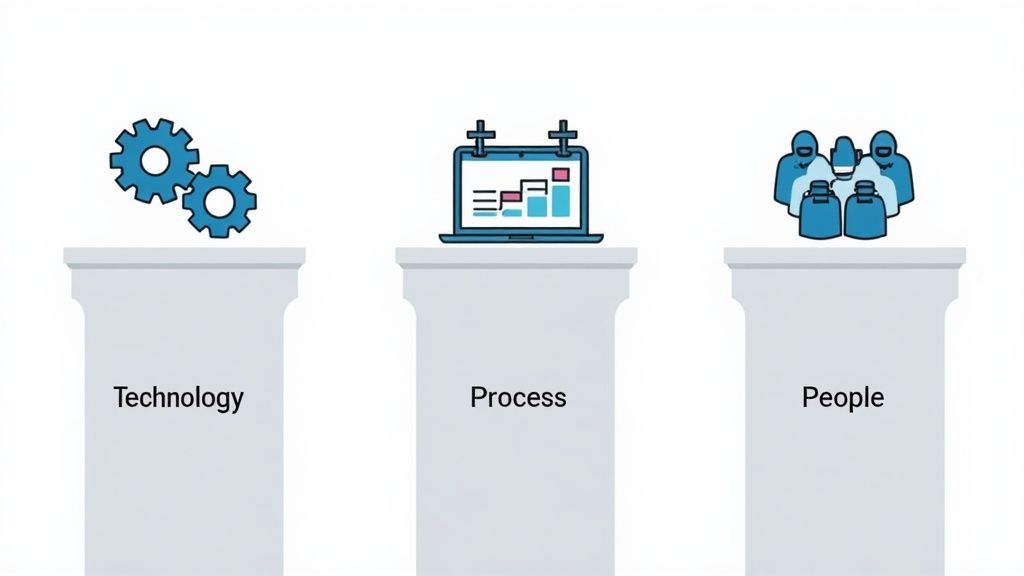
A genuine digital transformation for small businesses isn't just about buying the latest software. It's about fundamentally building a stronger, more adaptable business from the inside out. This kind of lasting change stands on three core pillars that have to work together: Technology, Process, and People.
Think of it like building a house. Technology provides the raw materials and the power tools. Your processes are the architectural blueprints that show how everything fits together. And your people are the skilled builders who actually bring the vision to life. If you neglect any one of these, the whole structure gets wobbly.
Pillar 1: Technology—The Right Tools for the Job
Technology is usually the first thing people think of, but it’s just one piece of the puzzle. The goal isn't to have the most impressive tech; it's to have the right tech that solves real problems and makes your work easier. The best tools act like an extension of your team, automating the grunt work that drains your time and energy.
For instance, a good Customer Relationship Management (CRM) system is like giving your business a perfect memory. It remembers every customer's preferences, purchase history, and last conversation, so you can make every interaction feel personal. In the same way, cloud accounting software acts as a 24/7 financial assistant, ready to pull up your cash flow or send an invoice whether you're in the office or on the go.
The secret is to choose tools that solve your specific challenges, not just what's popular.
Pillar 2: Process—Smarter Ways of Working
Having great tools is one thing. Knowing how to use them to improve your workflow is something else entirely. This is where your processes come in. A process is simply how you get things done—the series of steps you take to fulfill an order, answer a customer question, or manage a project.
Going digital is your chance to turbocharge these everyday routines. Instead of your receptionist manually calling to confirm every appointment, an automated system can send text reminders. This small change doesn't just save a few hours; it can dramatically reduce no-shows and directly boost your revenue.
A well-designed digital process doesn’t just make you faster. It cuts out wasted steps, slashes the risk of human error, and frees up your team to focus on the creative, high-impact work that actually grows the business.
Here are a few simple process upgrades:
- Automated Invoicing: A system that creates and sends an invoice the moment a sale is made, and even sends polite reminders for late payments.
- Centralized File Storage: Using a cloud platform like Google Drive or Dropbox so your entire team is always working from the most up-to-date documents.
- Standardized Onboarding: A digital checklist and resource folder for new hires, ensuring they get up to speed quickly and consistently.
Each refined process is a small victory that, when combined, leads to massive gains in efficiency.
Pillar 3: People—The Heart of the Transformation
At the end of the day, even the best technology and processes are worthless without the people who make them work. This is the pillar that gets overlooked most often, yet it's the most critical one for success. Your team needs to understand the why behind the change and feel confident using the new tools.
This isn’t about forcing new software on your staff. It’s about building a culture that’s open to better ways of working. That means communicating clearly how a new tool will make their jobs easier, not harder. It means providing solid training and being there to answer questions.
Globally, spending on this kind of transformation is expected to reach an incredible $3.9 trillion by 2027. While much of that investment is in powerful tools, their success always comes down to people. For small businesses in the U.S., integrating technology, processes, and people is the only sustainable way to compete. You can learn more about how small businesses can adapt from the experts at rbj.net.
When your team sees technology as an ally instead of an obstacle, your entire investment starts to pay off. With Technology, Process, and People all working in sync, you're not just "going digital"—you're building a smarter, stronger, and more future-proof business.
Real-World Benefits You Can Expect

Let's move beyond the buzzwords and talk about what this actually looks like for your business day-to-day. A smart digital transformation for small businesses isn't about chasing the latest tech trend; it’s about getting real, measurable results that show up in your bank account and give you back more of your time.
These advantages aren't just for the big players. With the right game plan, even a one-person shop can see a huge difference in how they connect with customers, manage their workload, and grow.
Here are four of the most powerful outcomes you can work toward.
Create a Superior Customer Experience
In a busy marketplace, the way you make customers feel is what sets you apart. Digital tools are incredible for creating those "wow" moments that turn a casual buyer into a loyal fan. It all starts by truly knowing who your customers are.
Imagine a system that remembers a customer's favorite product, their last order, or even a small note from your last chat. A simple Customer Relationship Management (CRM) tool can act like your business's brain, letting you greet people with a personal touch that makes them feel seen and appreciated.
This isn’t just about warm fuzzies. You can use that information to send a personalized follow-up or a special offer on something they've been eyeing. Small gestures like these show you’re paying attention and can make all the difference.
Boost Your Operational Efficiency
Think about all the time you and your team spend on repetitive tasks each week. Scheduling appointments, chasing invoices, updating inventory—it all adds up. These jobs have to get done, but they pull you away from the work that actually grows your business.
This is where automation becomes your best friend. By letting digital tools handle these routine tasks, you slash the risk of human error and free up your people to focus on what matters most.
- Automated Scheduling: Let clients book their own appointments online. The system can handle the calendar updates and confirmation emails for you.
- Inventory Management: Use software that keeps a real-time count of your stock and pings you when it's time to reorder.
- Email Marketing: Set up simple automated emails to welcome new subscribers or check in after a purchase.
Each little process you automate gives you back precious time, making your entire operation run smoother and more profitably. To get more ideas, check out these business process automation examples.
Make Smarter Data-Driven Decisions
Relying on gut feelings alone can be risky. Digital tools give you straightforward data that removes the guesswork and points you in the right direction. And you don’t need to be a data wizard to use it.
The analytics on your website can tell you which pages people love, where your visitors are coming from, and what they're looking for. Your sales software can show you which products are flying off the shelves or what your busiest hours are.
By looking at this data, you can uncover hidden patterns in customer behavior. These insights help you make informed decisions about everything from marketing campaigns to product development, ensuring your efforts are focused where they’ll have the biggest impact.
For example, if you see a lot of website traffic coming from a certain town, you could run a targeted social media ad for that area. It’s a simple, strategic move that makes your marketing dollars work harder.
Expand Your Market Reach
Finally, digital tools can tear down geographical walls, letting your small business connect with customers far beyond your local area. Your neighborhood shop can become a brand with a national, or even global, footprint.
An e-commerce website is the most obvious way to do this, turning your business into a 24/7 sales machine. But that’s not the only way.
Digital marketing tactics like social media ads and search engine optimization (SEO) help you find new customers who are already searching for what you offer. This is a huge reason digital transformation is a top priority for companies everywhere. Recent surveys show that 41% of companies achieve better customer experiences and 40% report higher productivity. To see more digital transformation stats, you can discover key industry insights on Backlinko.com. By getting smart with these digital channels, you can compete on a much bigger stage and open up brand-new ways to grow.
How to Create Your Digital Transformation Roadmap
Getting started with digital transformation doesn't mean you need some massive, hundred-page business plan. All you really need is a simple roadmap—a practical guide to get you from where you are today to where you want to be. Think of it less like a rigid set of instructions and more like a GPS for your business.
The secret is to aim for progress, not perfection. This whole process is just a series of small, smart steps that add up over time. Here’s a simple four-step approach to get you started with confidence, making sure every move you make actually helps your bottom line.
Step 1: Assess Your Current State
Before you can map out a new route, you have to know your starting point. This first step is just about taking an honest look at how you operate right now. Your goal is to find the biggest headaches and time-wasters. Don't overthink it—just focus on your daily frustrations.
Where do things get bogged down? What repetitive tasks are you or your team doing over and over again? A simple list is the perfect place to start.
- Manual Data Entry: Are you still spending hours copying sales info from one system into a spreadsheet by hand?
- Disorganized Customer Info: Is key customer information all over the place—in emails, on sticky notes, or scattered across different files?
- Inefficient Scheduling: How much time do you lose in back-and-forth emails just trying to book one meeting?
- Repetitive Inquiries: Does your team feel like they answer the same five customer questions every single day?
Nailing down these specific pain points gives you a clear target for what to fix first.
Step 2: Define Clear and Specific Goals
Once you know the problems, you can set meaningful goals. Vague ideas like "be more efficient" are impossible to act on. You need to create specific, measurable targets that solve the exact problems you just listed.
Think about the outcomes you want to see. A good goal is like punching a destination into your GPS—it gives you a clear direction and tells you exactly when you’ve arrived.
The best digital goals are tied directly to business results. For example, instead of a goal to "improve marketing," a much better one is to "increase website leads by 20% in the next quarter" by adopting a new analytics tool.
Here are a few examples of strong, actionable goals:
- Cut down the time spent on manual invoicing by 50% within three months.
- Increase the customer repeat purchase rate by 15% in the next six months with a new CRM.
- Reduce scheduling mix-ups and no-shows by 30% by using an online booking system.
Goals like these give you focus and make it easy to see if your investment is paying off.
Step 3: Choose the Right Tools
With your goals set, it's time to find the right tech to get you there. The market is flooded with options, but you don't need the most expensive or complicated software. The best tool for your small business is affordable, easy to use, and directly solves your problem.
Focus on what it does, not how many features it has. Look for software designed for small businesses, and always take advantage of free trials or cheap starter plans. This lets you test-drive a solution before you commit. As you build your roadmap, think about how outside help could smooth things out. For more on this, check out this guide on Digital Transformation Leveraging Managed IT Services.
This infographic breaks down the simple flow of assessing needs, setting goals, and then picking and implementing the right tools.
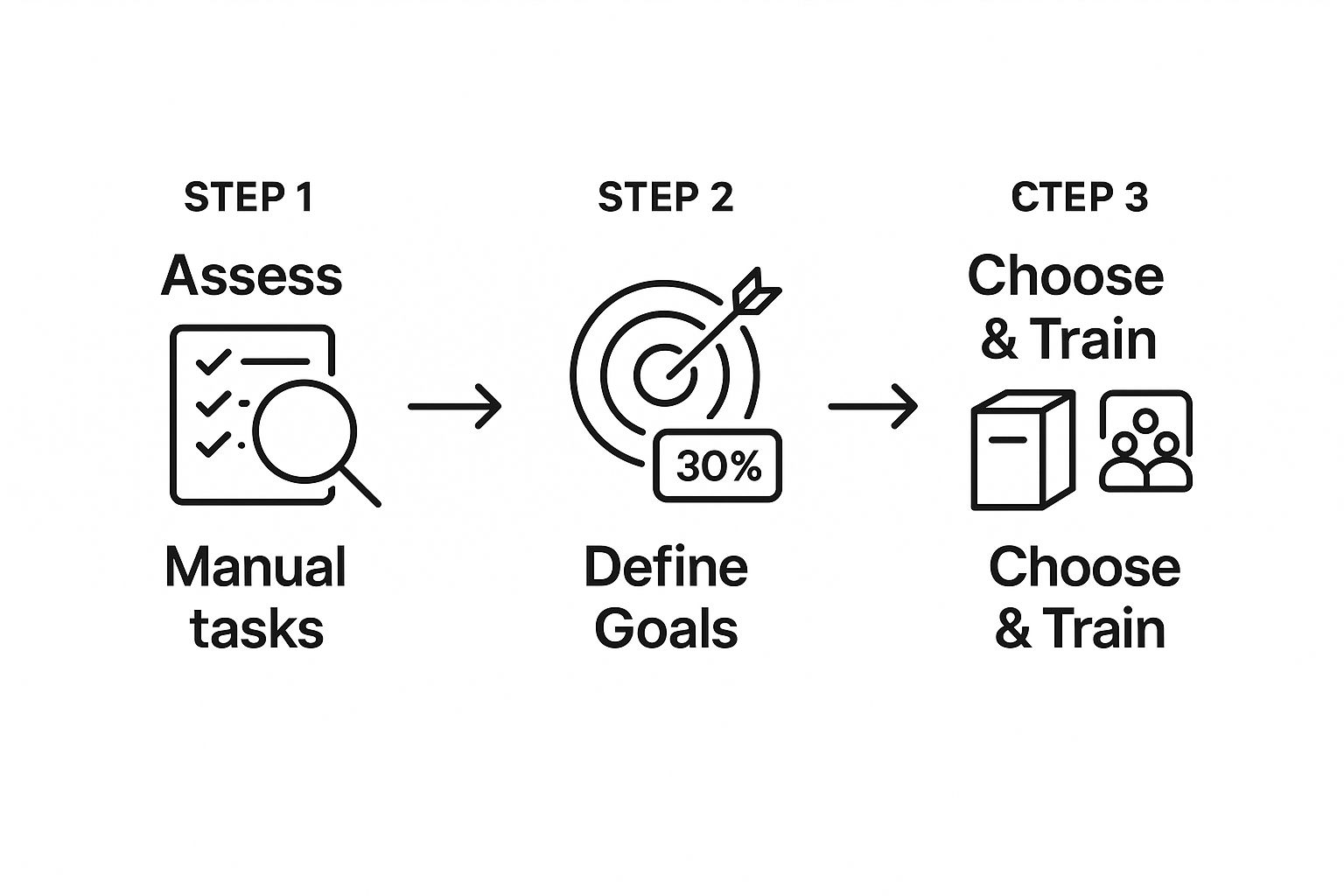
As you can see, a successful shift starts with understanding your problems so you can select the perfect tool to solve them.
Step 4: Implement and Train Incrementally
Finally, fight the urge to change everything all at once. A "big bang" rollout is a recipe for overwhelming your team and disrupting your business. It's much smarter to introduce new technology in small, manageable phases. Start with one tool that tackles your biggest headache.
For instance, if invoicing is your main frustration, focus only on getting that new accounting software up and running. Give your team proper training, create simple instructions, and listen to their feedback. Once that new process is running smoothly and you're seeing the results, you can move on to the next problem on your list. This step-by-step approach makes change feel less scary and builds momentum for your whole team.
Choosing the Right Digital Tools for Your Business
Walking into the world of business software can feel like staring down a massive, overwhelming aisle at a superstore. But here's the secret: you don't need a cart full of every shiny gadget on the shelf. The real key to a smart digital transformation for small businesses is to start with just a few powerful tools that fix your biggest headaches first.
Instead of getting bogged down by brand names, let's think about these tools based on what they actually do. It's like putting together a starter toolkit. Each tool has a specific job, and when they work together, your whole operation becomes stronger and a lot more efficient. We'll focus on three core categories that give you the most bang for your buck.
Customer Relationship Management (CRM) Tools
Think of a Customer Relationship Management (CRM) system as the digital brain of your business. Its main purpose is to pull all of your customer information into one clean, organized place. No more digging through old emails, messy spreadsheets, or a mountain of sticky notes to find what you're looking for.
A good CRM keeps a running history of every interaction, from a lead's first visit to your website to their most recent purchase or support question. This is what allows you to build real, personalized relationships. Imagine remembering a customer's birthday or knowing their favorite product without having to ask. That’s the kind of personal touch that turns one-time buyers into loyal fans.
- Core Problem It Solves: Scattered customer information and tons of missed follow-up opportunities.
- Clear Use Case: A local bakery uses a simple CRM to keep track of customer orders. When a regular who loves gluten-free treats hasn't ordered in a while, the system can send a nudge. This lets the owner send a quick, friendly email with a special offer on a new gluten-free muffin.
- Popular Examples: HubSpot, Zoho CRM, and Salesforce Essentials are great places to start, with plans built specifically for small businesses.
Project Management Platforms
If a CRM is your business's brain, then a project management tool is its central nervous system. It’s built to keep your team in sync, your tasks on track, and your projects moving smoothly without anything falling through the cracks. It finally answers those crucial questions: Who is doing what, and by when?
These platforms give you a bird's-eye view of all the work your team has on its plate. You can create tasks, assign them to people, set deadlines, and attach all the files everyone needs. This cuts down on the endless back-and-forth emails and "just checking in" meetings that kill productivity.
A project management tool brings clarity and accountability to your workflow. It transforms chaotic to-do lists into a clear, actionable plan that everyone on the team can see and follow.
- Core Problem It Solves: A total lack of visibility into who's doing what, leading to missed deadlines.
- Clear Use Case: A small marketing agency uses a tool like Asana to manage a client's website redesign. They set up a project board with columns for "To Do," "In Progress," and "Done." Every task, from "Design Mockup" to "Write Homepage Copy," gets assigned to someone with a firm due date. Everyone knows exactly what they need to do.
- Popular Examples: Asana, Trello, and Monday.com offer really intuitive, visual platforms that are perfect for smaller teams.
Marketing Automation Software
Marketing automation software is like hiring a marketing assistant who works 24/7 and never gets tired. It lets you set up campaigns that run on their own, nurturing potential customers and keeping current ones engaged while you’re busy running your business. It's a game-changer for reaching more people without needing a huge marketing department.
These tools can automatically send welcome emails to new subscribers, gently remind customers about items left in their shopping cart, or schedule a whole week's worth of social media posts in one go. They help you get the right message to the right person at the right time—all on autopilot. To get a better sense of what's out there, you can explore our guide on small business automation tools.
- Core Problem It Solves: Inconsistent marketing and no real way to reach a larger audience without burning out.
- Clear Use Case: An online shop selling handmade soap uses Mailchimp to set up an automated welcome series. When someone joins their newsletter, they instantly get a welcome email with a 10% discount. A week later, another email automatically goes out showcasing their best-selling products.
- Popular Examples: Mailchimp, Constant Contact, and HubSpot Marketing Hub all offer powerful automation features.
Comparing Essential Digital Tools for Small Businesses
So, where do you start? The right first tool is the one that solves your most immediate problem. Are you drowning in disorganized customer info? Are projects a total mess? Or do you just need to get the word out more effectively? This table should help you figure out where to focus your energy first.
| Tool Category | Primary Function | Typical Cost Range (Monthly) | Best For Businesses Needing To... |
|---|---|---|---|
| CRM | Centralize customer data and manage relationships. | $15 - $50 per user | ...build loyalty and track sales leads effectively. |
| Project Management | Organize tasks, track team progress, and meet deadlines. | $10 - $25 per user | ...improve team collaboration and project visibility. |
| Marketing Automation | Automate marketing campaigns and nurture leads. | $20 - $100+ based on contacts | ...scale their marketing efforts and save time. |
By tackling just one of these areas to start, you can make a huge difference in your business without getting completely overwhelmed. Pick the tool that solves your biggest headache, get your team comfortable using it, and then build from there.
Your Action Plan for Digital Growth
Think of this whole digital shift less like a sprint to some imaginary finish line and more like adopting a smarter, more sustainable way to run your business. The entire idea rests on making small, deliberate improvements that stack up over time. It’s all about choosing progress, not chasing perfection.
You don't need to fix everything at once. In fact, that's a recipe for burnout. Just focus on the one thing that’s causing the most friction in your business right now. Is it the endless follow-up on unpaid invoices? Or maybe the constant back-and-forth trying to nail down project schedules? Whatever that major headache is, that's where you start.
And when you do start, make sure to celebrate the small wins. Getting that first automated task humming along, freeing up hours of your week, is a big deal. These little victories create momentum and prove to your team that these changes are genuinely making their work life better.
Your First Three Steps
Feeling fired up is one thing; having a plan is another. I want you to walk away from this guide ready to act, not just with your head full of ideas. You've got what you need to start building a more streamlined business today. Here’s a simple checklist you can tackle this week.
True transformation doesn't start with a massive, disruptive overhaul. It starts with one small, intentional change. The goal is to find the easiest first step that gives you the biggest immediate sigh of relief.
Ready to make a move? Here’s your game plan:
-
Pinpoint One Annoying Task: Look at your typical week. What's that one thing you or your team does over and over again? It could be manually sending out appointment reminders, painstakingly copying data from one spreadsheet to another, or typing out the same email response to common customer questions. Just pick one and write it down.
-
Find One Simple Tool: Block out 30 minutes—no more—to look for a tool built specifically for that problem. Search for software that offers a free trial or a cheap entry-level plan. You're not looking for the "forever" solution right now, just a "good enough for now" fix to test the waters.
-
Commit to a One-Week Test Drive: Sign up for that trial and promise yourself you'll use only that tool for that one task for the next five business days. This little experiment gives you real data on how much time you're actually saving. That proof makes it much easier to get everyone on board for bigger changes down the road.
Frequently Asked Questions
Jumping into new technology can feel like a big leap, and it's natural to have questions. Let's tackle some of the most common ones we hear from small business owners just like you.
How Much Is This Actually Going to Cost?
This is the big one, right? The good news is, a digital transformation for small businesses doesn't have to break the bank. In fact, it's often surprisingly affordable.
The trick is to avoid trying to do everything at once. Start with your biggest headache and find one tool to solve it. Many of the best tools out there offer free plans or low-cost subscriptions, often starting around $10-$50 per user per month for something like a basic CRM or project management app.
Think of these tools less like expenses and more like investments. If a simple automation tool saves you ten hours of manual work a month, it's already paying for itself in regained time and focus.
Start small, prove the value, and then build from there. The goal is a clear return on your investment, whether that's saved time, happier customers, or more sales.
Do I Need to Be a Tech Whiz to Pull This Off?
Absolutely not. You're an expert in your business—and that's all you need to be. The most successful digital shifts aren't led by coders; they're led by owners who know their operations inside and out.
Your job is to spot the friction points. Is customer follow-up a mess? Is scheduling a constant headache? Once you know the problem, you can find a tool designed to fix it. Most modern software is built for regular people, with simple setups and intuitive designs.
You bring the "what" and the "why" (what's broken and why it needs fixing). Let the software handle the "how."
How Do I Get My Team on Board with New Tools?
Bringing your employees along for the ride is crucial. Resistance to change is normal, but you can make it a smooth process.
It all starts with explaining the "what's in it for them." Don't just introduce a new tool; show them how it will make their day-to-day work easier, less repetitive, or more effective.
Here are a few tips that always work:
- Involve them early: Ask your team what their biggest daily frustrations are. When they have a say in choosing the solution, they're instantly more invested.
- Provide real training: Don't just send a link and hope for the best. Set aside time for proper training and be patient while they learn.
- Start with a pilot group: Find a few enthusiastic team members to try the new tool first. Once they start raving about how much it helps, their excitement will be contagious.
Ready to improve your customer communication without the complexity? Yoonoo lets you set up a smart AI chatbot on your website in just five minutes—no coding required. Start answering customer questions instantly and efficiently. Learn more and get started for free at https://yoonoo.ai.