Your Guide to Customer Support Chatbots
Picture this: you have a team member who’s online 24/7, fielding customer questions instantly and never needing a coffee break. That, in a nutshell, is a customer support chatbot. Think of it as your first line of defense, a digital helper that takes care of the common stuff so your human experts can tackle the trickier problems.
What Is a Customer Support Chatbot?
Let's break it down. A customer support chatbot is a smart program that lives on your website or app. It's built to chat with people—through text or even voice—to help them out. The goal is to answer questions, solve basic issues, and point users in the right direction, all without needing a person to step in.
For a long time, the word "chatbot" made most of us groan. We remember those clunky, frustrating bots that felt like talking to a brick wall. They were basically just interactive FAQ pages, and if your question didn't perfectly match their script, you were out of luck. Thankfully, things have changed. A lot.
The Evolution from Scripts to Smarts
Today's best chatbots are powered by Artificial Intelligence (AI) and Natural Language Processing (NLP). This is what makes all the difference. Instead of just looking for keywords in a script, these bots can actually figure out what a person means.
A customer might type "my order isn't here yet," or maybe they just ask, "where is my stuff?" An AI-powered chatbot knows these are the same question: they both need an order status update. Being able to understand real, conversational language is what separates a truly helpful bot from a rigid, old-school one.
This leap forward has completely changed the game for customer service. The chatbot isn't just a simple tool anymore; it's a smart assistant that can handle a whole range of tasks.
Core Functions of a Support Chatbot
At its core, a support chatbot is all about managing customer conversations automatically. But it's more than just firing off answers. It’s about making the entire customer experience smoother and faster. Here’s how they do it:
- Instantaneous Responses: Chatbots get rid of waiting. They give immediate answers to common questions around the clock. This is huge, especially since 86% of CX leaders expect the customer experience to completely shift in the next three years, with instant support leading the charge.
- Problem Resolution: They can handle simple fixes on their own, like helping a customer reset a password, track an order, or start a refund.
- Information Gathering: Before a tricky issue gets passed to a human, the chatbot can collect all the important details first—like a name, account number, and a quick summary of the problem.
- Smart Escalation: When a question is too tough for a bot to handle, it knows when to step aside. It seamlessly hands the conversation over to a human agent, bringing them up to speed with all the context it has already gathered.
Think of a modern support chatbot as an intelligent filter. It sifts through the high volume of simple, repetitive questions that can bog down a human support team. This frees up your agents to focus their energy on the complex issues where their expertise and a human touch really matter. The result? A happier, more efficient support team and even happier customers.
The Rapid Rise of Automated Customer Support
Automated customer support isn't some far-off idea anymore; it's happening right now, and it's changing how businesses and customers connect. The leap from those clunky, script-based bots of the past to the smart, conversational tools we see today has been astonishingly quick. This whole shift is powered by a simple, universal need: everyone wants support that's instant, helpful, and doesn't break the bank.
What started out as a neat trick for a few tech companies has become a must-have for just about everyone. Early chatbots were basically just glorified FAQ pages, and they often left you more frustrated than when you started. But thanks to huge strides in artificial intelligence, they've become genuinely useful tools for any business that wants to keep up.
From Niche Gadget to Mainstream Tool
So, what's driving this big change? It really comes down to our expectation for 24/7 service. We live in an on-demand world, and customers want answers on their schedule, not just from 9 to 5. A customer support chatbot is like a tireless digital employee, always on and ready to help, solving the "after-hours" problem without needing a huge team of people.
This constant availability, plus the ability to juggle thousands of conversations at once, offers a kind of scale that human teams just can't touch. As a business grows, so do its support tickets. Chatbots provide a smart way to handle that flood of questions without costs spiraling out of control.
The Market Explosion in Numbers
If you want proof of how big this has become, just look at the money pouring in. The chatbot market has seen some pretty wild growth. It was valued at $2.47 billion in 2021 and then shot up to an incredible $15.57 billion by 2024—that's more than a sixfold jump. And it’s not slowing down, with forecasts predicting the market will hit $46.64 billion by 2029. You can dig into more of the numbers behind this trend over at Exploding Topics.
This isn't just a slow and steady climb. It's a massive signal that automated support has gone from a "nice-to-have" feature to a core business investment. The numbers tell us that companies across the board believe chatbots are the future of customer service.
This boom is happening because the technology is finally mature enough and the business results are undeniable. Companies aren't just dipping their toes in the water anymore; they're integrating bots deep into their operations because the return on investment is so clear.
The infographic below breaks down the main jobs that today's chatbots are handling for customer support teams.
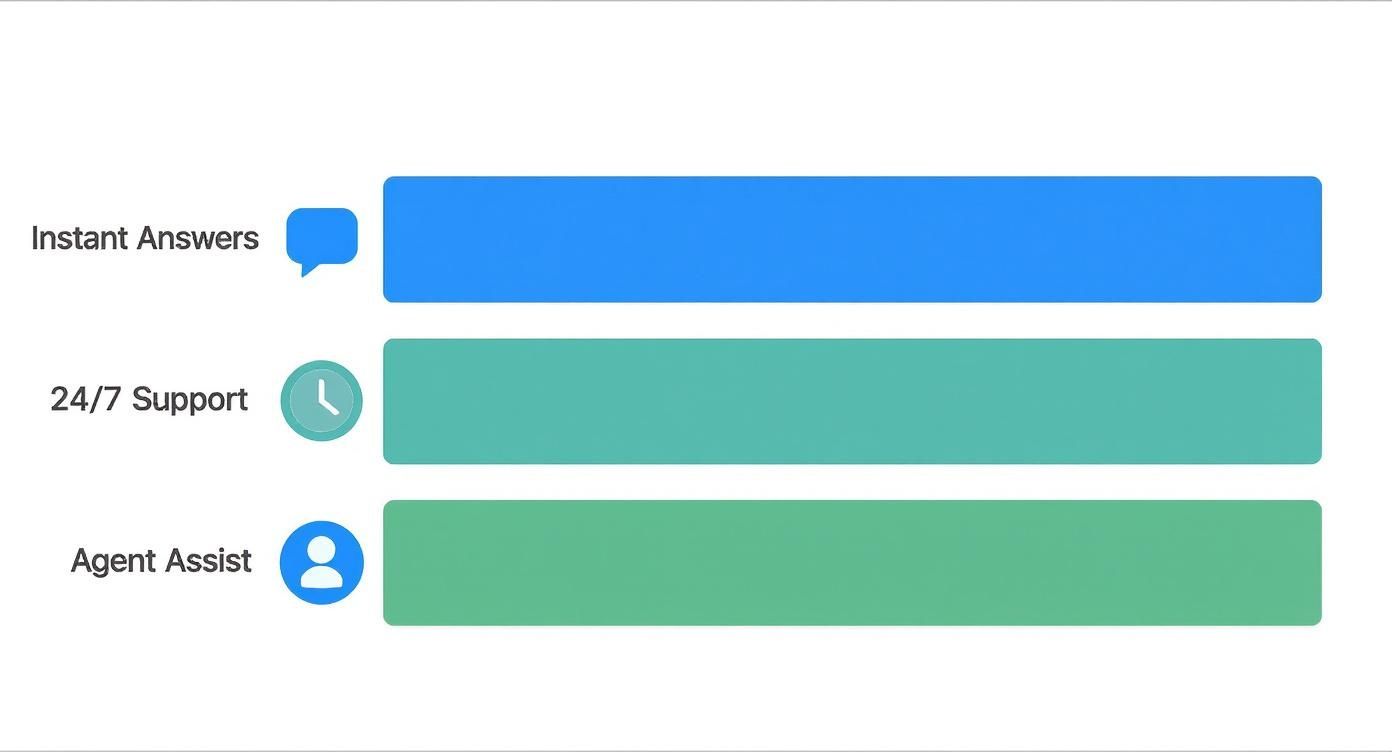
As you can see, giving instant answers and being available around the clock are the top roles. It all points back to that core demand for immediate, always-on help. These are the building blocks of any modern automated support strategy.
Here’s the rewritten section, designed to sound like it was written by an experienced human expert.
What Makes a Great Support Chatbot Tick?
Let's be honest: not all chatbots are created equal. We've all been stuck in a frustrating loop with a bot that just doesn't get it. The difference between a genuinely helpful digital assistant and a digital dead-end comes down to a few key features.
A basic bot might just match keywords, but a truly effective one acts more like a sharp junior support agent. It understands what you mean, not just what you type. It remembers your last conversation and, most importantly, knows when to call for backup. Getting a handle on these core components is the first step to picking a chatbot that actually helps your customers and your team.
The Brains of the Operation: Natural Language Processing
At the heart of any smart chatbot is Natural Language Processing (NLP). Think of NLP as the bot's ability to understand human language in all its messy glory—typos, slang, and all. It’s what lets a customer ask "where's my stuff?" instead of being forced to type a rigid command like "track order."
This is a game-changer because the bot can figure out what the customer actually wants to do, not just hunt for keywords. A customer might say, "my package is late," and the NLP model instantly knows the goal is to check an order's status. This makes the whole conversation feel less like talking to a machine and more like a natural chat, which is exactly what you want.
Meeting Customers on Their Turf
People don't just hang out on your website anymore. They're on social media, in messaging apps like WhatsApp, and bouncing between devices. A top-tier support chatbot needs to offer multi-channel support, creating a single, connected experience wherever your customers are.
This means a conversation that starts on your website can be picked up seamlessly on a mobile app later. The customer never has to repeat themselves. It’s this kind of smooth, consistent support that builds real loyalty.
A truly great chatbot doesn't lock customers into one channel. It weaves itself into their preferred platforms, making support feel totally effortless. That's a huge win.
Plus, being everywhere at once means your automated support is always there at the exact moment a customer needs it, whether they're scrolling through products or shooting off a question on social media.
Knowing When to Tag in a Human
Even the smartest AI has its limits. That's why smart routing and escalation is one of the most important features a chatbot can have. It's the bot's ability to recognize when a problem is too complex, too sensitive, or just needs a human touch.
Instead of trapping a frustrated customer, an intelligent chatbot will smoothly hand the conversation over to the right person on your team. But here’s the critical part: it doesn't just transfer a name and a number. It passes along the entire conversation history. This gives the human agent all the context they need to jump in and solve the problem right away, without making the customer start from scratch.
This feature is the perfect safety net. It blends the speed of automation with the irreplaceable value of human expertise. To get this handoff right, you need a solid knowledge base, which we cover in our guide on effective customer service knowledge management.
Comparing Basic vs. Advanced Chatbot Features
To really see what a difference these features make, it helps to put a simple, rule-based chatbot side-by-side with an advanced, AI-powered one. The gap between them isn't just about technical specs; it's about the quality of the customer experience they deliver.
| Feature | Basic (Rule-Based) Chatbot | Advanced (AI-Powered) Chatbot |
|---|---|---|
| Conversation Style | Follows a strict, pre-defined script. Fails if the user deviates. | Uses NLP to understand intent and have a natural, flexible conversation. |
| Personalization | Provides generic, one-size-fits-all answers to everyone. | Leverages user data (like purchase history) to offer personalized responses. |
| Learning Ability | Static. Does not learn or improve from its interactions over time. | Uses machine learning to continuously improve its accuracy and helpfulness. |
| Agent Handoff | Often a dead end. May simply provide a support email address. | Seamlessly escalates to a live agent with full conversational context. |
As you can see, an advanced chatbot isn't just a fancier version of a basic one—it's a fundamentally different tool designed to build better customer relationships.
How Chatbots Drive Real Business Growth
Adding a customer support chatbot isn't just a tech upgrade; it’s a smart business move with tangible results. While the technology itself is cool, its real magic is in what it does for your bottom line, your team, and your customers.
Think of it as bringing on a new team member who is an absolute whiz at handling all those repetitive, time-sucking tasks. This kind of automation creates a ripple effect of efficiency that you'll feel across the whole company.
The most obvious win? A serious drop in operational costs. When a bot can answer all the common questions, your human agents have fewer tickets to juggle. That means you can handle a growing customer base without having to constantly expand your support headcount.
Supercharging Your Support Team
Beyond just saving money, a good chatbot makes your human agents better at their jobs. It shields them from the endless stream of basic questions, freeing them up to focus on the tricky, high-stakes conversations where a human touch really makes a difference.
This shift does wonders for both productivity and morale. Instead of answering "Where is my order?" all day, your team can tackle complex problems, build real relationships with customers, and feel genuinely challenged and valued in their work.
A chatbot can also act as a great assistant. It can collect a customer's basic info, log a ticket, and hand the whole conversation over to a human agent with all the context they need. This prep work leads to faster resolutions and a much smoother handoff for everyone.
The goal isn't to replace your team but to augment it. A chatbot handles the predictable, so your people can manage the exceptional. This synergy is where real growth begins.
Measurable Wins in Action
The business case for chatbots is backed by some seriously impressive numbers. By taking over routine tasks like sorting incoming customer requests with automated support inbox triage workflows, chatbots help companies see huge improvements where it counts.
For example, the insurance company NIB reported a staggering $22 million in savings after automating its customer service. Meanwhile, Lyft saw its average resolution times plummet by an incredible 87% after bringing in AI tools. It’s a boost for employees, too, with agents resolving 15% more issues per hour on average.
These aren't just vanity metrics; they show a clear return on investment. Faster solutions lead to happier customers, and a more capable support team means your business can grow without getting bogged down.
Elevating the Customer Experience
At the end of the day, the biggest win is a better customer experience. We live in an on-demand world, and making customers wait is a recipe for frustration. Chatbots solve this by offering instant, 24/7 help.
That "always-on" support is exactly what modern customers expect, and it builds incredible trust. A customer who gets a quick, helpful answer at 2 AM on a Sunday is far more likely to stick around and tell their friends about you. That kind of immediate, reliable service gives you a real edge.
The impact here is a virtuous cycle of efficiency and satisfaction. To see more on how this all connects, take a look at our detailed article on the benefits of AI chatbots. It shows a clear path from a smarter support system to a stronger, more profitable business.
Your Step-By-Step Implementation Plan
Getting a customer support chatbot up and running might sound like a massive technical undertaking, but it’s really just a matter of tackling it one step at a time. Think of it less like complex engineering and more like building with LEGOs—you start with a clear plan and add one piece at a time. The real goal is to build something that genuinely helps your customers and slots right into your existing support workflow.
This plan will walk you through the entire process, from that first spark of an idea to a fully functioning digital assistant. By following these steps, you can sidestep the common headaches and make sure your chatbot is a valuable asset from day one. Let’s dive in.
Define Your Primary Goal
Before you even think about what your bot will say, you need to know why you're building it. What's the number one problem you want this chatbot to solve? Skipping this step is like setting off on a road trip with no destination in mind—you’ll definitely be moving, but you won't get anywhere useful.
Your main goal should be something you can actually track. Are you trying to:
- Cut down on ticket volume? Maybe you want to deflect 20% of common questions like "Where's my order?"
- Speed up response times? You could aim for instant answers to your top five most asked questions.
- Capture more leads? You could have the bot qualify visitors who land on your pricing page.
Pick one clear objective and stick with it. A chatbot that does one thing incredibly well is always better than one that tries to do everything and ends up being mediocre.
Identify the Perfect Use Case
Once you have your goal, it’s time to pinpoint the exact job your chatbot will do. The best place to find this is in your own support data. What are the simple, repetitive questions that keep your human agents tied up all day?
A few great places to start are:
- Order Status and Tracking: Answering "Where is my package?" is a perfect task for a bot.
- Password Resets: This is a classic high-volume, low-effort task that can be completely automated.
- Answering FAQs: Let the bot handle basic questions about your return policy, shipping costs, or business hours.
By automating your most frequent and predictable questions first, you get an immediate win. It frees up your team's time and gives customers instant answers. It’s a no-brainer.
Choose Your Platform
Now you need to pick the right tool for the job. Platforms like Yoonoo are built for businesses that want a powerful chatbot without having to hire a team of developers. When you're looking at different options, prioritize a no-code interface, the ability to learn from your website content, and easy integrations with the tools you already use.
The right platform should feel intuitive. The easier it is to use, the faster you can get your chatbot live and start helping customers. If you plan on bringing in outside help, a guide on choosing a staff augmentation company for AI talent can be a huge help.
Design and Train Your Chatbot
This is the fun part—where your bot’s personality and brain come to life. Start by mapping out simple conversation flows for the use case you picked. Write responses that are friendly, clear, and sound like they're coming from your brand.
Next, you have to train it. With a modern AI bot, this often just means feeding it the right information. You can usually point it straight to your website’s FAQ page, help center, and product descriptions. The bot essentially "reads" all of that and learns how to answer questions on its own. It's like giving a new hire the company handbook—the more it knows, the more it can help.
Test, Launch, and Improve
Whatever you do, don't launch a chatbot without putting it through its paces first. Have your team throw everything they can at it—ask weird questions, use odd phrasing, and try to break it. This is how you find and fix the awkward replies and dead ends before your customers do.
When you feel confident, it’s time to set it live. But your work isn't over. A good chatbot is never truly "done." You need to keep an eye on its performance, read through conversation logs, and listen to customer feedback. Use what you learn to constantly tweak its answers and add new skills over time. Your chatbot should grow right along with your business.
Creating a Chatbot Customers Actually Like
Let's be honest, we've all had frustrating encounters with clunky, unhelpful chatbots. The best ones, however, feel less like a robot and more like a genuinely helpful assistant. Building a bot that your customers actually want to interact with is an art form, blending smart automation with a much-needed human touch.
The goal is to create an experience that solves problems and reduces friction, not one that adds another layer of annoyance. Technology on its own won't get you there. A great chatbot is designed with the user's emotional journey in mind, focusing on clear communication, a consistent personality, and—most importantly—knowing when it’s time to get a human involved.
Give Your Chatbot a Personality
Your chatbot is often the first point of contact for a customer, making it a direct extension of your brand. So, it needs a voice. Is your brand known for being playful and witty, or is it more formal and straight-to-the-point? Figure out your bot's personality and stick with it.
This consistency makes every interaction feel more natural. For example, a warm "Hello! What can I help you find today?" is infinitely more welcoming than a cold, robotic "Awaiting input." Little touches like this set a positive tone right from the start.
Practice Empathy and Transparency
Even a bot can show a little empathy. Programming your chatbot to recognize signs of frustration—like a customer typing in all caps or using words like "annoyed"—and respond with reassuring language can be a game-changer. A simple, "I'm sorry you're having trouble. Let me find someone who can help with this" makes a huge difference.
It’s also incredibly important to be upfront. Never try to pass your bot off as a person. A quick introduction like, "Hi, I'm Yoonoo, your virtual assistant!" immediately sets the right expectations. People appreciate the honesty.
The most effective chatbots aren't trying to be human; they're trying to be helpful. By being clear that it's a bot, you build trust and prevent the frustration that comes from a failed Turing test.
Master the Human Handoff
No chatbot can solve every single problem, and that's perfectly fine. The most crucial feature of any user-friendly bot is knowing its limits and gracefully passing the conversation to a human agent. A customer should never, ever feel stuck in a loop.
When an issue gets too complex or a customer simply asks to speak with a person, the bot needs to escalate the chat right away. A perfect handoff means transferring the entire conversation history so the customer doesn't have to repeat themselves. Respecting their time like this is a cornerstone of great service.
Why Human-Like Qualities Matter
Building a chatbot with these qualities isn't just about being pleasant; it's a smart business strategy. The data shows that customers overwhelmingly prefer bots that have some human-like traits. In fact, research reveals that 64% of customers say that qualities like friendliness and empathy make them trust AI support more.
This feeling is shared right at the top, with 70% of global CEOs believing that generative AI will fundamentally change how they deliver value. You can dig deeper into these customer support trends to see the bigger picture.
At the end of the day, a chatbot people actually like is one that’s helpful, honest, and knows when to step aside.
Got Questions? We’ve Got Answers.
Jumping into any new tool is bound to bring up a few questions. It’s only natural. Let's tackle some of the most common things people ask when they're thinking about bringing a support chatbot on board.
What’s This Going to Cost Me?
The investment for a support chatbot really runs the gamut. On one end, you have simpler, template-driven bots that you can get for a few hundred dollars a month on a subscription. They’re great for getting started.
On the other hand, if you need a fully custom-built AI chatbot that plugs into all your business software, the price tag can be anywhere from $5,000 to over $50,000. It all comes down to how complex you need it to be and what features you're looking for.
Is a Chatbot Going to Steal My Team's Jobs?
Absolutely not. Think of a chatbot as a new team member, not a replacement for your existing one. The bot is there to handle the mountain of repetitive, easy-to-answer questions that eat up your team's day.
This frees up your human agents to put their brains and empathy to work on the tricky, sensitive customer problems that really need a human touch.
The goal is collaboration, not replacement. A chatbot handles the predictable so your team can manage the exceptional.
How Do I Know if It's Actually Working?
You won't have to guess. Keeping an eye on a few key numbers will tell you exactly how much value your chatbot is providing.
Here’s what you’ll want to track:
- Resolution Rate: What percentage of customer issues does the bot solve all by itself, with no human help needed?
- Customer Satisfaction (CSAT): Are customers happy with the help they get? Post-chat surveys will give you the scoop.
- Containment Rate: How many conversations does the bot handle from start to finish without needing to escalate to a person?
- Ticket Volume Reduction: Are your human agents seeing a real drop in the number of support tickets they have to handle?
These metrics paint a clear picture of your bot's performance and the return you're getting on your investment.
Ready to see how an AI chatbot can change the way you talk to customers? Get started with Yoonoo today and build your own smart assistant in just five minutes. Learn more about Yoonoo and start your build.