Customer Communication Management Software: A Guide
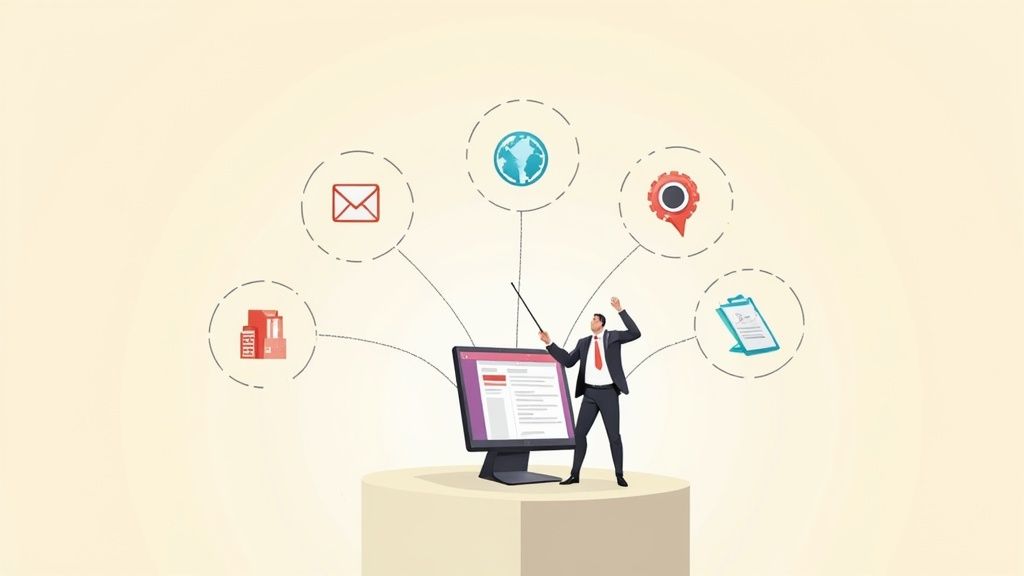
Think about all the different ways a single company talks to you. You get marketing emails, billing statements, support chats, text alerts, and maybe even letters in the mail. Without a system to keep it all straight, the experience can feel disjointed and messy. That's where Customer Communication Management (CCM) software comes in.
At its core, CCM software is the technology that helps businesses create, manage, and deliver all those different customer communications from one central place. It's the secret sauce that makes sure every message—whether it's a promotional offer or a simple appointment reminder—is consistent, personal, and professional.
Understanding Customer Communication Management Software

Imagine your company is an orchestra. Each department—marketing, sales, support, finance—is a different section. If everyone plays from their own sheet music, you don't get a symphony; you get noise. A customer communication management software platform is the conductor, making sure every instrument plays in harmony to create a beautiful, cohesive piece of music for the audience—your customer.
CCM tools weren't always this sophisticated. They started out as basic systems for generating structured documents like bank statements and utility bills. But as customer expectations evolved, so did the software. Today, these platforms are powerful enough to manage the entire lifecycle of a customer conversation, which is non-negotiable when people expect to interact with you smoothly across every channel.
The Core Purpose of a CCM Platform
The main job of CCM software is to kill off the generic, "one-size-fits-all" message. It’s all about empowering your business to send highly relevant, personalized information that actually means something to the person reading it. The system does this by connecting your customer data to smart communication templates, creating dynamic content that automatically adapts to each recipient.
A solid CCM platform tackles several critical business challenges at once:
- Consistency: It locks in your brand voice and design, so you look and sound the same everywhere, from a text message to a formal letter.
- Efficiency: By automating the tedious, repetitive communication jobs, it frees up your team to work on bigger, more important projects.
- Personalization: It taps into customer data to customize messages, making people feel like you actually know them.
- Compliance: It helps you stay on the right side of industry regulations by managing approved templates and keeping a clear audit trail of what was sent to whom, and when.
At its heart, Customer Communication Management software is about orchestrating a consistent, personalized, and efficient dialogue with every customer, regardless of the channel they choose to use.
This isn't just a "nice-to-have" anymore; it's a strategic necessity. The market numbers tell the story. Valued at USD 2.38 billion in 2024, the CCM software market is expected to balloon to USD 8.21 billion by 2035, growing at a compound annual rate of about 13.18%. This rapid growth shows just how critical this technology has become.
To give you a clearer picture, here’s a quick breakdown of what a CCM platform really does.
Core Functions of a CCM Platform at a Glance
| Core Function | What It Does | Primary Benefit |
|---|---|---|
| Content Creation | Provides tools and templates for designing communications like letters, emails, and SMS. | Ensures brand consistency and speeds up content production. |
| Data Integration | Connects to CRM, ERP, and other data sources to pull in customer information. | Enables deep personalization and dynamic content generation. |
| Omnichannel Delivery | Manages and sends communications through multiple channels (print, email, web, mobile). | Delivers a unified experience and meets customers where they are. |
| Archiving & Retrieval | Stores a record of all sent communications for compliance and customer service. | Simplifies audits and gives support teams a full conversation history. |
This table highlights how a CCM platform moves far beyond simple document generation to become the central nervous system for all customer-facing dialogue.
From Disjointed to Unified Communication
Without a central system, departments often operate in their own little worlds. Marketing has its email platform, finance uses its own billing software, and the support team works out of a separate ticketing system. This siloed approach is a recipe for a fragmented and confusing customer experience.
CCM software shatters those silos. It creates a single source of truth where every team can work together to design, approve, and manage communications. This unified strategy is a key part of delivering modern customer service. For any company serious about creating a seamless journey, the next logical step is to understand what is omnichannel customer service. By centralizing how you manage communications, you make it possible for a customer to start a conversation on Twitter and finish it via email without ever having to repeat themselves.
Exploring the Essential Features of Modern CCM Software
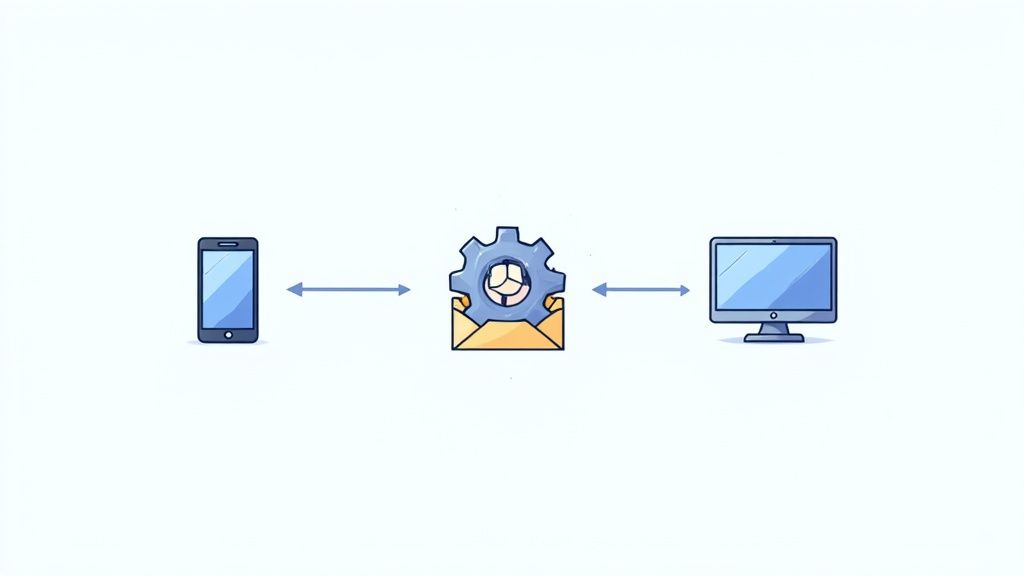
To really get what makes customer communication management software so powerful, you have to look under the hood. These platforms aren't just fancy digital mailrooms; they're sophisticated engines built to create, manage, and deliver conversations that actually mean something to your customers.
Let's break down the core features that define a modern CCM platform. These are the tools your teams will be using day-in and day-out to build a more connected and responsive customer experience.
Centralized Design and Template Management
At the heart of any good CCM solution is a design studio that doesn't require a computer science degree to use. This feature puts the power to create and manage communication templates directly into the hands of marketers, product managers, and other business users—no coding needed. Think of it like a drag-and-drop builder, but for your official documents, emails, and messages.
With this kind of tool, your team can finally:
- Create dynamic templates: Design one master invoice that automatically tailors its content, offers, and layout based on individual customer data.
- Maintain brand consistency: Lock down key brand elements like logos, fonts, and colors. This ensures every single communication looks professional and is instantly recognizable.
- Manage content blocks: Build a library of pre-approved snippets—like legal disclaimers or promotional blurbs—that can be dropped into any communication with a click.
This centralized approach is a total game-changer. It gets rid of the frustrating back-and-forth with IT for simple text updates and gives your business teams the speed they need to react to market changes.
Seamless Data Integration Capabilities
A CCM platform really comes alive when it’s connected to your other business systems. That’s where data integration comes in. The software is built to "talk" to your Customer Relationship Management (CRM), Enterprise Resource Planning (ERP), and billing systems, pulling in relevant customer information in real time.
This connection is what makes deep personalization possible. For example, an insurance company can automatically pull a customer’s policy details, recent claims, and loyalty status from its CRM straight into a renewal notice. The document that goes out isn't just a generic letter; it’s a highly relevant summary that speaks directly to that customer's history with the company.
A CCM platform without strong data integration is like a high-performance car with an empty fuel tank. The engine is powerful, but it has no fuel to create motion. Customer data is the fuel that powers personalization.
True Omnichannel Delivery
Today's customers expect to connect with you on their terms. That could be email, SMS, a web portal, a mobile app, or even a good old-fashioned letter. Omnichannel delivery is the feature that makes this happen, ensuring a consistent and connected experience no matter where the conversation takes place.
This is so much more than just blasting the same message across different channels. A powerful customer communication management software orchestrates the entire conversation. A customer might get an SMS alert about an appointment, click a link to view the details on a secure portal, and then receive a follow-up summary by email. It all feels like one seamless journey because it’s managed from a single hub.
Powerful Workflow and Business Rules Automation
Automation is what makes a CCM system truly efficient. This feature lets you build automated workflows triggered by specific events and business rules. You can set up simple "if this, then that" logic to handle routine communications without anyone having to lift a finger.
Think about a utility company. They can create a rule that says: "If a customer's monthly usage is 20% higher than their average, automatically send a personalized high-usage alert." This proactive message helps the customer avoid a surprise on their bill and cuts down on calls to the support center.
This is a perfect example of how modern CCM solutions pull everything together. They let you create and manage huge volumes of personalized messages from one place, driven by smart automation that slashes human error and operational costs. For any business trying to scale its outreach, this kind of automation isn't just nice to have—it's essential. You can dig into more data on the growing CCM software market to see its broader impact.
By combining these key ingredients—intuitive design tools, deep data integration, omnichannel delivery, and smart automation—CCM software gives you a complete toolkit for modernizing every single touchpoint in your customer's journey.
The Real-World Benefits of Implementing CCM Software
Bringing a new technology platform into your business is never just about adding fancy features. It’s about getting real, measurable results. So, what’s the actual payoff when you invest in a customer communication management (CCM) system? The benefits ripple out far beyond just tidying up your messaging—they directly strengthen customer relationships, trim your operational budget, and help you get a handle on risk.
These platforms help you move away from generic, "batch-and-blast" messages and start having personalized, two-way conversations. That shift is what builds real loyalty. When your communications feel relevant and stay consistent no matter where a customer interacts with you, they feel understood. That’s the foundation of any strong relationship.
Elevate the Customer Experience
Think about the last time a company sent you a message that was perfectly timed and actually useful. It probably felt like they were paying attention, right? That’s the core benefit of CCM software. It turns routine communications into genuine opportunities to build trust and make customers feel good about your brand.
By plugging into your customer data, a CCM platform makes sure every interaction feels personal. Instead of "Dear Customer," messages can refer to a recent purchase, their loyalty status, or specific account details. This kind of personalization makes people feel seen, not just like another number in a database. In fact, research shows that nearly half of all consumers will happily wait longer for a response if it means the communication they get is personalized.
This infographic breaks down the direct line between putting CCM in place and hitting key business goals.
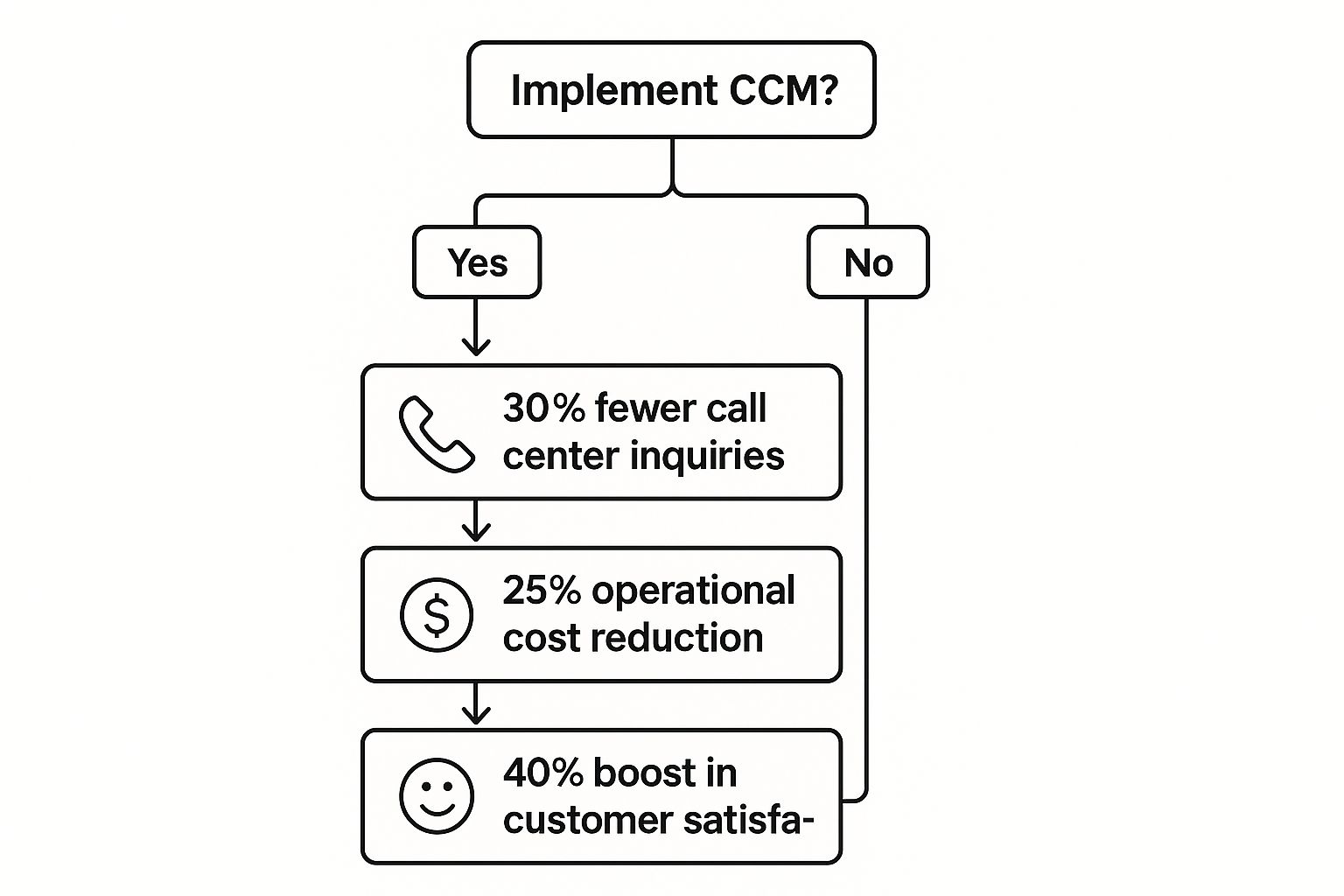
As you can see, a well-executed CCM system creates a positive chain reaction. The operational improvements you make on the back end lead directly to happier, more engaged customers.
Slash Operational Costs and Boost Efficiency
One of the first things you'll notice with a good CCM solution is how much manual work disappears. When you automate routine communications—like welcome emails, payment reminders, or policy updates—you free up your team to focus on bigger things. This automation dramatically cuts down the time and resources you used to spend on repetitive administrative chores.
The efficiency gains are huge. Picture an insurance provider that starts using its CCM platform to create interactive digital statements. These new statements aren't just clearer; they also have links to FAQs and self-service portals. The result? They managed to cut call center volume by 30%. That saved them thousands in operational costs and let their support agents focus on helping customers with more complex problems.
The core financial benefit of CCM software is turning a cost center—routine communications—into a value-generating asset that improves efficiency and reduces customer friction.
A smart CCM system doesn't just push information out; it also helps you gather and act on what customers are telling you. This creates a powerful cycle of improvement. To really get this right, it’s worth understanding the importance of closing the feedback loop to build customer loyalty and continuously fine-tuning your communication strategy.
Simplify Regulatory Compliance and Mitigate Risk
If you’re in a regulated industry like finance, healthcare, or insurance, compliance isn't just a good idea—it's mandatory. One little mistake in a required communication can lead to massive fines and a damaged reputation. This is where CCM software acts as a critical safety net.
These platforms give you powerful tools to manage compliance, including:
- Template and Content Control: You can create pre-approved templates with locked-down legal disclaimers and other required text. This prevents someone from accidentally editing out something important.
- Audit Trails: Every single communication is logged, creating a detailed and easy-to-search record. If an auditor comes knocking, you can instantly prove what was sent, to whom, and when.
- Version Control: The system keeps track of all your document and template versions, making sure that only the most current, compliant one is ever used.
By centralizing control and keeping a clean audit trail, a CCM platform helps you navigate the complicated web of regulations with confidence, protecting your business from unnecessary risk.
How to Choose the Right CCM Software for Your Needs
Picking the right customer communication management software can feel overwhelming, but it doesn't have to be. With a smart approach, you can slice through the marketing fluff and find a solution that genuinely clicks with your business. The real goal is to find a partner, not just a product—one that gets what you're trying to do now and is ready to grow with you.
This whole process really starts by looking in the mirror. Before you even think about watching a demo, you need a sharp, clear picture of your goals. Are you trying to cut down on support calls? Make your brand look and feel consistent everywhere? Or maybe just make compliance less of a headache? Nailing down these objectives early on will be your guide for the entire journey.
Start with a Thorough Needs Analysis
First thing's first: get your team together. You'll want people from marketing, IT, customer service, and even finance in the room. Each department has a different angle on customer conversations and will have its own list of must-haves for a CCM platform. Getting everyone involved from the start prevents major blind spots down the road and ensures the software you pick actually works for the whole company.
Once the team is assembled, it's time to map out how you talk to customers right now. Seriously, document every single touchpoint—from invoices and welcome kits to promotional emails and support chats. Pinpoint what’s causing friction. Is it a nightmare to update templates? Is personalizing messages a slow, manual chore? This deep dive will become the blueprint for your requirements.
Your needs analysis should result in a clear, practical list of features. For instance:
- Marketing will likely need easy drag-and-drop designers and a solid connection to your CRM for running targeted campaigns.
- Finance is going to care about securely and automatically sending statements and having a rock-solid archive for compliance.
- IT will be focused on APIs, security, and how smoothly the new platform can slide into your existing tech setup.
Key Evaluation Criteria for Any CCM Platform
With your list of requirements in hand, you can start looking at vendors. It’s easy to get wowed by flashy features, but you need to stay focused on the core stuff that provides real, long-term value. Three of the most important areas to dig into are scalability, integration, and the deployment model.
Scalability is all about making sure you don't outgrow your investment. The software you pick today has to keep up as your communication volume inevitably increases. Ask potential vendors how their system handles more users, more templates, and way more messages. A truly scalable solution grows right alongside you, saving you from a painful and expensive platform switch later on.
Integration capabilities are a total deal-breaker. A CCM platform can't live on an island; it has to talk to your other critical systems, especially your CRM. A strong integration means you can pull in customer data on the fly to make every message feel personal. Without it, you’re stuck with a clunky, disconnected system that can't deliver the relevant, in-the-moment communications that customers now expect.
Finally, you’ll need to think about the deployment model. It usually boils down to two options:
- Cloud-based (SaaS): The vendor hosts everything, which means lower setup costs, automatic updates, and easier scaling. This is how most modern CCM solutions work.
- On-premise: You host it on your own servers. This gives you maximum control over your data and security, but it also means a big upfront investment in hardware and ongoing IT maintenance.
Choosing a deployment model isn't just a tech decision—it's a business strategy. A cloud solution gives you speed and lower overhead, while an on-premise setup offers ultimate control for companies with very strict data or security rules.
The Vendor Shortlisting and Demo Process
Now you’re ready to build a shortlist of vendors. A good tip is to look for providers who have a track record in your industry. They’ll have a much better grasp of your specific compliance hurdles and communication quirks. Spend some time reading case studies and customer reviews to get an honest feel for their performance and support quality.
When it's demo time, don't just sit back and watch a canned presentation. You need to drive the conversation. Show up with a list of specific scenarios you want to see in action. Ask the salesperson to show you exactly how their platform solves one of the big pain points you identified earlier.
Here are a few essential questions to ask during every demo:
- How do our non-technical team members create and edit communication templates?
- Can you show us a live example of how your platform connects with a CRM like Salesforce?
- What does your typical implementation process look like, from kickoff to go-live?
- What kind of training and support do you offer after we launch?
- How does your pricing work, and what might cause our costs to go up over time?
To help you stay organized during this phase, use a simple checklist to compare vendors side-by-side.
CCM Software Vendor Evaluation Checklist
This checklist is a practical tool to help you compare different CCM software vendors apples-to-apples. Use it to score each option against your specific business and technical needs, ensuring you make a well-rounded decision.
| Evaluation Criteria | Vendor A | Vendor B | Vendor C |
|---|---|---|---|
| Feature Set | |||
| User-Friendly Template Designer | |||
| Omnichannel Delivery (Email, SMS, Print) | |||
| Advanced Personalization Rules | |||
| Interactive Communication Capabilities | |||
| Technical Fit | |||
| CRM Integration (e.g., Salesforce, HubSpot) | |||
| API Availability and Documentation | |||
| Scalability & Performance | |||
| Security & Compliance Certifications | |||
| Business Value | |||
| Pricing Model (Clarity & Predictability) | |||
| Implementation Support & Training | |||
| Ongoing Customer Support Quality | |||
| Industry-Specific Experience |
By using this checklist, you can move beyond the sales pitch and focus on what truly matters for your business.
By following this kind of structured process, you shift from being a passive shopper to an empowered buyer. You'll be able to confidently choose a customer communication management software that not only fixes today's problems but also becomes a key part of building better customer relationships for years to come.
Getting Your CCM Solution Up and Running for Maximum Impact
Picking the right customer communication management software is a huge first step, but the real work starts with implementation. Let's be honest, even the most powerful platform is useless if the rollout is a mess. That's why having a solid game plan is non-negotiable.
Think of it less like flipping a switch and more like a carefully planned renovation project. You need a clear blueprint, everyone from the plumbers to the painters on the same page, and a good sense of how the new layout will actually work for the people living in the house.
Laying the Groundwork for a Smooth Rollout
Before you move a single customer record, you need to plan. This is where you get brutally honest about what you're trying to achieve. Vague goals like "better communication" just won't cut it. You need to get specific and measurable.
For example, a great goal is: "Cut down on support calls about billing by 20% within six months." See the difference? That's a target you can actually aim for and a clear benchmark to prove your investment was worth it.
A critical piece of this puzzle is your project team. You need to pull in people from every corner of the business that touches customer communications. This isn't just an IT project.
- Your IT pros will handle the technical heavy lifting, like integration and security.
- Marketing folks are the guardians of your brand voice and will likely be the ones in the design trenches.
- Customer service managers know exactly where customers get stuck and what questions they ask over and over.
- Compliance officers will keep you out of hot water by making sure everything is legally sound.
Getting these different viewpoints in the room from the very beginning is the secret sauce. It stops IT from building something in a vacuum that looks great on paper but doesn't actually solve the problems your business-facing teams deal with every day.
The Phased Approach to Going Live
Whatever you do, don't attempt a "big bang" launch where everyone switches over at once. That's a classic recipe for chaos. The smarter move is to start small with a pilot project. This lets you test the customer communication management software in a low-risk setting, iron out the wrinkles, and score an early win to build momentum.
It's like a restaurant's soft opening. You wouldn't open to a full house on day one, right? You’d invite a few tables to see how the kitchen handles the heat. For your CCM, a fantastic pilot could be something like redesigning and automating your monthly invoices.
A successful pilot is more than just a test run—it's your best change management tool. When you can show real, tangible results, it’s so much easier to get other departments excited for the full rollout.
Once your pilot is a proven success, you're ready to expand.
- Migrate and Clean Your Data: This is the nitty-gritty work of moving customer data and old templates into the new system. It's also the perfect chance to do some spring cleaning. Get rid of duplicates, fix outdated info, and make sure the data you're building on is rock solid.
- Train Your People (Properly): Don't just demo the software's features. Show your teams how it will make their lives easier. Training should be role-specific. Your marketing team needs to become experts in the template designer, while your support agents need to know how to pull up a customer's entire communication history in seconds.
- Launch and Listen: Once you go live, the job isn't done. Keep a close eye on your key metrics and listen carefully to feedback from your team. Are you hitting those goals you set way back in the planning stage? Where are people running into trouble? This constant feedback loop is what turns a good implementation into a great one.
By taking this step-by-step approach, you transform what could be a daunting technical project into a manageable and highly rewarding business upgrade.
The Future of Customer Communication with AI
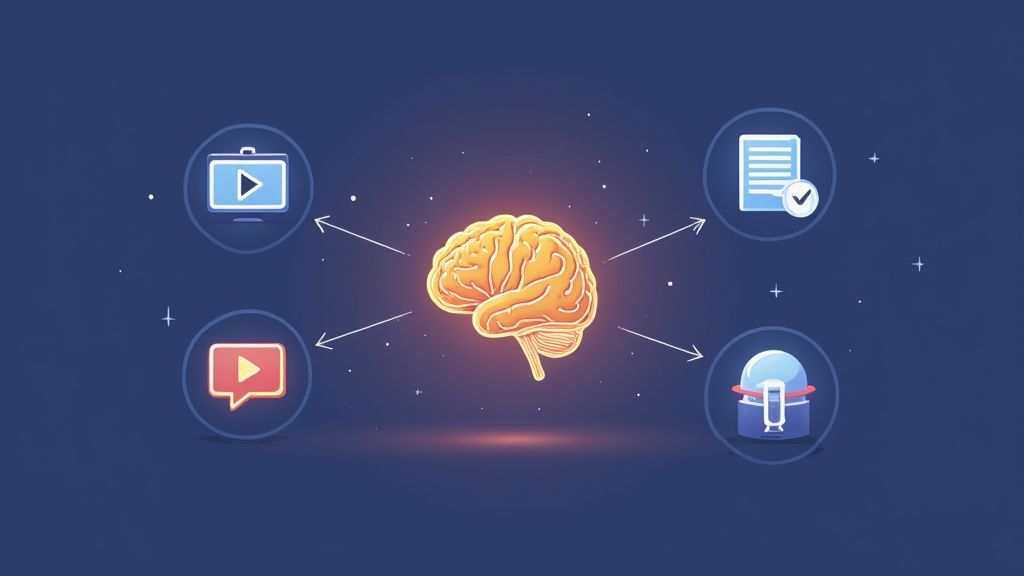
The next chapter for customer communication management software is being written by artificial intelligence. AI is pushing the boundaries of what’s possible, turning standard messages into smart, predictive, and proactive conversations. This is much more than just plugging in a chatbot; it’s about completely redesigning how businesses talk to their customers, even at a massive scale.
Think about a system that does more than just greet a customer by name. An AI-powered CCM can analyze real-time behavior, gauge sentiment, and learn from past interactions to change a message’s content on the fly. This shift takes communication from being a one-way street of static documents to a two-way flow of genuinely interactive experiences.
From Static to Interactive Experiences
The days of flat, boring bills and generic statements are fading fast. The future is about turning a simple invoice into a helpful, clickable conversation. For instance, an energy company could use its AI-driven CCM to send a personalized video statement explaining why a customer’s bill was higher last month.
This kind of interactive statement could also include:
- A visual chart showing exactly which appliances used the most energy.
- Custom-tailored tips for cutting down on usage, based on that household's habits.
- A one-click link to schedule a home energy audit.
Suddenly, a routine bill becomes a valuable touchpoint that builds trust and answers questions before they’re even asked. To see how this works in practice, you can explore our guide on the top AI customer service tools that are powering these next-level interactions.
The goal of future CCM platforms is to make every interaction feel less like a transaction and more like a helpful, one-on-one conversation, tailored specifically for the individual.
This evolution is happening on the back of cloud-based solutions, which offer the flexibility and power needed for 24/7 engagement. At the same time, intelligent automation is already leading to 27% cost reductions and faster delivery.
For a deeper look at how AI is changing the game, businesses should check out these essential email AI automation features that boost both personalization and efficiency. This forward-thinking approach makes customer communication management software a strategic tool for building smarter, more human connections with customers.
Got Questions About CCM Software? We've Got Answers.
Diving into the world of customer communication management can feel a little confusing at first. Let's clear up some of the most common questions people have about this powerful technology.
What's the Real Difference Between CCM and CRM Software?
It’s an easy mistake to make, but they play very different, yet equally important, roles. Think of your Customer Relationship Management (CRM) system as your company's brain—it holds every bit of customer data, from their purchase history to their last phone call.
Your CCM software, on the other hand, is the company's voice. It pulls that rich data from the CRM to actually create and send personalized, on-brand messages through any channel. The CRM knows who the customer is, and the CCM platform knows how to talk to them.
A CRM is the system of record for your customer relationships. A CCM platform is the system that manages the conversation. You really need both to create a standout customer experience.
Is CCM Software Just for Big Corporations?
That’s a common myth, and it comes from the early days of the technology. Back then, CCM was a heavy-duty enterprise tool built to churn out millions of documents like bank statements and insurance policies.
But things have changed. Today's customer communication management software is often cloud-based, nimble, and built to scale. With more flexible pricing, it's now a completely realistic and valuable investment for mid-sized businesses that want to have better conversations with their customers.
How Long Does It Actually Take to Implement CCM?
This really depends on how deep you're going. A straightforward project can be surprisingly fast. If you're just setting up a cloud-based tool for one team—say, to automate marketing communications—you could be up and running in just a few weeks.
But for a full-scale, enterprise-wide project that involves tying together old systems, cleaning up years of data, and training multiple departments, you're likely looking at a timeline of several months. The trick is to start small with a clear pilot project to build momentum and work out any kinks.
Ready to streamline your customer conversations? Yoonoo empowers your business with an AI chatbot that learns from your website content in minutes. Set up your smart, no-code solution and start providing instant support today. https://yoonoo.ai