Build a Chatbot for Real Estate with Yoonoo

Think of a real estate chatbot as your website's digital concierge. It’s an automated assistant working around the clock to greet visitors, answer their first-round questions, and figure out who's a serious lead. It’s your secret weapon for making sure you never miss an opportunity, even at 11 PM on a Sunday.
Why Your Agency Needs a Chatbot Now
Let's get real for a second. You're losing potential clients after you log off for the day. Every time someone lands on your site outside of business hours, you're gambling. They might fill out a form, or they might just click away and find another agent who gives them an instant answer. That's the hard truth about slow response times.
Plus, how much of your day is spent answering the same handful of questions? "What are your hours?" "Is 123 Main Street still for sale?" "Show me listings in this school district." This is exactly where a chatbot stops being a gimmick and becomes an essential part of your team. It’s not here to replace your expertise; it’s a tireless assistant that handles the small stuff so you can focus on the big picture.
Stop Losing After-Hours Leads
Picture this: a motivated buyer is scrolling through listings late on a Tuesday night. Instead of just seeing a "Contact Us" form and waiting until morning, they’re greeted by your chatbot. It can pull up property details, share a link to the virtual tour, and even help them book a showing for the next day. That immediate interaction is what separates you from the competition.
The real estate industry is catching on fast. In fact, 28% of real estate businesses are already using chatbots—that's the highest adoption rate of any industry. A well-trained bot can handle up to 80% of routine questions on its own, turning casual browsers into qualified leads before you've even had your morning coffee.
Your chatbot is your best employee. It never sleeps, never takes a vacation, and is solely focused on one thing: converting your website visitors into qualified leads for your business.
From Repetitive Tasks to Meaningful Conversations
When you let a chatbot handle the initial, repetitive questions, you get your time back. That means more time for what you do best: building relationships with clients, negotiating offers, and closing deals. If you want to dive deeper, you can learn more about the numerous benefits of AI chatbots in our detailed guide.
This isn’t just for residential sales, either. The entire property world, including short-term rentals, is seeing huge benefits. For a look at a similar market, this guide to vacation rental chatbots has some great insights. The core idea is the same everywhere: automate the simple stuff so you can master the complex.
Chatbot Impact on Key Real Estate Metrics
Putting a chatbot on your website isn't just about convenience; it has a direct, measurable impact on the metrics that matter most to your business. Let's break down how this technology actually moves the needle.
| Metric | Improvement with Chatbot | How It Works |
|---|---|---|
| Lead Conversion Rate | Increases by up to 300% | Engages visitors instantly, captures contact info before they leave the site, and qualifies them on the spot. |
| Response Time | Reduces from hours to seconds | Provides 24/7 instant answers to common questions, eliminating the wait time that kills deals. |
| Cost Per Lead | Decreases by over 60% | Automates initial lead qualification, reducing the need for manual follow-up on every single inquiry. |
| Agent Productivity | Boosts efficiency | Frees up agents from answering repetitive questions, allowing them to focus on high-intent, qualified buyers and sellers. |
Ultimately, a chatbot acts as a force multiplier for your marketing efforts, ensuring that every dollar you spend driving traffic to your site has the best possible chance of converting into a real business opportunity.
Your First Steps with the Yoonoo Chatbot
I get it—the thought of adding new tech to your website can feel like another chore on an already long list. But getting your Yoonoo chatbot up and running is designed for busy agents like you, not coders. The whole point is to get it live and capturing leads fast, without a massive learning curve.
First things first: sign up and log into your Yoonoo dashboard. You’ll immediately see that the interface is clean and simple. No tech jargon, no confusing menus. It's built to get you results, plain and simple.
Giving Your Bot Some Personality
Before you do anything else, let's make the chatbot feel like it belongs to your brand. Start by giving it a name. Something professional but approachable works best, like "Your Local Property Assistant" or even just your agency's name.
Next, you’ll want to tweak its appearance. Yoonoo lets you easily change the colors of the chat widget to match your website's branding perfectly. This is a small detail, but it’s crucial for building trust. A chatbot that looks like it's part of your site feels more credible. You can also pop your logo into the chat header for that final professional touch.
This infographic breaks down the simple, three-stage process your new chatbot will follow to handle leads coming through your site.
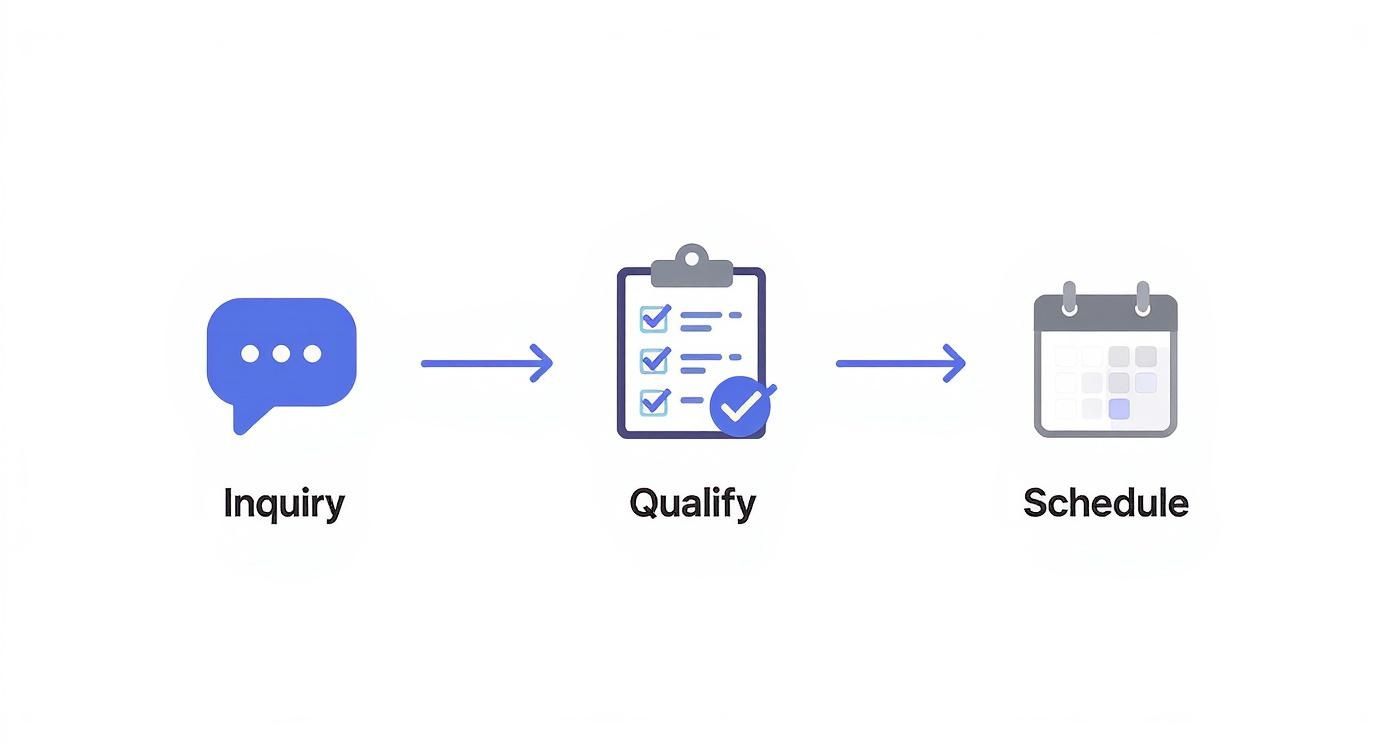
As you can see, the entire flow is designed to guide a visitor smoothly from their first question right through to a booked appointment, all on autopilot.
Getting It Live on Your Site
With the basics configured, it’s time to get your bot onto your website. This part sounds technical, but I promise it isn't.
You just need to find your unique code snippet. It’s usually in a section called "Installation" or "Settings" in your dashboard.
All you do is copy that single line of code. You don’t need to know what it means or how it works. Then, you'll paste it into the header or footer section of your website’s admin panel. If you're on a platform like WordPress or Squarespace, they have specific spots or plugins that make this a simple copy-and-paste job.
My Two Cents: Don't get hung up on making it perfect right away. Just get a basic version online. You can always circle back to tweak colors, names, and conversation flows later. The most important thing is getting it live and working for you.
From signing up to going live, you’re looking at just a few minutes of work. While we're focused on real estate here, this kind of simplicity is a huge win for any company, which we talk about more in our post on using an AI chatbot for small business.
Now that your chatbot is officially on your site, you’re ready for the fun part: teaching it how to turn those website visitors into qualified leads.
Designing Conversations That Actually Convert
Getting a chatbot live on your site is a good start, but the real magic happens when you design the conversations. A generic, robotic script just won't cut it. Your goal is to create helpful, guided chat flows that feel less like a bot and more like a top-notch assistant, all while capturing high-quality leads for your business.
Think about who's landing on your website. Is it a first-time homebuyer feeling a bit overwhelmed? A seller wondering what their home is worth in today's market? Or maybe an investor scouting for their next property? Each one needs a different path, a unique conversation that speaks directly to their needs.
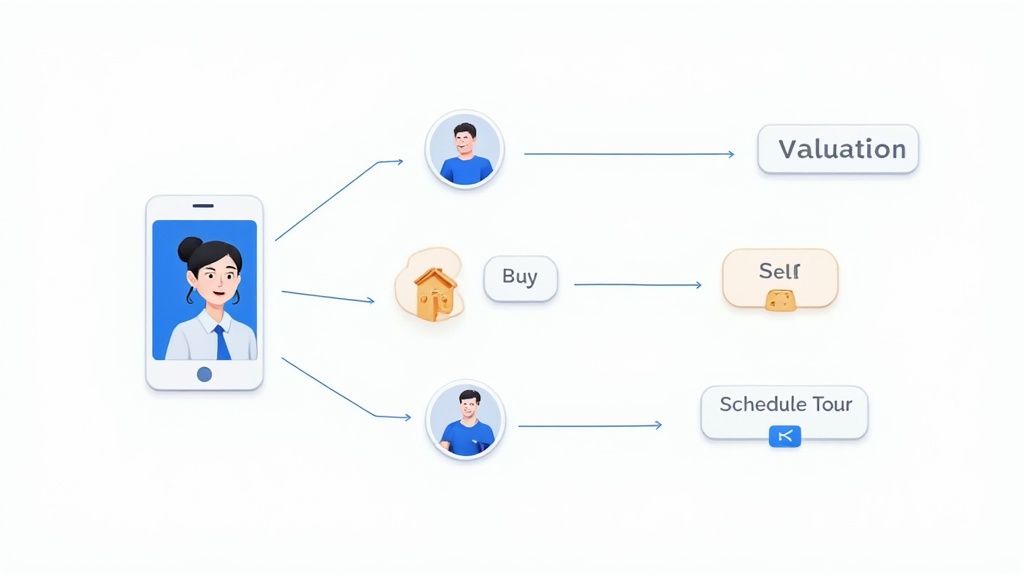
It’s just like being a great agent in person. You'd never use the same pitch for every single person who walks through your door. You listen, you ask smart questions, and you guide the conversation. Your chatbot should be trained to do the exact same thing.
Building Your Core Conversation Flows
First things first, let's map out the most common reasons people visit your site. Don't fall into the trap of trying to build an all-knowing bot from day one. Instead, zero in on the interactions that bring the most value to your business.
For most real estate agents, that means creating a few key flows:
- Capturing Buyer Leads: This is your bread and butter. The flow should be designed to pinpoint potential buyers and gather the crucial details you need to start helping them find a home.
- Providing Seller Home Valuations: A huge chunk of your website traffic will be homeowners curious about their property's value. This conversation engages them and gets you the address needed to prepare a CMA.
- Handling General Questions: This is your catch-all for the simple stuff—office hours, service areas, contact info—freeing you up from answering the same emails over and over again.
Inside each of these flows, the questions you ask are everything. You're not just collecting data; you're qualifying leads. A powerful chatbot for real estate won't stop at a name and email. It digs a little deeper.
Asking Questions That Qualify
Your questions need to be strategic. Think about what you, as an agent, would ask to figure out if someone is a serious prospect. Instead of generic prompts, craft specific questions that move the conversation forward and give you real intelligence to work with.
Here are a few proven examples to build into your Yoonoo flows:
For a Buyer Flow
- "Are you already working with a real estate agent?" (This is an absolute must-ask, a crucial first filter.)
- "What's your ideal timeframe for moving?" (This immediately tells you about their urgency.)
- "Have you been pre-approved for a mortgage yet?" (A key indicator of financial readiness.)
- "Which neighborhoods are you most interested in?" (This helps you hit the ground running with relevant listings.)
For a Seller Flow
- "What's the full address of the property you're thinking of selling?" (The single most important piece of information.)
- "Are you thinking of selling in the next 3 months, 6 months, or just exploring options?" (This helps you gauge their timeline and motivation.)
- "Have you made any major upgrades to the home recently?" (Great for getting a more accurate valuation.)
The secret to a successful real estate chatbot isn’t some wildly complex AI; it's simple, smart conversation design. Just ask the questions you would ask, guide users to a clear next step, and make the whole process feel effortless for them.
These AI-powered conversations are already making a huge difference in the industry. By automating initial inquiries and matching buyers to listings, some real estate firms have seen a 33% increase in qualified leads. This kind of smart targeting also results in a 25% higher engagement rate on property search platforms. You can dig into more of these AI-driven real estate trends to see the impact.
Ultimately, every chat should lead somewhere. Whether it’s scheduling a call, booking a showing, or requesting a detailed home valuation, make the next step obvious and easy. This is what turns your chatbot from a simple Q&A tool into a genuine conversion machine.
Weaving Yoonoo into Your Daily Workflow
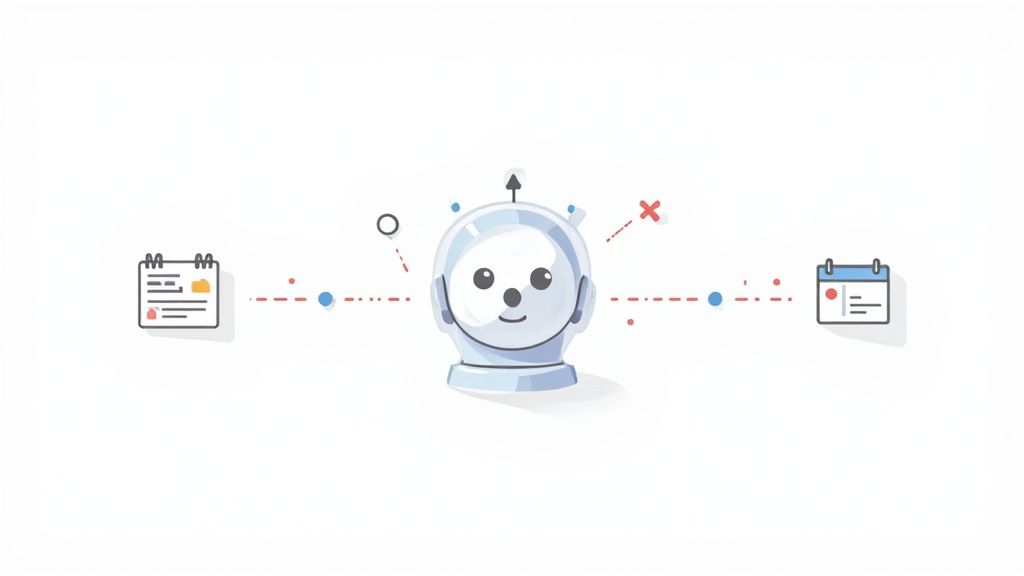
A great real estate chatbot can't be an island. If it’s just another tab you have to remember to check, it quickly becomes more of a chore than a tool. The real magic happens when your Yoonoo chatbot becomes a seamless, automated piece of the systems you already rely on every single day.
This is the key to moving beyond just capturing leads and into managing them effectively. When your bot automatically pipes new prospects straight into your CRM, the risk of someone falling through the cracks vanishes. Forget about manually copying and pasting names, emails, and phone numbers from chat transcripts into your database.
Plug Your Chatbot Directly into Your CRM
Let's make this real. A potential buyer lands on your site at 10 PM and starts chatting. They give their name, budget, and the neighborhood they’re eyeing. With a proper integration, that lead’s info is instantly zapped over and created as a new contact in your CRM, whether that’s Follow Up Boss or LionDesk.
This connection does way more than just save you a few minutes of data entry. It kicks your entire follow-up machine into gear.
- Fire Up Drip Campaigns: The new contact can be dropped right into a relevant email or text sequence.
- Create Agent Tasks: A task can be automatically assigned to you or a team member to make a personal call the next morning.
- Tag Leads Intelligently: The contact gets tagged based on their chat answers, like "Buyer," "3-Month Timeline," or "Downtown Interest."
Getting this set up in Yoonoo is pretty simple. You’ll usually use what's called a webhook or find a direct integration in the settings menu. Think of it as building a bridge that lets all that valuable lead data flow smoothly from your website right into your command center.
Let the Bot Handle Your Calendar
The scheduling back-and-forth is one of the biggest time-wasters for any agent. By connecting Yoonoo to a calendar tool like Calendly or Google Calendar, you can empower genuinely qualified leads to book showings or consultations right in the chat window.
The chatbot acts as your gatekeeper, asking the important qualifying questions first. Once it confirms the lead is serious—maybe by asking if they're pre-approved—it can show them your available time slots. The prospect picks a time, and boom—the appointment is on both of your calendars. This simple bit of automation makes you look incredibly organized and on top of your game.
Tool integration isn't just a nice little add-on; it's the absolute core of an effective lead management system. It guarantees speed, cuts out human error, and lets you grow your business without getting swamped by admin work.
The demand for AI tools that can do this is exploding. The global AI chatbot market is projected to hit a staggering $46–47 billion by 2029, and real estate is a huge piece of that pie. As the tech gets better, chatbots are becoming smarter, talking to CRMs and ad platforms to give clients the instant, personalized service they expect. You can dig into more of these trends and the rise of AI chatbots on thunderbit.com.
By positioning your chatbot as the automated front door to your business, you create a better experience for clients and a much saner, more productive workflow for yourself.
Fine-Tuning Your Chatbot for Peak Performance
Getting your chatbot live on your site is a great first step, but it’s just that—a first step. The real magic happens when you start listening to what it’s telling you and make it smarter over time. Think of it less as a "set it and forget it" tool and more like a new team member who needs coaching to become a top performer.
This is where you’ll dive into your Yoonoo analytics dashboard. Don't worry, you don't need to be a data scientist. We’re just going to look at a few simple numbers that tell a powerful story about what your website visitors actually want.
What to Look for in Your Yoonoo Dashboard
Your analytics dashboard is your window into every single conversation. Instead of guessing what's working, you get cold, hard facts. To keep things simple, let’s zero in on the metrics that really matter.
Conversation Completion Rate: This is the big one. It’s the percentage of people who start a chat and actually finish it. If this number is low, it’s a sign that your conversation might be too long, confusing, or asking for too much, too soon.
User Drop-Off Points: Yoonoo pinpoints the exact moment people give up and leave the chat. This is incredibly useful. For instance, if you see that 30% of users bail when your bot asks for a phone number, that’s a massive red flag. Maybe that question feels too aggressive upfront. You could try making it optional or asking for it later in the conversation.
Most Common Questions & Unanswered Queries: This section is an absolute goldmine. It shows you, in your visitors' own words, what they care about most. If you see dozens of questions about "local school ratings" or "HOA fees," you've just discovered what content you need to add to your chatbot’s script.
I recommend peeking at these numbers at least once a week. It’s a quick health check. A sudden dip in your completion rate could mean a recent change you made isn't working, or maybe a link in the chat is broken. Catching these things early makes all the difference.
Turning Data into Smarter Conversations
All this data is great, but it’s worthless if you don’t do anything with it. The whole point is to use these insights to tweak and refine your chatbot, making it more helpful for your visitors and a better lead-gen tool for you.
Let’s walk through a real-world example.
You’re looking at your analytics and notice a pattern: a ton of people are typing "pet-friendly rentals" or "homes with fenced yards," but your chatbot doesn't have a good answer. It just says, "Sorry, I don't understand."
Your chatbot’s log of unanswered questions isn't a list of its failures. It's a to-do list, handed to you by your future clients, telling you exactly what they need to move forward.
This is a clear signal to take action.
You can hop right into the Yoonoo conversation builder and create a new branch. The next time someone mentions "pets" or "dogs," your bot can respond with something like, "Awesome, finding a pet-friendly place is a top priority for many! Are you looking for a home with a yard, or are you more interested in nearby parks?"
Just like that, you’ve turned a dead-end conversation into a lead-qualifying opportunity. The bot can now tag that person as a "pet owner" and pass that crucial detail along to you.
This simple cycle—analyze the data, spot an opportunity, and make a small adjustment—is how a good chatbot becomes a great one. You’re essentially letting your website visitors tell you how to help them better, which is the key to capturing more and better leads.
Got Questions? Let's Talk Them Through
It's smart to have questions. You're thinking about adding a new tool to your business, and you want to be sure it's the right move. Let's walk through some of the most common things agents ask when they're considering a chatbot. These are the real, practical concerns we hear all the time.
Will a Chatbot Make Me Seem Robotic and Impersonal?
This is probably the number one concern, and it's a fair one. But here's the reality: a well-built chatbot doesn't replace your personal touch; it multiplies it. Think of it as the best receptionist you've ever had.
It's there 24/7 to handle the basics—like "What are your business hours?" or "Can I get a home valuation?"—which frees you up to give your full attention to the high-quality leads who are ready to talk.
With a tool like Yoonoo, you're in complete control. You can tweak the chatbot's personality, its tone, and the exact words it uses to sound just like you. The goal isn't to replace you; it's to handle the repetitive stuff so you have more time for the human-to-human connections that actually close deals.
Do I Need to Be a Tech Whiz to Set This Up?
Not at all. Seriously. Platforms like Yoonoo are designed for real estate professionals, not for developers. If you can handle posting on social media or copying text from one place to another, you've got this.
Getting it running usually just involves:
- Grabbing a single snippet of code from your Yoonoo dashboard.
- Pasting it into your website's header or footer (most website builders have a simple setting for this).
- Using a visual, drag-and-drop editor to map out your first conversation flow.
You can genuinely have a basic chatbot live on your site in a matter of minutes.
What's the First Conversation I Should Build?
It's tempting to try and make your bot do everything at once, but that's a mistake. Start small and solve your biggest problem first. For most agents, that's capturing more buyer leads.
Focus on one simple, powerful conversation flow. It could start by asking visitors if they're looking to buy a home. From there, it can ask a few key qualifying questions (like their price range or ideal neighborhood) before asking for their contact details to send them matching listings. This one simple setup can immediately start converting website visitors you're currently losing into real, actionable leads.
My best advice? Don't overcomplicate it. Your first conversation should be simple and focused. Just nail the buyer lead capture flow, and you'll see the value right away. You can always add more skills later on.
How Do I Actually Get the Lead from the Chatbot?
The handoff from bot to agent is instant and smooth. You can set up Yoonoo to ping you the moment a lead is qualified. This notification can be an email, a text message, or even an alert in your CRM, and it will include the full transcript of their conversation.
You can also drop a "Talk to an Agent" button right into the chat. If a visitor clicks it, it can trigger an immediate, high-priority alert to you or your team. This way, a hot lead never has to wait, and you can jump in while they're still actively engaged on your site.
Ready to see how a tireless assistant can transform your website? Get started with Yoonoo and build your first real estate chatbot in the next 5 minutes. Start for free at Yoonoo.