12 Best Live Chat Software for Small Business

In a competitive market, customers expect instant answers. A simple contact form is often too slow, leading to lost leads and frustrated clients. This is where live chat software transforms your website from a static brochure into a dynamic conversation hub. For a small business, choosing the right tool is critical: it must be affordable, easy to set up, and powerful enough to make a real impact on sales and support.
This guide cuts through the noise to help you find the best live chat software for your small business. We've analyzed the top 12 options, focusing on what truly matters: practical features, honest limitations, and real-world use cases. You'll find detailed breakdowns, screenshots, and direct links for each platform, from comprehensive solutions like Intercom to specialized e-commerce tools like Gorgias.
Our goal is to help you select a platform that not only answers questions but also actively helps drive business growth. At its core, live chat is a potent tool for achieving what a conversion in marketing entails, helping your business turn curious visitors into loyal customers. Let’s dive in and find the perfect fit for your team and budget.
1. Intercom
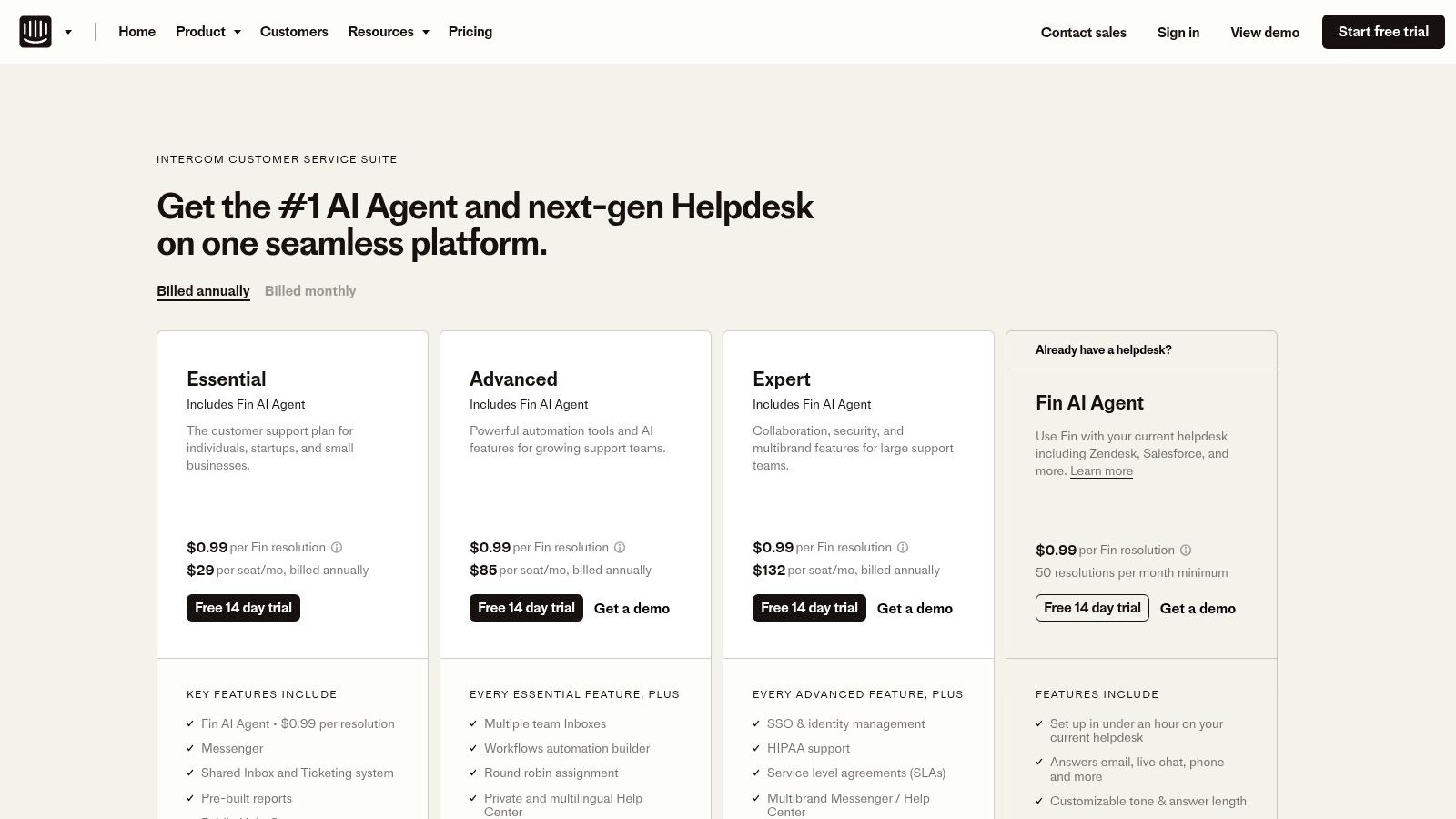
Intercom is more than just a chat tool; it's a complete customer service platform designed to scale with your business. It combines live chat, a shared team inbox, a knowledge base builder, and powerful AI automation into one unified system. This makes it one of the best live chat software for small business owners who want a solution that can handle simple chats today and complex support workflows tomorrow.
The platform excels at proactive engagement. You can set up targeted pop-up messages for visitors based on their behavior, like offering a discount to someone lingering on the pricing page. The AI-powered "Fin" chatbot can resolve common queries instantly, freeing up your human agents for more complex issues.
Key Considerations for Intercom
Intercom's real strength lies in its ability to grow alongside your company. You can start with the essential chat features and later add advanced routing, service level agreements (SLAs), and deep integrations with tools like Salesforce and Slack.
| Feature | Details |
|---|---|
| Pricing Model | Starts with an SMB-friendly plan; higher tiers are seat-based. |
| AI Features | Fin AI Agent is a powerful add-on priced per resolution. |
| Best For | Businesses that anticipate scaling their customer support operations. |
| Trial | Offers a 14-day free trial to test the full platform. |
Pros:
- All-in-one platform for chat, help desk, and automation.
- Excellent for proactive and automated customer engagement.
- Scales effectively from a small team to a large support department.
Cons:
- Per-seat pricing can become expensive as your team expands.
- Some features, like the AI agent, come at an additional cost.
Website: https://www.intercom.com/pricing-new
2. Zendesk
Zendesk is a giant in the customer service world, offering a comprehensive suite that includes powerful live chat and messaging capabilities. While known for its enterprise-level ticketing system, its messaging tools are highly effective for small businesses looking for a mature, reliable solution. It centralizes conversations from your website, mobile app, and social media channels into a single agent workspace, making it a contender for the best live chat software for small business teams that need robust organization from day one.
The platform excels at creating structured support workflows. You can easily convert chats into support tickets, access a customer's full conversation history, and build a comprehensive help center to deflect common questions. Its extensive marketplace of over 1,000 apps allows for deep customization, connecting your chat tool with virtually any other software in your business stack.
Key Considerations for Zendesk
Zendesk’s true value is its unified, omnichannel approach. A small team can manage web chat, Facebook Messenger, and email tickets without switching between platforms. As you grow, you can implement more advanced features like skills-based routing to ensure customers are connected with the right agent for their issue.
| Feature | Details |
|---|---|
| Pricing Model | Per-agent, per-month pricing with different tiers. |
| AI Features | AI-powered bots and self-service options are available in higher plans. |
| Best For | Businesses needing an integrated help desk and live chat system. |
| Trial | Offers a 14-day free trial on its professional plans. |
Pros:
- Mature ecosystem with a vast app and partner network.
- Strong analytics and reporting for tracking team performance.
- Excellent for building structured support workflows and processes.
Cons:
- Can be more expensive than standalone live chat tools.
- The most powerful features are often reserved for higher-priced tiers.
Website: https://www.zendesk.com/pricing/
3. LiveChat
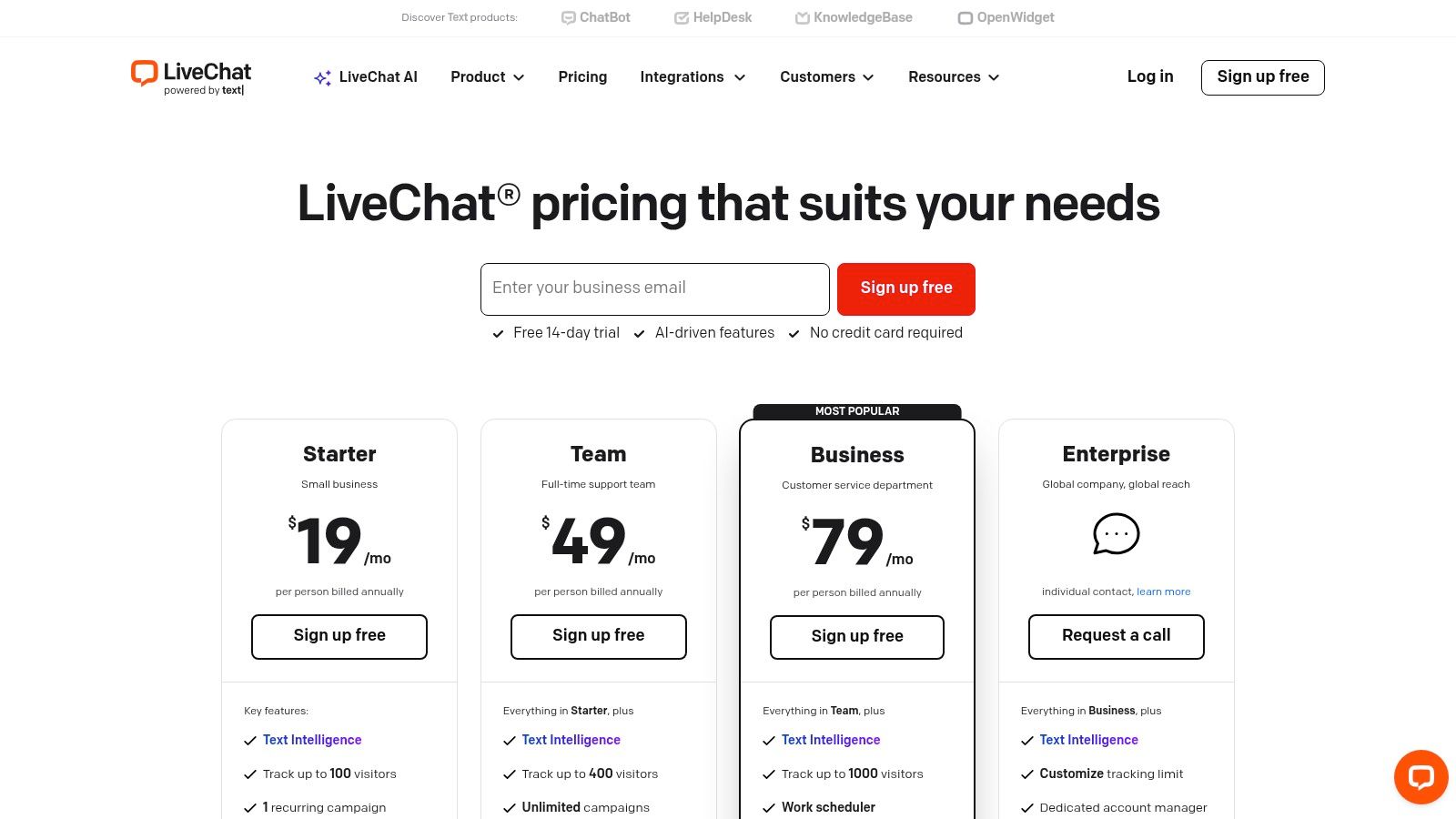
LiveChat is a dedicated, user-friendly chat platform that excels in ease of use and quick implementation, making it a top choice for small businesses. It focuses on providing a polished and reliable core chat experience, complete with customizable widgets, targeted messaging campaigns, and insightful reports. This makes it one of the best live chat software for small business owners, particularly those in ecommerce who need a robust solution without a steep learning curve.
The platform is renowned for its seamless integrations, especially with ecommerce platforms like Shopify, allowing you to see cart details directly in the chat window. For those looking to automate, LiveChat offers an optional ChatBot add-on to handle routine questions, which frees up agents to focus on high-value interactions.
Key Considerations for LiveChat
LiveChat’s strength is its simplicity and powerful operator applications, which are available for desktop and mobile. This ensures your team can respond to customers quickly from anywhere. For a deeper analysis, you can see our LiveChat software comparison for more details on how it stacks up against competitors.
| Feature | Details |
|---|---|
| Pricing Model | Per-agent subscription, billed annually or monthly. |
| AI Features | AI-powered chatbot is available as a separate, paid add-on. |
| Best For | Ecommerce stores and businesses wanting a fast, reliable chat tool. |
| Trial | Offers a 14-day free trial with access to all features. |
Pros:
- Polished and intuitive operator apps for desktop and mobile.
- Extremely fast deployment and easy setup process.
- Strong ecommerce integrations, especially with Shopify.
Cons:
- Per-user pricing can add up for larger teams.
- The powerful chatbot functionality requires an additional subscription.
Website: https://www.livechat.com/pricing/
4. Tidio
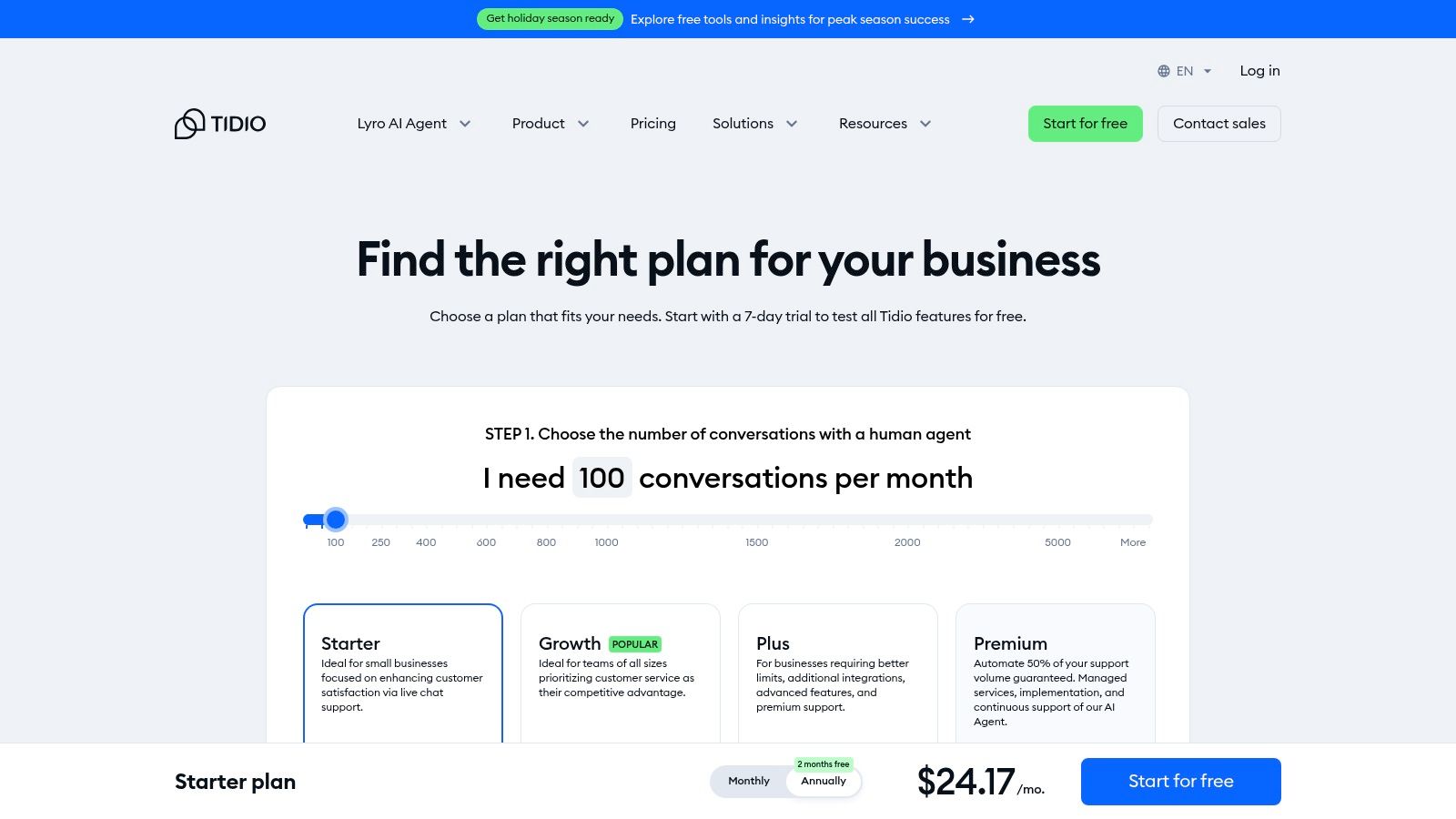
Tidio offers a powerful yet budget-friendly combination of live chat and AI automation, making it a go-to choice for small ecommerce brands. It streamlines customer communication by merging a multichannel inbox with a visual chatbot builder, allowing even non-technical users to set up automated workflows quickly. This makes Tidio one of the best live chat software for small business owners who need to provide instant support without a large team.
The platform's standout feature is its simplicity. You can deploy pre-made chatbot templates to handle common questions, capture leads, or offer discounts, all within minutes. Its AI chatbot, Lyro, can learn from your FAQ content to provide human-like answers, significantly reducing your team's workload.
Key Considerations for Tidio
Tidio's real strength is its accessibility for small businesses. The free plan is generous, and the paid tiers offer advanced features like the Lyro AI agent and deep integrations with platforms like Shopify and WooCommerce, allowing you to automate sales and support directly within the chat widget.
| Feature | Details |
|---|---|
| Pricing Model | Offers a free plan; paid plans are based on conversations and features. |
| AI Features | Includes a visual flow builder and the Lyro AI agent. |
| Best For | Ecommerce businesses and small teams needing fast, simple automation. |
| Trial | A generous free plan is available, plus a 7-day trial of paid features. |
Pros:
- Excellent value with a low entry price and a robust free version.
- Incredibly simple setup for both live chat and AI chatbot automation.
- Seamless integrations with popular ecommerce platforms.
Cons:
- Lower-tier plans have limits on the number of conversations.
- Advanced branding and analytics controls are reserved for higher plans.
Website: https://www.tidio.com/pricing/
5. HubSpot Live Chat
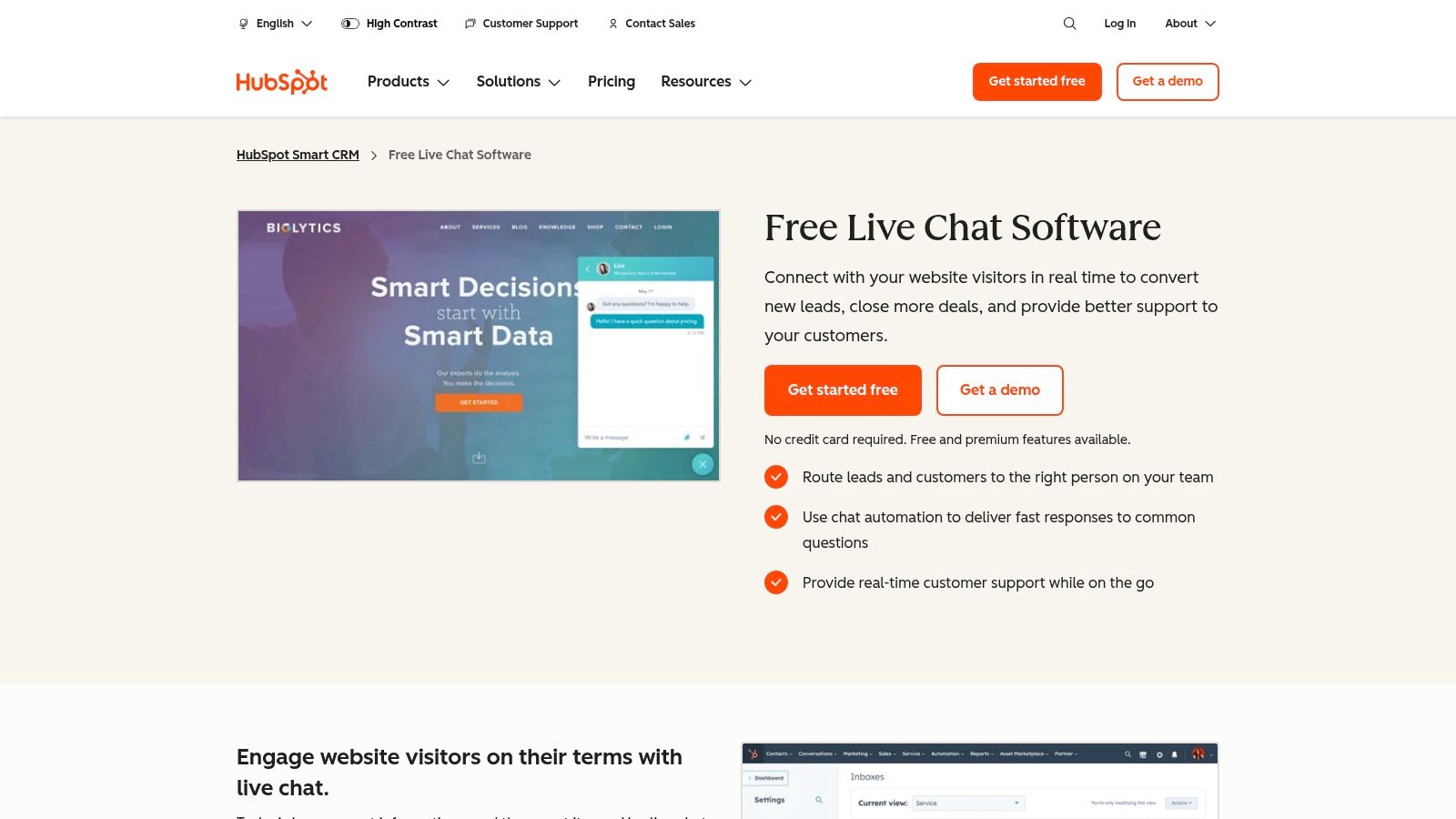
HubSpot Live Chat is an excellent entry point for businesses that want more than just a chat window. It’s a core feature of the free HubSpot CRM, making it a powerful, no-cost option for anyone needing to manage customer relationships alongside conversations. This integration is why it's considered one of the best live chat software for small business owners who are also looking to build a centralized contact database.
The platform allows you to create basic chatbots to qualify leads, book meetings, or answer simple questions, all while logging every interaction directly onto a contact’s timeline in the CRM. This unified view gives your sales and service teams complete context, showing chat history alongside email opens and page views.
Key Considerations for HubSpot Live Chat
HubSpot's true value emerges when you embrace its ecosystem. The live chat tool works seamlessly with its marketing, sales, and service hubs, creating a single source of truth for all customer interactions. While the free version is robust, scaling requires upgrading to paid plans.
| Feature | Details |
|---|---|
| Pricing Model | Core chat and CRM are free; advanced features require paid Hubs. |
| AI Features | Basic chatbot builder is free; advanced AI features are in paid tiers. |
| Best For | Businesses already using or planning to use the HubSpot ecosystem. |
| Trial | The core tools are free forever; paid hubs offer free trials. |
Pros:
- Completely free to start with powerful CRM integration.
- Seamlessly converts chat visitors into managed CRM contacts.
- Part of a larger platform for marketing, sales, and service.
Cons:
- Advanced chat routing and reporting are locked behind paid plans.
- Offers the best value when you commit to the broader HubSpot platform.
Website: https://www.hubspot.com/products/crm/live-chat
6. Freshchat by Freshworks
Freshchat by Freshworks offers a powerful omnichannel messaging solution with one of the most generous free plans available. It unifies conversations from your website, mobile app, WhatsApp, and social media into a single inbox, making it one of the best live chat software for small business teams that need to be everywhere at once without an upfront investment. The platform is designed for ease of use and has a clear path for growth.
Its standout feature is the free forever plan that supports up to 10 agents, a rare find in the market. As your needs evolve, you can upgrade to access advanced features like the Freddy AI Agent, which automates responses and helps manage conversations. This makes it an ideal starting point for businesses wanting to implement an AI customer support chatbot without a large initial commitment.
Key Considerations for Freshchat
Freshchat's strength is its accessibility and scalability. A small team can manage multiple channels effectively from day one, and as the business grows, they can add powerful automation, routing, and analytics without having to switch platforms.
| Feature | Details |
|---|---|
| Pricing Model | Generous free plan for up to 10 agents; paid plans add channels and AI. |
| AI Features | Freddy AI Agent and Copilot are available on higher-tier plans. |
| Best For | Startups and SMBs needing a free, robust, multi-channel chat solution. |
| Trial | Offers a 21-day free trial on paid plans. |
Pros:
- Free plan is exceptionally generous, supporting up to 10 team members.
- Provides a clear and logical upgrade path to omnichannel and AI features.
- Unified inbox simplifies managing conversations across various platforms.
Cons:
- Advanced AI and key channels like WhatsApp are restricted to paid plans.
- Can become feature-heavy, which might be overwhelming for very small teams.
Website: https://www.freshworks.com/live-chat-software/plan-comparison/
7. Crisp
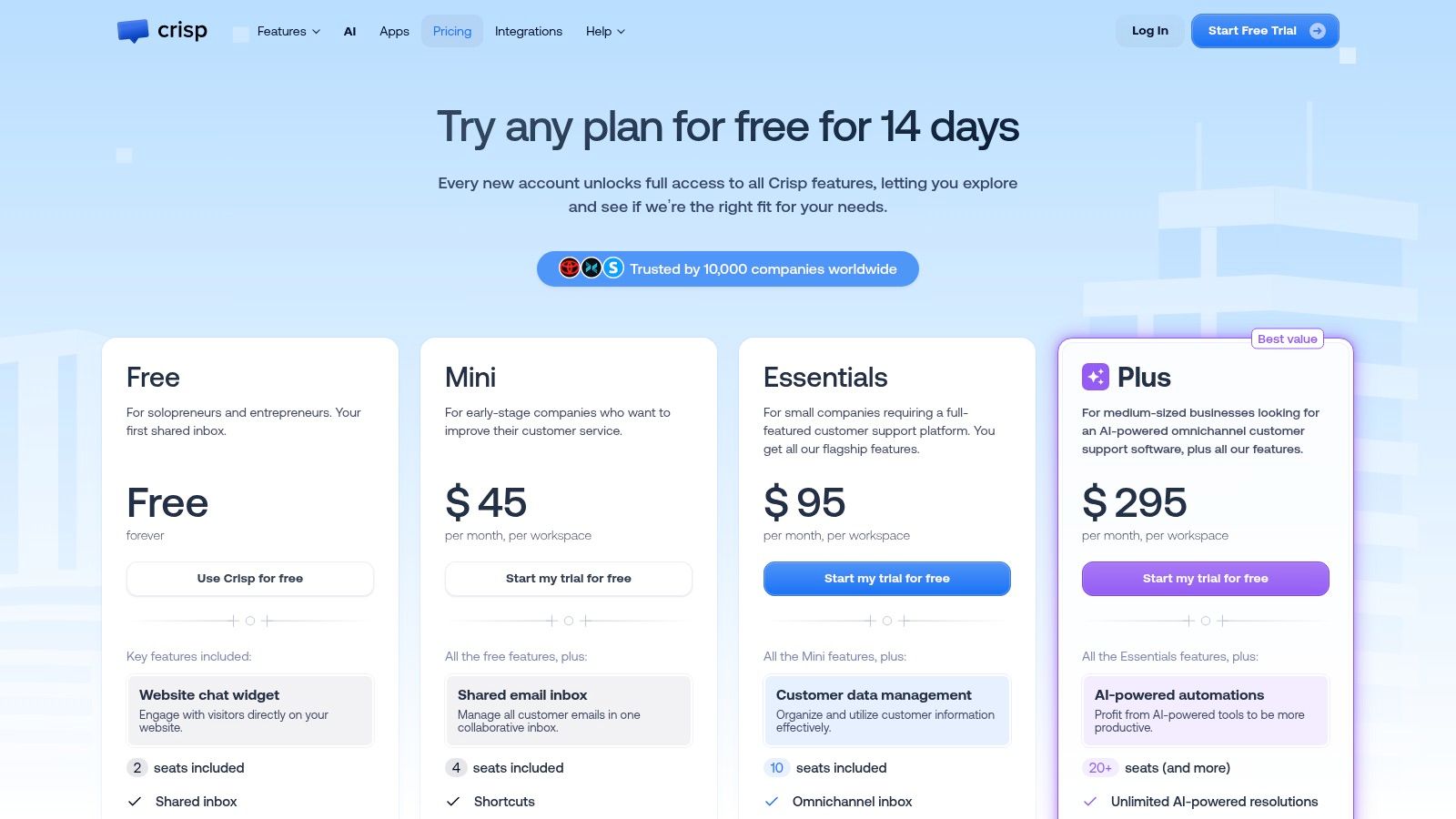
Crisp offers a refreshing approach to customer communication, packaging live chat, a shared inbox, and a knowledge base into one platform. Its major differentiator is its pricing model, which is based on a flat fee per plan rather than per agent. This makes Crisp an exceptionally strong contender for the best live chat software for small business owners who need to manage costs while providing a consistent experience for a growing team.
The platform provides a unified inbox that brings together messages from your website, email, and social media, creating a central hub for all customer interactions. Higher-tier plans add valuable features like a self-service knowledge base, automated marketing campaigns, and even co-browsing to help agents guide customers in real-time.
Key Considerations for Crisp
Crisp’s real advantage is its predictable, all-inclusive pricing for core features. Teams can collaborate in the shared inbox without worrying about each new hire adding to the monthly bill, a common pain point with per-seat models.
| Feature | Details |
|---|---|
| Pricing Model | Flat fee for each plan, which includes multiple seats. |
| AI Features | AI-powered reply suggestions and conversation summaries are available. |
| Best For | Small to mid-sized teams looking for a cost-effective, all-in-one solution. |
| Trial | Offers a 14-day free trial on its Pro plan. |
Pros:
- Predictable and affordable flat-rate pricing is great for small teams.
- Combines live chat, team inbox, and knowledge base in one tool.
- Good value with generous feature sets even on lower-tier plans.
Cons:
- Advanced features like co-browsing are limited to higher-priced plans.
- The interface can feel less polished compared to premium competitors.
Website: https://crisp.chat/en/pricing/
8. Olark
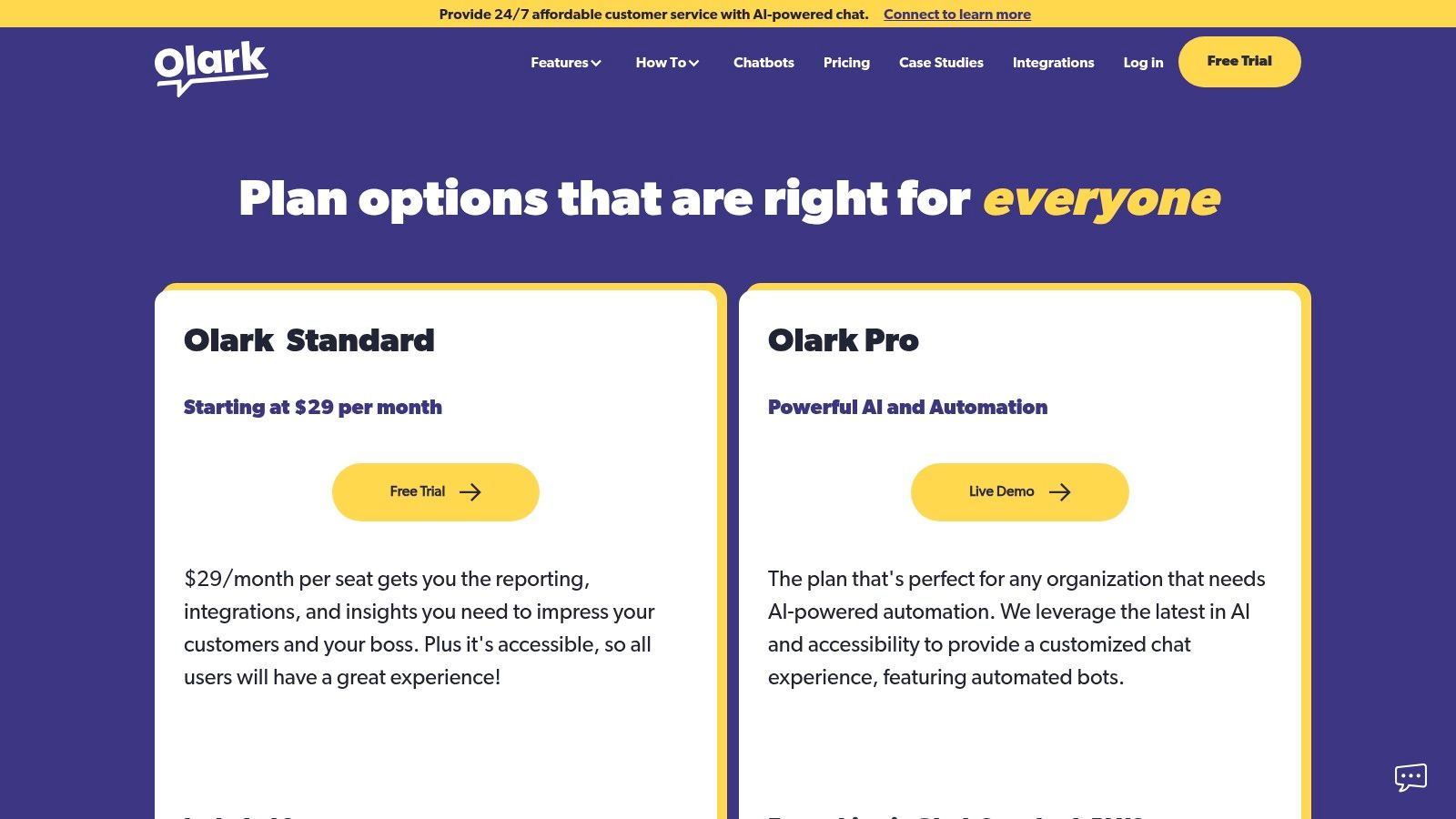
Olark focuses on making live chat simple and reliable, offering a straightforward solution with accessible pricing for teams that don't need a complex, all-in-one platform. It provides core chat functionalities like customizable chatboxes, routing rules, and reporting in a package that is easy to set up and manage. This makes it one of the best live chat software for small business owners who prioritize ease of use and transparent costs.
The platform allows you to organize agents into groups, set up targeted chat rules to engage specific visitors, and access real-time dashboards. For those needing more advanced capabilities, Olark offers "PowerUps" like co-browsing and non-branded chatboxes as optional add-ons, allowing you to pay only for the extra features you actually use.
Key Considerations for Olark
Olark’s strength is its simplicity and modular approach. You can start with a basic, effective chat system and enhance it with PowerUps or an optional AI chatbot plan as your needs evolve, without being forced into a higher-priced, feature-heavy tier.
| Feature | Details |
|---|---|
| Pricing Model | Simple per-agent monthly or annual plans; add-ons are extra. |
| AI Features | Offers an optional AI chatbot, "CoPilot," at a separate price. |
| Best For | Small teams looking for a no-fuss, dependable live chat solution. |
| Trial | A 14-day free trial is available for all plans. |
Pros:
- Extremely straightforward and easy to run for small teams.
- Transparent, affordable pricing with unlimited chats.
- Customizable "PowerUps" allow for a tailored feature set.
Cons:
- Many advanced features like co-browsing and AI are paid add-ons.
- Lacks the deep, built-in help desk features of larger platforms.
Website: https://www.olark.com/pricing
9. LiveAgent
LiveAgent positions itself as an all-in-one help desk solution that combines live chat, ticketing, and a call center into a single, affordable package. Its strength lies in offering a vast number of features without the high price tag of enterprise competitors. This makes it one of the best live chat software for small business owners who need a comprehensive support tool on a tight budget, including a robust free-forever plan.
The platform provides a unified inbox where agents can handle conversations from live chat, email, social media, and even phone calls. It supports proactive chat invitations to engage website visitors automatically and includes features like a customer portal and knowledge base, allowing you to build a self-service support system.
Key Considerations for LiveAgent
LiveAgent's true value is its feature-to-price ratio. It’s built for teams that need more than just chat and want to consolidate their support channels without breaking the bank. The extensive feature set means it can handle a wide variety of support workflows from day one.
| Feature | Details |
|---|---|
| Pricing Model | Extremely competitive per-agent pricing, with a free plan available. |
| AI Features | Offers AI-powered tools for suggesting answers and summarizing tickets. |
| Best For | Small businesses needing a feature-rich, multi-channel help desk on a budget. |
| Trial | Offers a generous 30-day free trial for its paid plans. |
Pros:
- Very aggressive per-agent pricing makes it highly affordable.
- Includes a free plan, which is great for startups.
- Combines chat, ticketing, social media, and call center features.
Cons:
- The user interface can feel complex at first due to the sheer number of features.
- Setup can be more involved compared to simpler, chat-only tools.
Website: https://www.liveagent.com/pricing
10. Zoho SalesIQ
Zoho SalesIQ is a powerful live chat and visitor tracking tool designed for businesses already invested in the Zoho ecosystem. It offers a single platform to engage website visitors, track their journey, and convert leads. This makes it one of the best live chat software for small business users who want deep integration with their CRM, marketing, and sales tools without relying on third-party connectors.
The platform provides detailed insights into who is on your site, where they came from, and what pages they’ve viewed. This data allows agents to initiate personalized conversations. Its chatbots can handle routine queries, qualify leads, and schedule meetings, letting your team focus on high-value interactions.
Key Considerations for Zoho SalesIQ
SalesIQ’s main advantage is its seamless fit within the broader Zoho suite, creating a unified customer data source. You can convert a chat directly into a lead in Zoho CRM or create a support ticket in Zoho Desk, streamlining your entire workflow.
| Feature | Details |
|---|---|
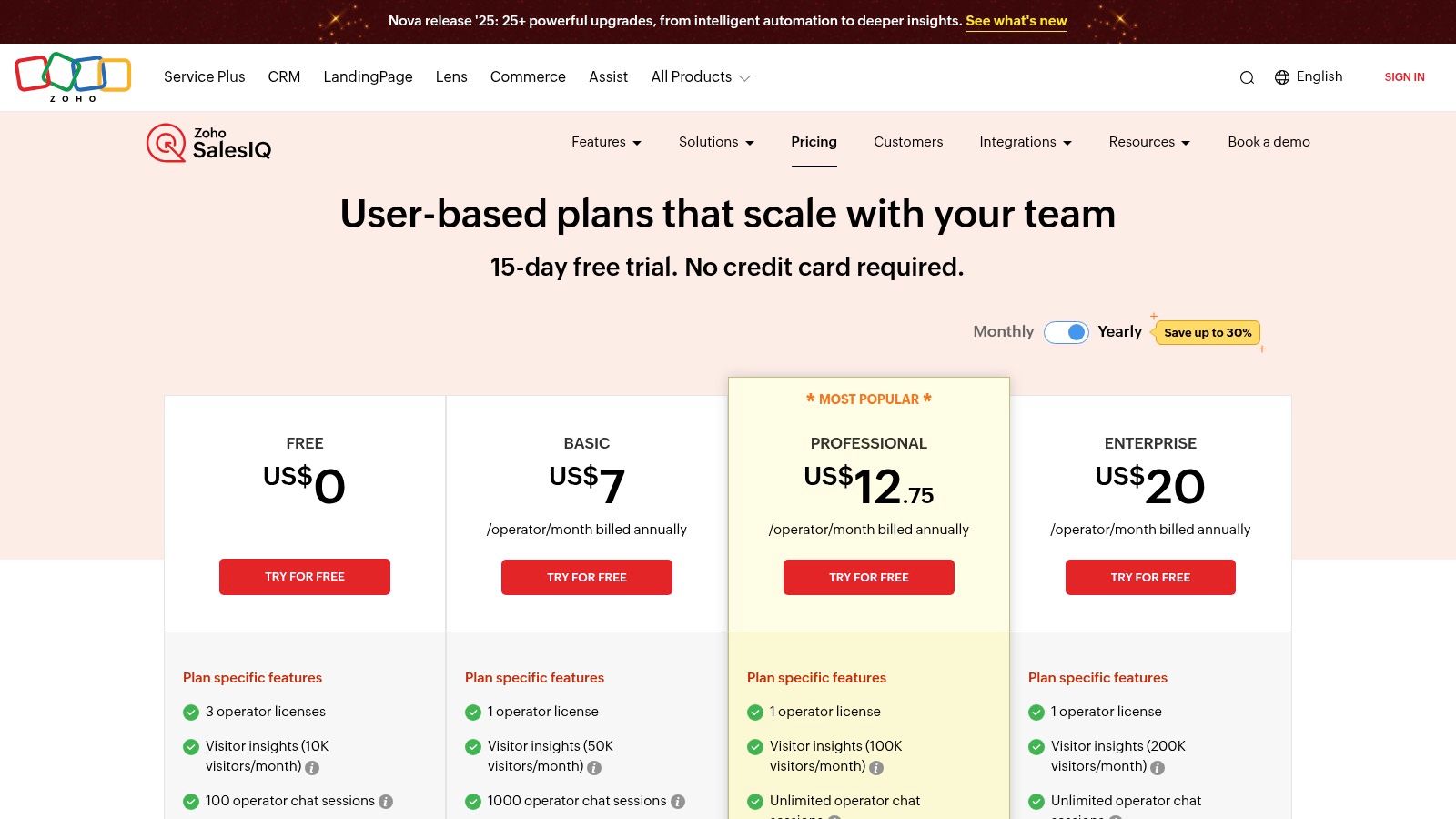
| Pricing Model | Generous free plan; paid plans are per operator. |
| AI Features | Zia AI bot offers summaries, smart replies, and translation on higher tiers. |
| Best For | Small businesses using other Zoho products like CRM or Desk. |
| Trial | Offers a 15-day free trial on all paid plans. |
Pros:
- Excellent integration with the entire Zoho ecosystem.
- Strong visitor intelligence and real-time tracking features.
- Competitive pricing, including a robust free forever plan.
Cons:
- Best value is realized when used with other Zoho applications.
- Advanced AI and bot features are limited to higher-tier plans.
Website: https://www.zoho.com/salesiq/pricing.html
11. Gorgias
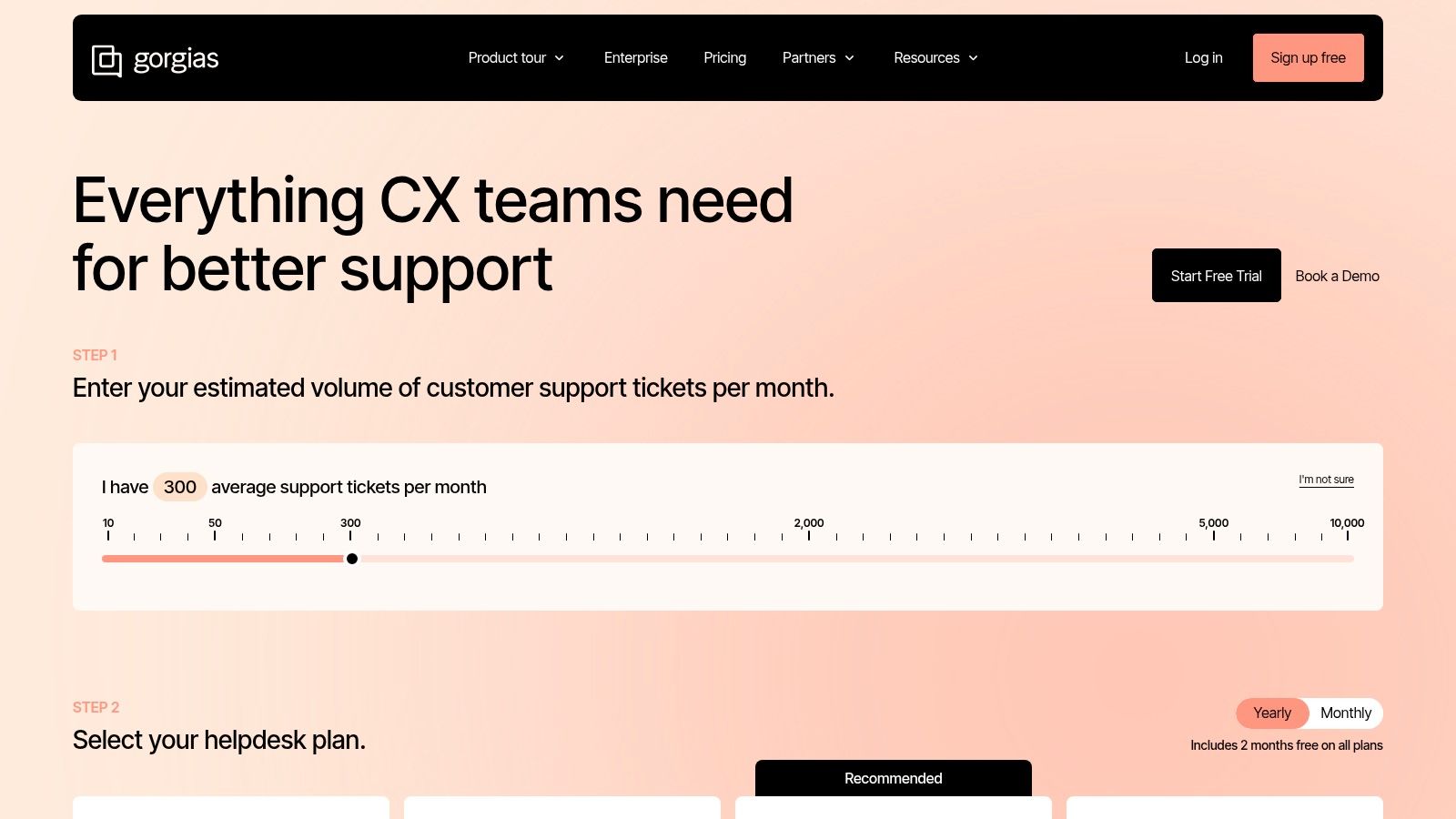
Gorgias is built from the ground up for ecommerce businesses. It goes beyond a simple chat widget, acting as a complete helpdesk with deep integrations into platforms like Shopify, BigCommerce, and WooCommerce. This makes it one of the best live chat software for small business owners who need to manage customer conversations across multiple channels, including email, chat, and social media, all from one dashboard.
The platform's main advantage is its ability to pull customer data and order history directly into the chat view. Agents can see a customer's entire purchase history, edit orders, issue refunds, and apply discounts without ever leaving the conversation. This context-rich environment allows for faster, more personalized support that drives sales and customer loyalty.
Key Considerations for Gorgias
Gorgias stands out with its ticket-based pricing, which is ideal for stores with fluctuating support volume. Instead of paying per agent, you pay for a monthly ticket allowance, making it cost-effective for businesses that rely on part-time or seasonal staff.
| Feature | Details |
|---|---|
| Pricing Model | Based on monthly ticket volume, not per-seat licenses. |
| AI Features | AI-powered features for automating responses and summarizing tickets. |
| Best For | Ecommerce stores needing deep platform integrations and order management. |
| Trial | Offers a 7-day free trial. |
Pros:
- Unmatched integration with major ecommerce platforms.
- Powerful in-chat actions like editing orders and issuing refunds.
- Ticket-based pricing scales with business volume, not headcount.
Cons:
- Can become more expensive than simple chat widgets if ticket volume grows significantly.
- Primarily focused on ecommerce, so it may be less suitable for other business types.
Website: https://www.gorgias.com/pricing
12. Shopify App Store (Live Chat category)
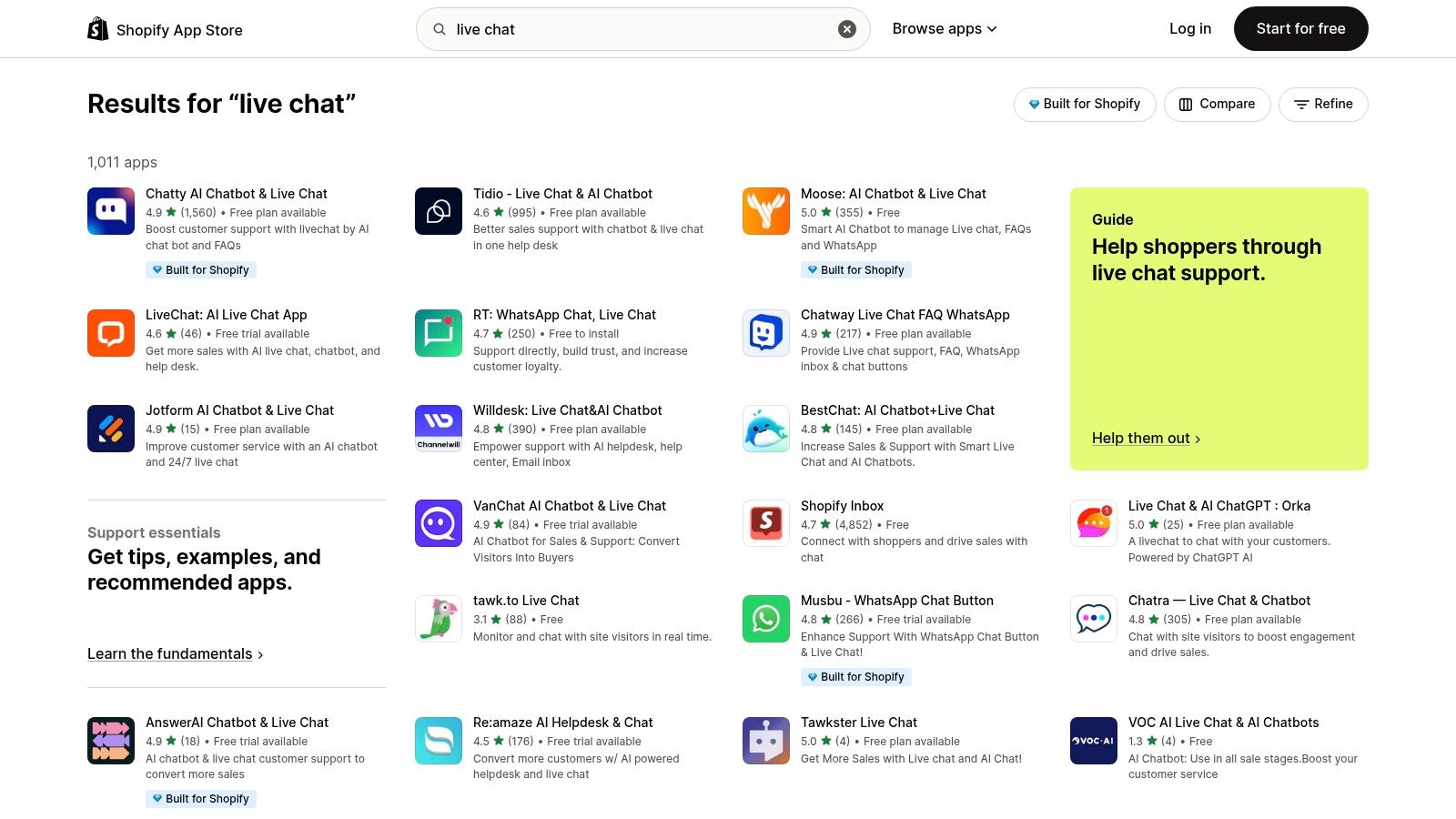
For businesses built on Shopify, the official App Store is the most logical starting point for finding the perfect chat solution. Rather than a single product, it’s a curated marketplace offering dozens of live chat apps specifically designed to integrate seamlessly with the platform. This makes it a top resource for finding the best live chat software for small business owners in the e-commerce space, from simple chat widgets to complex AI-powered platforms.
The primary advantage is the one-click installation and the assurance of compatibility with your Shopify store. You can easily filter options by price, features, and user ratings to find tools like Tidio, Gorgias, or even Shopify's own free "Inbox" app. This allows merchants to compare multiple solutions within a trusted environment, test them with free trials, and manage billing directly through their Shopify account.
Key Considerations for Shopify App Store
The strength of the App Store lies in choice and convenience. You can find everything from basic free chat tools to advanced omnichannel platforms that tie into your inventory and customer order history, providing a rich, context-aware support experience.
| Feature | Details |
|---|---|
| Pricing Model | Varies by app; many offer free plans, subscriptions, or usage-based fees. |
| AI Features | Widely available through various apps, from simple chatbots to advanced AI agents. |
| Best For | Shopify merchants looking for a deeply integrated and easy-to-install chat solution. |
| Trial | Most apps offer a free plan or a free trial period. |
Pros:
- Guaranteed compatibility and simple one-click installation for Shopify stores.
- Centralized discovery, reviews, and billing management.
- Wide range of options to fit any budget and feature requirement.
Cons:
- Quality and support can vary significantly between different app developers.
- Requires due diligence to read reviews and vet the best option for your needs.
Website: https://apps.shopify.com/search?type=apps&q=live+chat
Live Chat Software Comparison: Top 12 Features & Pricing
| Platform | Core Features | User Experience | Value Proposition | Target Audience | Pricing Model |
|---|---|---|---|---|---|
| Intercom | Live chat, AI automations, help center | SMB-friendly, scalable workflows | All-in-one platform, advanced routing | SMBs growing teams | Seat-based + pay-per-use |
| Zendesk | Live chat, ticketing, knowledge base | Mature ecosystem, strong analytics | Comprehensive suite, strong integrations | Mid-market to enterprise | Per agent, tiered |
| LiveChat | Customizable chat, campaigns, AI add-on | Fast setup, polished apps | Ecommerce focus, optional ChatBot | Ecommerce, Shopify users | Per user + add-ons |
| Tidio | Live chat, AI chatbot, multichannel | Simple setup, basic analytics | Budget-friendly, fast automation | Small ecommerce brands | Conversation-based |
| HubSpot Live Chat | Free chat, CRM integration, basic bots | Easy handoff, seamless CRM tie-in | Free start, basic chat+contact management | Small businesses | Free, paid upgrades |
| Freshchat by Freshworks | Omnichannel chat, AI assistant options | Generous free tier, upgrade path | Flexible, omnichannel support | SMBs needing multi-channel | Free + paid add-ons |
| Crisp | Live chat, shared inbox, knowledge base | Flat pricing, multiple seats | Good value, simple pricing | Small teams | Flat plan pricing |
| Olark | Custom chatbox, routing, AI upgrades | Simple, reliable, unlimited chats | Transparent pricing, easy for small teams | Small businesses | Per user + add-ons |
| LiveAgent | Chat + ticketing + call center | Broad feature set, free plan available | Affordable, all-in-one help desk | Small teams | Per agent |
| Zoho SalesIQ | Chat, visitor tracking, AI (higher tiers) | Competitive pricing, strong insights | Integrated with Zoho ecosystem | SMBs in Zoho ecosystem | Free + modular add-ons |
| Gorgias | Ecommerce helpdesk, live chat, ticketing | Optimized for stores, ticket volume | Scales by tickets, no per-seat fees | Ecommerce merchants | Ticket-based billing |
| Shopify App Store | Curated apps, reviews, one-click install | Wide choice, ecommerce focused | Central directory for Shopify merchants | Shopify merchants | Varies by app |
Making Your Final Choice: Balancing Features, AI, and Budget
Choosing the best live chat software for your small business from this extensive list can feel daunting, but it doesn't have to be. After reviewing the features, pricing, and unique strengths of each platform, the decision ultimately hinges on three core pillars of your business: your primary use case, your budget, and your plan for future growth.
Don't get lost in a sea of features. Instead, start by clearly defining what you need live chat to accomplish right now. Are you trying to reduce abandoned carts, improve customer support response times, or generate more qualified leads? Your immediate goal is the most reliable compass you have.
Matching the Tool to Your Business Model
The right choice becomes much clearer when you align it with your specific business type.
- For E-commerce Stores: Platforms with deep integrations into e-commerce ecosystems are non-negotiable. Gorgias and its seamless connection with Shopify stand out, allowing you to view order history and perform actions directly within the chat. Similarly, the Shopify App Store offers a variety of specialized chat apps built for merchants.
- For B2B & Service-Based Businesses: If your focus is on lead generation and nurturing, a tool integrated into a larger CRM is ideal. HubSpot Live Chat is a perfect example, as it feeds every conversation directly into your contact database, making follow-up effortless. Intercom and Zendesk also excel here with their robust sales and marketing automation features.
- For Budget-Conscious Startups: You don't need a huge budget to provide excellent support. Tidio, Crisp, and Freshchat offer generous free or low-cost plans that provide all the essential features you need to get started without a significant financial commitment.
The Growing Role of AI and Automation
As you evaluated the options, you likely noticed a common thread: the increasing importance of AI and chatbots. These aren't just for large enterprises anymore. For small businesses, automation is a powerful lever that allows a small team to provide instant, 24/7 support for common questions. This frees up your human agents to handle the complex, high-value conversations that build true customer loyalty.
To truly leverage the power of modern live chat solutions, understanding the principles of conversational AI is crucial for evaluating how these technologies transform customer experiences. Many of the tools we've covered, like Tidio and Intercom, offer built-in AI capabilities. However, consider a "start simple and scale smart" approach. Begin with a solid live chat foundation and then integrate more advanced, specialized AI tools like Yoonoo as your needs evolve and your query volume grows.
Your final selection for the best live chat software for your small business should feel like a strategic partnership. It should solve today’s problems while providing a clear path to meet tomorrow’s challenges. Start with a free trial, test the user interface with your team, and see how it feels in a real-world scenario. This hands-on experience is the final, most important step in making a choice you’ll be happy with for years to come.
Ready to supercharge your live chat with a powerful AI that learns from your website in minutes? Yoonoo integrates with your existing tools to provide instant, accurate answers to customer questions, freeing up your team to focus on growth. Try Yoonoo today and see how easy it is to deploy a world-class AI chatbot.