Implementing an AI Customer Service Chatbot
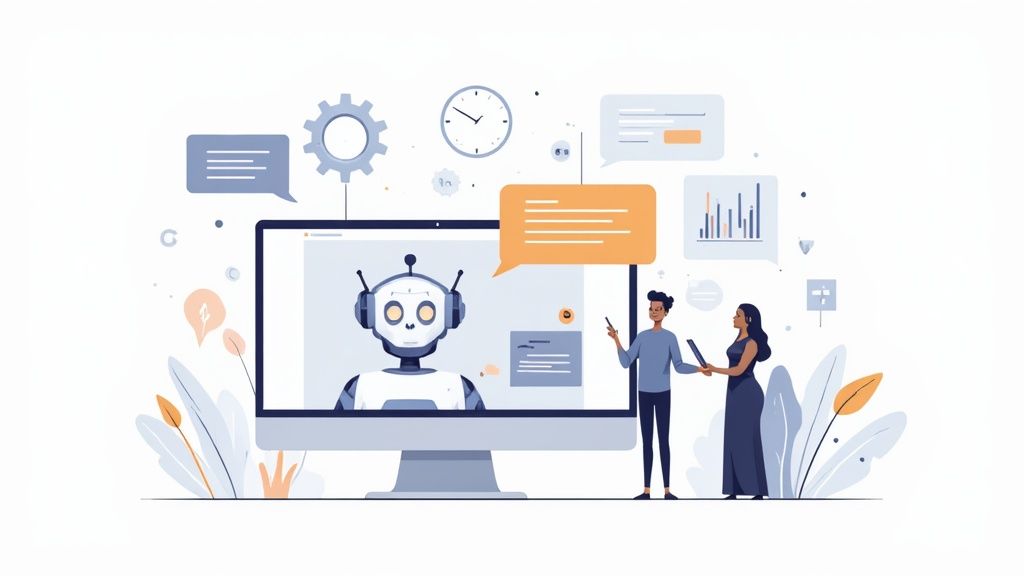
An AI customer service chatbot is basically an automated program that mimics human conversation. It’s built to handle a ton of customer support tasks—everything from answering common questions to processing returns—and it's on the job 24/7. The whole point is to give customers instant, reliable support so your human agents can tackle the tougher stuff.
Why You Actually Need an AI Customer Service Chatbot
Let's cut through the noise and talk about what this really means for your business. An AI chatbot isn’t just a fancy tool for deflecting support tickets; it’s a smart way to rework your entire customer service strategy. It’s always on, which means no customer ever has to wait for an answer, no matter where they are or what time it is.
Think about a customer trying to figure out a simple billing question at 10 PM. Without a chatbot, they're stuck waiting until morning. With one, the chatbot can securely pull up their account info and give them a correct answer on the spot. That little interaction can turn a potentially frustrating moment into a really positive one for your brand.
Let Your Team Focus on What Matters
One of the biggest wins here is getting your talented human agents out of the weeds of repetitive, simple tasks. How much of your team's day is eaten up by password resets, order status checks, or answering the same five questions a dozen times? Every one of those, while important, keeps them from conversations that really need a human brain and a bit of empathy.
When an AI chatbot takes over the routine stuff, your team can finally concentrate on:
- Solving Complex Problems: Digging into tricky customer issues that require real thought.
- Building Customer Relationships: Having meaningful conversations that build loyalty and trust.
- Providing High-Value Sales Help: Guiding customers through detailed product questions or custom requests.
This shift doesn’t just make your team more efficient—it makes their jobs more engaging and lets them use their skills where they have the most impact. To get a better sense of how this is changing the game across the board, it's worth reading up on how Automation and Artificial Intelligence in Call Centers are reshaping the industry.
By getting your agents out of the mundane, you’re not just boosting efficiency. You’re building a more skilled, motivated, and effective support team that delivers better service and keeps customers coming back.
Before we go deeper, here’s a quick look at the core advantages you can expect when you bring an AI chatbot into your workflow.
Table: Key Benefits of AI Chatbot Integration
| Benefit Area | Specific Impact | Business Outcome |
|---|---|---|
| Operational Efficiency | Automates up to 80% of routine customer questions. | Drastically reduces agent workload and operational costs. |
| Customer Experience | Provides instant, 24/7 support and resolutions. | Increases customer satisfaction and loyalty. |
| Team Productivity | Frees human agents for complex, high-value tasks. | Boosts employee morale and overall team effectiveness. |
| Scalability | Handles thousands of conversations simultaneously without delays. | Supports business growth without a linear increase in support staff. |
| Data & Insights | Collects valuable data on customer needs and pain points. | Informs product development and service improvements. |
As you can see, the benefits go far beyond just answering questions faster. It’s about creating a smarter, more responsive customer service operation from the ground up.
A Look at the Bigger Picture
This isn't just a fleeting trend—it's a major shift in how businesses connect with customers. By 2025, it’s expected that around 80% of companies will be using AI-powered chatbots to handle their customer interactions. This massive adoption is fueled by real, measurable results. For a complete rundown of the advantages, check out our detailed guide on the benefits of AI chatbots.
The numbers speak for themselves. We've seen that AI chatbots can successfully handle up to 80% of routine inquiries. For some businesses, this has led to a mind-blowing 87% reduction in the average time it takes to solve a customer's problem. You can find more stats like these on Desk365.io.
Your First Steps with the Yoonoo Platform
Jumping into a new platform can sometimes feel a bit daunting, but I've found that Yoonoo really strips away the complexity. They’ve designed it to get you from zero to a working bot in a surprisingly short amount of time. This initial setup is all about building a solid foundation for a genuinely helpful AI customer service chatbot.
First things first, you'll want to create your account and get a feel for the dashboard. This is your command center for everything—training your bot, tweaking its personality, and later on, checking in on its performance. The interface is clean and straightforward, so you won't get bogged down in technical clutter.
Connecting Your Knowledge Sources
Okay, this is where the magic really starts. A chatbot is only as smart as the information it has access to. Think of this step as giving your bot its brain. The great thing about Yoonoo is that you don't have to painstakingly create a knowledge base from scratch. Instead, you just connect your existing resources.
It’s as simple as linking to things you already have, like:
- Your website's FAQ page: This is the low-hanging fruit. It’s packed with the questions your customers are already asking, making it the perfect starting point.
- An existing help center or knowledge base: If you've got a library of support articles on a platform like Zendesk or Intercom, you can plug it right in. This gives your bot a deep well of information to draw from instantly.
- Specific product pages: This is a must for e-commerce. Linking to key product pages allows the bot to answer detailed questions about features, specs, and stock levels without missing a beat.
This initial data sync is what gets the AI learning about your business right out of the gate.
Setting Your Chatbot's Personality and Tone
A chatbot shouldn't sound like a robot from a 90s sci-fi movie. One of the most critical early tweaks is defining its personality. This ensures the bot's communication style matches your brand's voice, which makes the whole customer experience feel seamless.
Are you a fun, modern brand? A witty, conversational tone might be perfect. Or maybe you're in a more buttoned-up industry like finance or law? A professional and formal tone is probably a better fit. Yoonoo gives you simple settings to lock this in, so your bot never sounds out of place. It’s a small detail that has a huge impact on how customers feel about the interaction. If you want to dive deeper into why this matters so much, we break it down in our guide to the AI customer support chatbot.
Here's a look at the Yoonoo dashboard where you’ll be managing these settings. Notice how clean and intuitive it is.
As you can see, the layout is designed to put the most important functions right where you need them, without any guesswork.
Pro Tip: Your welcome message is the chatbot's first impression. Make it count. Craft a clear, friendly greeting that tells the user exactly what the bot can help with. Setting expectations from the get-go is the best way to reduce frustration and get people to actually engage with it.
Training Your Chatbot on Real Customer Needs
An AI chatbot is only as good as the information you feed it. Sure, connecting your help center is a decent starting point, but the real magic happens when you teach your bot to think like your best support agent. This is how you transform a generic bot into a genuinely helpful ai customer service chatbot.
This means getting strategic with your knowledge base. Instead of just dumping in a library of documents, you’ll see far better results by creating precise question-and-answer pairs. This focused approach directly addresses your customers' most common and frustrating pain points, making the bot valuable from day one.
Uncovering Knowledge Gaps in Your Support Logs
Your best source for training material isn't guesswork—it's sitting right there in your support logs. I always tell people to dive into their helpdesk tickets, live chat transcripts, and even social media DMs. These conversations are a goldmine of raw, unfiltered customer language, showing you what people are actually asking.
Keep an eye out for recurring themes. Are customers constantly confused about your return policy? Do they struggle to find shipping information? These high-frequency questions are your top priority for creating specific Q&A pairs in Yoonoo.
When you use the exact phrasing your customers use, you train the bot to recognize what they mean much more accurately. This is the difference between a bot that might find the right article and one that gives a direct, perfect answer right away.
Creating Precise Question and Answer Pairs
Once you’ve pinpointed the most common issues, it's time to build out your training data. The key here is to be incredibly specific. A vague knowledge base leads to vague answers. Sharp, focused training, on the other hand, leads to a bot that solves problems fast.
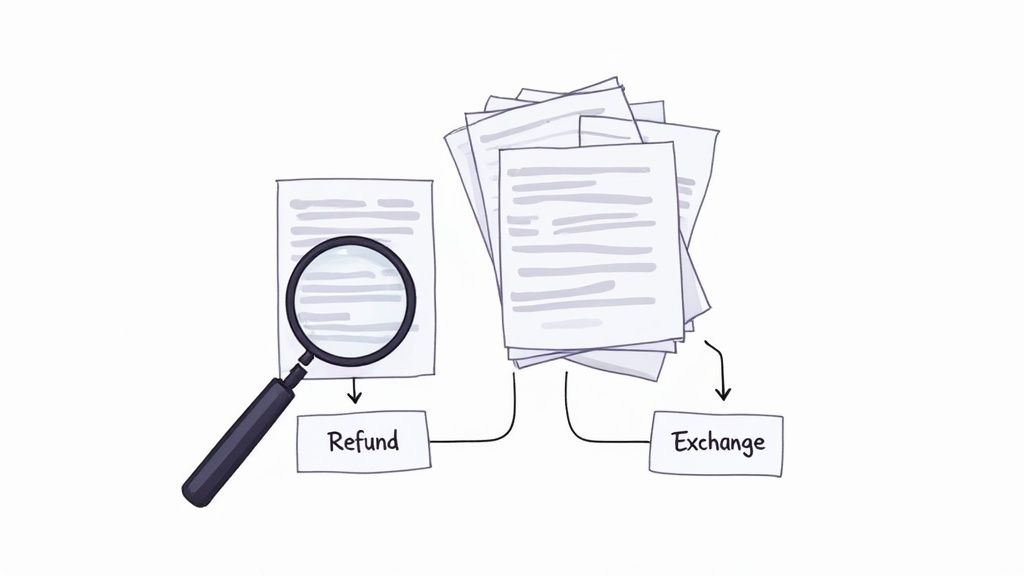
Let's take a classic e-commerce scenario: returns versus exchanges. A customer might just type, "I need to send this back." You need to teach your bot how to handle that ambiguity with a simple clarifying question.
Here’s how I’d structure this in practice:
- Initial Customer Query: "My shirt doesn't fit, I want to return it."
- Bot's Clarifying Question: "I can definitely help with that! Are you looking to get a different size (exchange) or your money back (refund)?"
- Customer's Response: "A different size."
- Bot's Action: "Great! To start your exchange for a new size, please enter your order number below."
This multi-step flow is infinitely more helpful than just dropping a link to a generic returns policy page. It actively guides the user toward a solution, which is the whole point.
Customer experience leaders are seeing huge wins with this approach. In fact, 90% report a positive ROI from their AI implementations. What’s more, 79% of support agents feel that AI assistants, or 'copilots,' significantly improve their ability to serve customers. You can dig into these trends in the full report on customer support statistics.
Building Simple Conversational Flows
Not every problem can be solved with a single answer. Some tasks, like booking an appointment or troubleshooting a tech issue, require a few steps. In Yoonoo, you can create simple conversational flows to guide customers through these more complex processes without needing to loop in a human.
Think about a salon, for instance. A customer wants to book a haircut. Instead of just providing a link, the chatbot can handle the entire interaction:
- Greeting: "I can help you book an appointment. What service are you interested in?"
- Service Selection: The bot presents options like "Haircut," "Color," or "Styling."
- Time Selection: "Which day and time works best for you?"
- Confirmation: "Perfect! You're booked for a haircut with Jane on Tuesday at 2 PM. We'll send you a confirmation email shortly."
This interactive approach feels personal and is way more efficient. It doesn't just answer a question; it actually completes a task. That's a massive leap in value for both the customer and your business. By focusing on these real-world needs, your chatbot becomes an indispensable part of your support team.
Taking Your Chatbot to the Next Level with Advanced Features
So, your chatbot has a solid knowledge base and is handling the basic questions like a champ. That’s a huge win. But now it's time to go beyond a simple Q&A bot and turn it into a genuine workhorse for your customer service team. This is where you get into the really cool stuff: advanced features and integrations that make your bot an indispensable part of your workflow.
The whole point is to build a system where the line between AI and human support is practically invisible to the customer. It's all about creating a smooth, intelligent experience, and that starts with knowing when the bot should gracefully bow out and let a person take over.
Building Smart Handoffs to Human Agents
Nothing frustrates a customer more than being stuck in a loop with a bot that can't help. A great chatbot understands its own limitations. Inside Yoonoo, you can easily set up triggers that automatically pass a conversation to a live agent, and crucially, without making things awkward for the customer.
Think about setting up handoffs based on a few key signals:
- Trigger Words: If a customer starts using words like "complaint," "frustrated," or asks to "speak to a manager," that’s your cue. The bot can immediately route them to your team.
- Repeated Questions: When someone asks the same thing two or three times, it’s a dead giveaway the bot is missing the mark. This is a perfect moment to escalate.
- Sentiment Analysis: Modern AI is pretty good at picking up on tone. If it senses a customer is getting upset, it can proactively offer to bring in a human expert before things go south.
The handoff itself needs to be seamless. Yoonoo makes sure the entire chat history is passed directly to the agent. This way, your customers never have to repeat their story—a small detail that makes a world of difference between a helpful experience and a maddening one.
Plugging Your Bot into Your Business Tools
This is where the magic really happens. A standalone chatbot is useful, but a chatbot that can talk to your other business systems is a game-changer. By connecting Yoonoo to your CRM, e-commerce platform, or order management system, you give it superpowers.
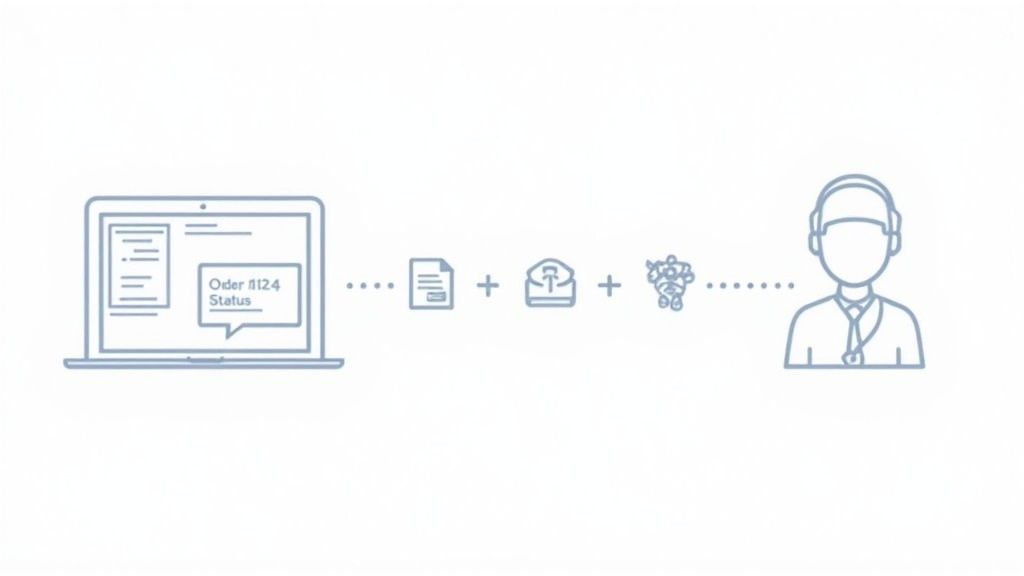
Let’s say a customer asks, "Where's my stuff?" Instead of giving a generic answer about shipping times, an integrated bot can actually do something.
It can ask for the order number, securely look it up in your system, and come back with a real-time status update right in the chat. "Looks like your order shipped this morning and is scheduled for delivery tomorrow!"
This one simple interaction saves your team from a routine task and gives the customer an instant, satisfying answer. This level of automation is quickly becoming the norm. In fact, projections show that by the end of 2025, more than 80% of businesses will be using some form of chatbot automation. That’s because AI can handle nearly two-thirds of all customer service tasks, with some estimates suggesting up to 70% of contacts can be managed without any human help.
The best integrations are invisible to the customer. They don't care how you get them the answer; they just want the answer quickly and accurately. Connecting your tools is the most effective way to make that happen.
As you think about what's next, you might even consider more advanced inputs, like Speech-to-Text capabilities for AI platforms like ChatGPT, which open up entirely new ways for customers to interact. These are the kinds of features that elevate your bot from a helpful tool to a core part of how you do business.
Measuring and Improving Chatbot Performance
Getting your AI customer service chatbot live is a fantastic first step, but the real work starts now. Think of the launch as day one of a long-term project. The goal isn't just to launch and forget; it's to continuously refine your bot based on real-world data, making it smarter and more helpful over time. Your best friend in this process is the Yoonoo analytics dashboard.
It's easy to get overwhelmed by all the charts and numbers. My advice? Don't. Instead of chasing vanity metrics, focus on the data that tells you whether your chatbot is actually solving customer problems.
Key Metrics That Actually Matter
When you first log into your Yoonoo dashboard, you'll see a lot of data points. To avoid getting lost, I always tell people to start by focusing on these three core metrics. They give you the clearest and most immediate picture of how your bot is doing.
- Resolution Rate: This is the big one. It's the percentage of conversations your chatbot handles from start to finish without needing a human to step in. A high resolution rate means your bot is effectively doing its job and delivering ROI.
- Escalation Frequency: This shows you how often the bot punts a conversation over to your live agents. A high number here isn't automatically a bad thing—it might just mean you're getting a lot of complex, high-value questions. But it’s a clear signal telling you where you need to dig deeper.
- Customer Satisfaction (CSAT) Scores: This is your direct line to the user's experience. A simple "Did this answer your question?" with a thumbs-up or thumbs-down at the end of a chat provides invaluable, immediate feedback.
A high number of 'I don't know' responses for a certain topic isn't a failure. It’s a bright, flashing sign telling you precisely where to expand your knowledge base next. Treat these moments as free, actionable feedback.
These numbers tell you what is happening, but the real insights come from understanding why. This is where you need to roll up your sleeves and get into the conversation logs.
I can't stress this enough: make it a habit to regularly review your bot's conversation history. Look for the patterns. Where did the bot get stuck? What questions led to user frustration? Did it provide an answer that was technically right but contextually wrong?
Every single one of these interactions is a golden opportunity. You can take that exact user query, refine an existing answer in your knowledge base, or create an entirely new entry to fill a gap. This simple loop—measure, analyze, and refine—is what separates a decent chatbot from an indispensable one.
Key Chatbot Performance Metrics to Track
To get a complete picture, you need to look at a handful of metrics together. Focusing on these specific numbers within Yoonoo's dashboard will help you quantify the effectiveness and ROI of your new AI team member.
| Metric | What It Measures | Action to Take If Low |
|---|---|---|
| Resolution Rate | The percentage of chats fully resolved by the AI without human agent intervention. | Analyze failed conversations in the logs. Identify knowledge gaps or confusing phrasing and update your knowledge base. |
| CSAT Score | Customer satisfaction with the chatbot interaction, usually on a 1-5 scale or 👍/👎. | Review chats with low scores to understand the user's frustration. The bot might need better-phrased answers. |
| Escalation Rate | The percentage of chats transferred from the bot to a human agent. | Look for patterns in escalated chats. You may need to create new automated workflows or add more detailed information. |
| Average Handle Time | The average duration of a conversation handled entirely by the chatbot. | A long handle time might mean the bot's responses are unclear or it's taking too many steps to get to the answer. |
By keeping a close eye on these metrics, you're not just guessing what to improve. You're using real customer data to guide every update, ensuring your chatbot becomes more valuable with each interaction.
Common Questions About AI Chatbots
Diving into the world of AI always brings up a few questions. Let's walk through some of the most common ones we hear from businesses setting up their first AI customer service chatbot with Yoonoo.
Getting these fundamentals right from the beginning will make the whole process much smoother.
How Much Training Data Do I Really Need?
You probably don't need nearly as much as you think. It's a common myth that you need thousands of documents to get going, but you can launch a genuinely helpful bot with the content you already have. Your existing FAQ page or help center is the perfect place to start.
For a solid foundation, aim for around 50 to 100 question-and-answer pairs that cover the most common things your customers ask about. This gives the AI enough context to handle the basics right away. After that, the system learns and gets smarter with every single conversation it has.
The goal isn't to launch a perfect, all-knowing bot on day one. It's to launch a helpful bot that can learn and grow. Start small, nail the most frequent questions, and build from there.
Will My Chatbot Sound Like a Robot?
This is a huge concern for brands, and it should be. Nobody wants their customers to have a clunky, frustrating experience. The good news is that today's AI has come a long way from the scripted bots of the past, and you have complete control over its voice and personality.
You can shape how it communicates by feeding it quality training examples and defining a specific tone—whether you want it to be friendly, witty, or straight-to-the-point professional. The key is to make the bot's style a natural extension of your brand, so it feels like another member of your team, not just a piece of software.
What Happens When the Chatbot Doesn't Know the Answer?
A well-designed chatbot never guesses. That just leads to frustrated customers. Instead, when it gets stuck, it should follow a smart, clear escalation path that you've already defined.
Here’s what that process looks like when done right:
- It admits its limit: The bot will clearly state it needs to find a human expert to help.
- It offers a next step: It can automatically create a support ticket for the user.
- It hands off smoothly: The best option is a seamless transfer to a live agent, passing along the entire conversation history so the customer never has to repeat themselves.
This ensures that even complex issues are handled by the right person without any friction for your customer.
Ready to build an AI chatbot that actually helps your customers? Get started with Yoonoo today and see how easy it is to provide instant, intelligent support. Launch your free chatbot now.